386
OPUS Projektor Manual
CAN
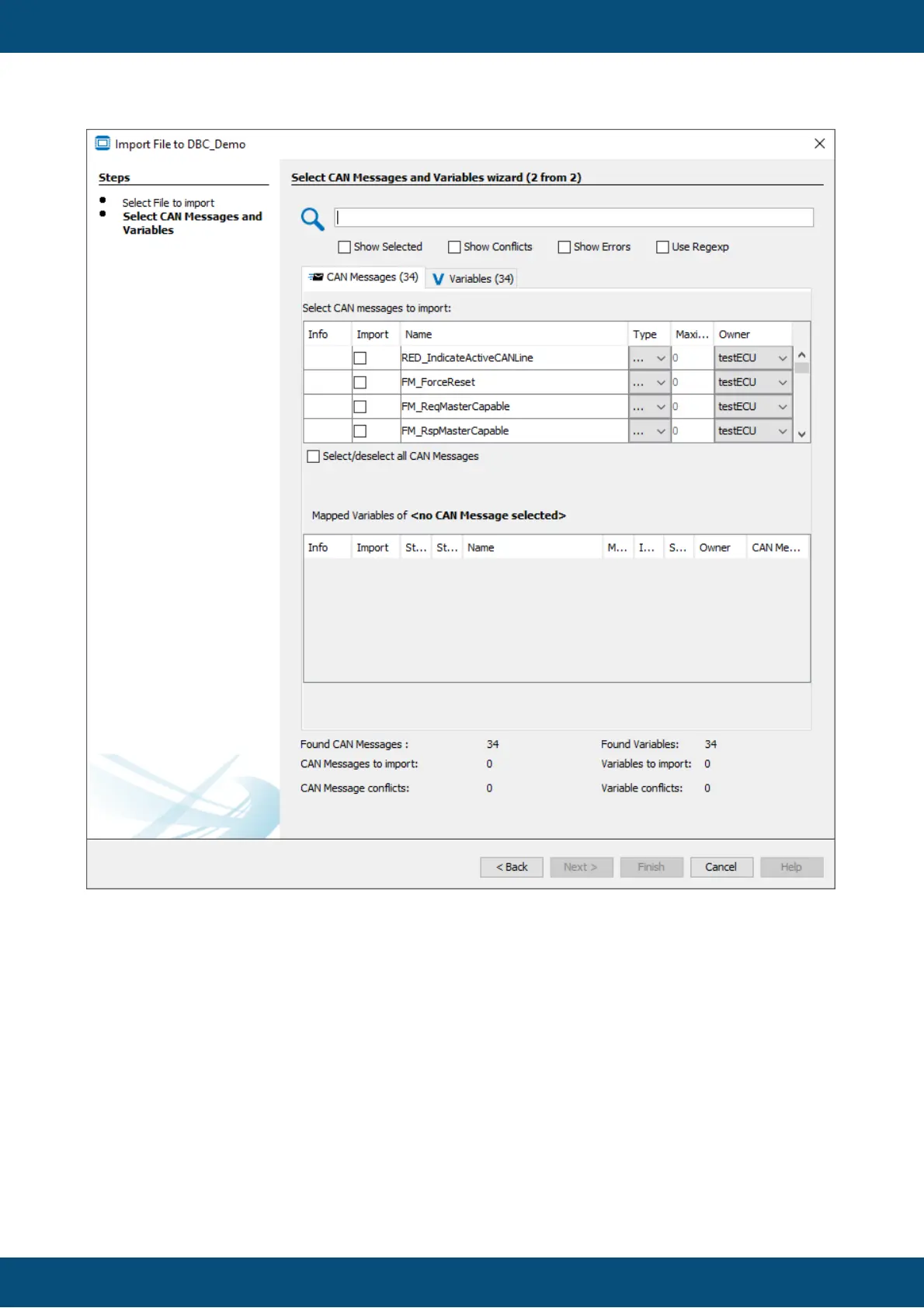
In the second step of the dialog the CAN messages and variables for import can be selected.
To select a CAN message for import, activate the check box in the Select column in the upper
table of the dialog. With Select/deselect all CAN Messages, all messages can be selected or
deselected at once.
If a CAN message in the DBC file is not compatible with the selected CAN protocol (e.g. a
J1939 message with > 8 bytes is defined in the DBC file, but the CAN Freestyle protocol has
been selected to be used), the CAN message will be displayed with a red error icon and
cannot be selected.



 To Next Page