395
OPUS Projektor Manual
CAN
·
Messages with same CAN-ID but different Multiplexer-Positions can not be exported. This
is not supported by the DBC format
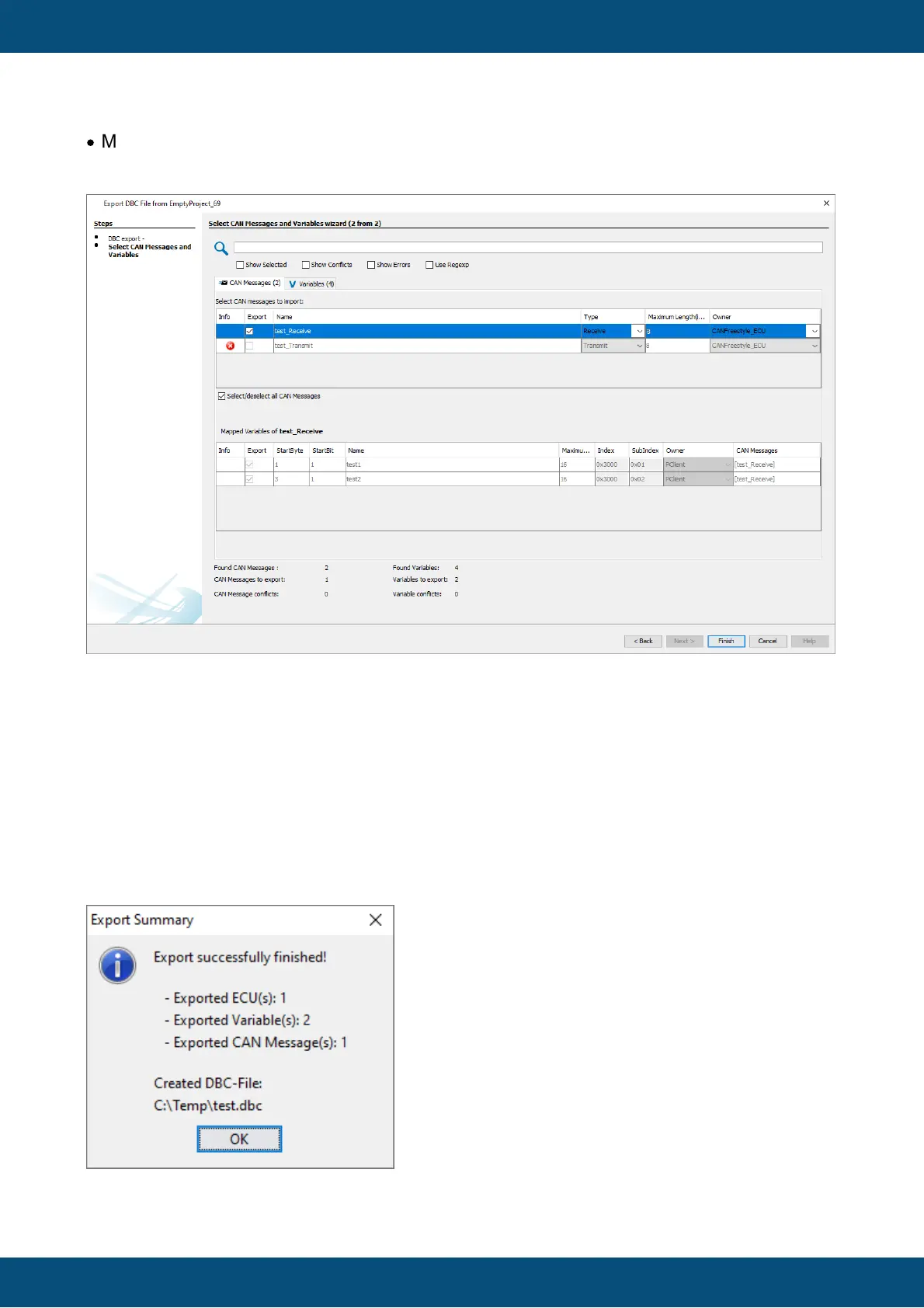
When a CAN message is selected for import, the according variables are automatically
selected for import, as well.
The table below the CAN messages shows the mapped variables of the currently selected
CAN message.
Note that the variables cannot be de-selected and no properties of the variables can be
changed.
The export process can be finished by clicking Finish.
Then a dialog will be shown with an overview of what has been exported.
The export process can be canceled at any time by clicking Cancel.



 To Next Page