There are 2 possibilities to add variables/constants
1. Add variable/constant with "Add" button.
1a Add variable
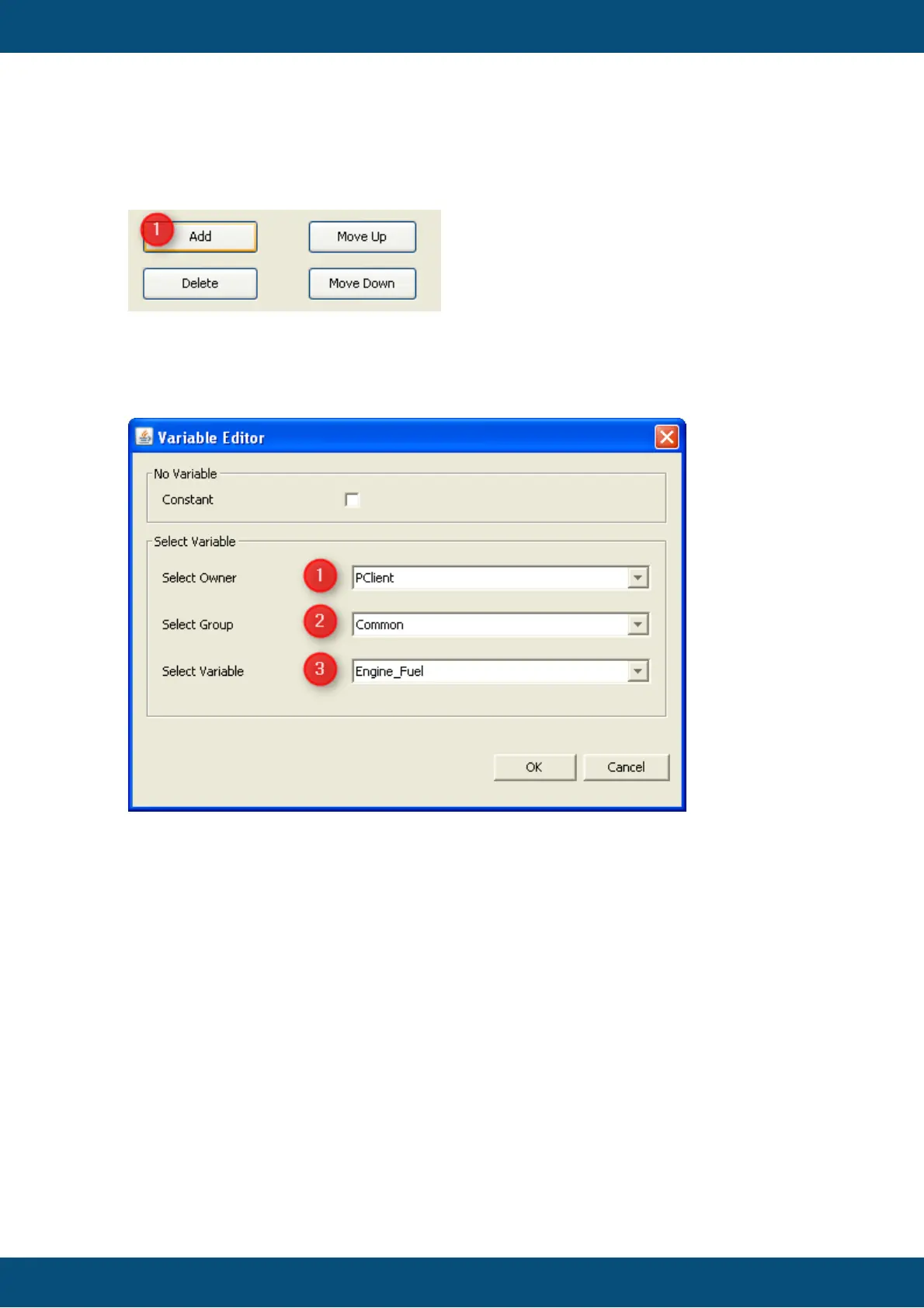
By clicking on "Add" (1) a new dialog will be opened. In the dialog you can select a
variable which is allowed to map to the current mapping object.
You can filter the variable in 2 categories:
- filter by "Owner" (1)
- filter by "Group" (2)
After changing the filter types the possible variables are shown in the last combo box
"Variables" (3).
By clicking "OK" the selected variable will be added to the current mapping object.
1b. Add constant
By clicking on "Add" a new dialog will be opened.



 To Next Page