Possible values:
·
Disabled: Removes the volume increase / decrease buttons).
·
Enabled: Add's the volume increase / decrease buttons.
Full Path In Title
This property shows the full path of the played media file in the title string field at runtime
instead of only the file name.
Default value: Disabled
Possible values:
·
Disabled: The media title stringfield shows only the filename
·
Enabled: The media title stringfield shows the full path of the played media file.
Playlist Media Files
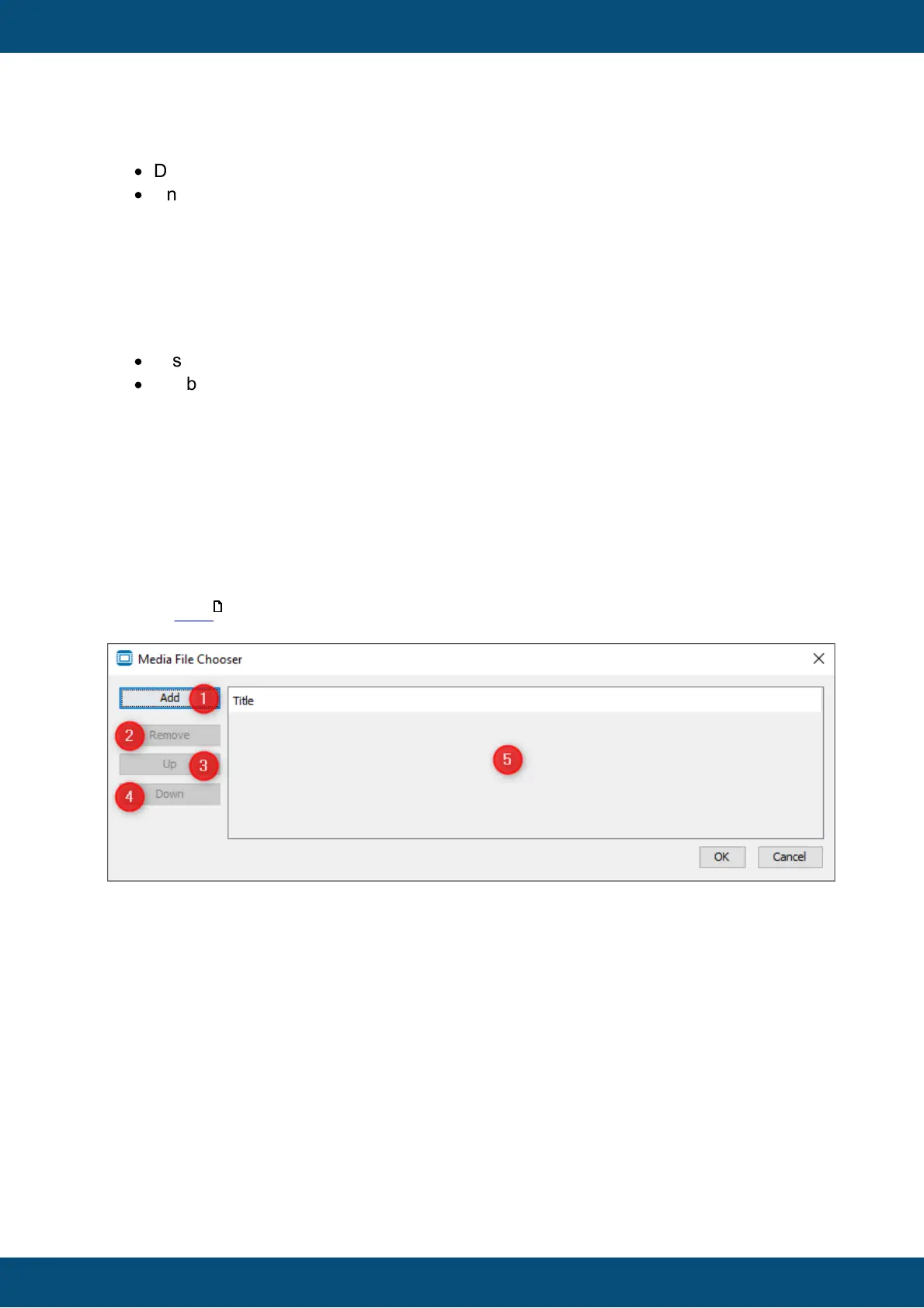
By clicking on this property, a media file chooser dialog will be displayed. Here the user
can modify his playlist.
This dialog supports the following operations: “Add” (1), “Remove” (2), “Up” (3) (playlist
position), “Down” (4) (playlist position).
Default value: empty
Possible values: Multiple media files in the supported formats (mp3, mp4, mka, mkv, mp4,
oga, ogg, ogv, wav, wma, wmv).
See the FAQ section below about codec information
Playlist Width
This value adjusts the width of the playlist if it is shown. The state of this property is
depending on the value of the “Show Playlist” property.
Default value: Disabled
Possible values: 1 ... width of the multimedia player object - 2 x (default component gap = 2
+ border width) -1



 To Next Page