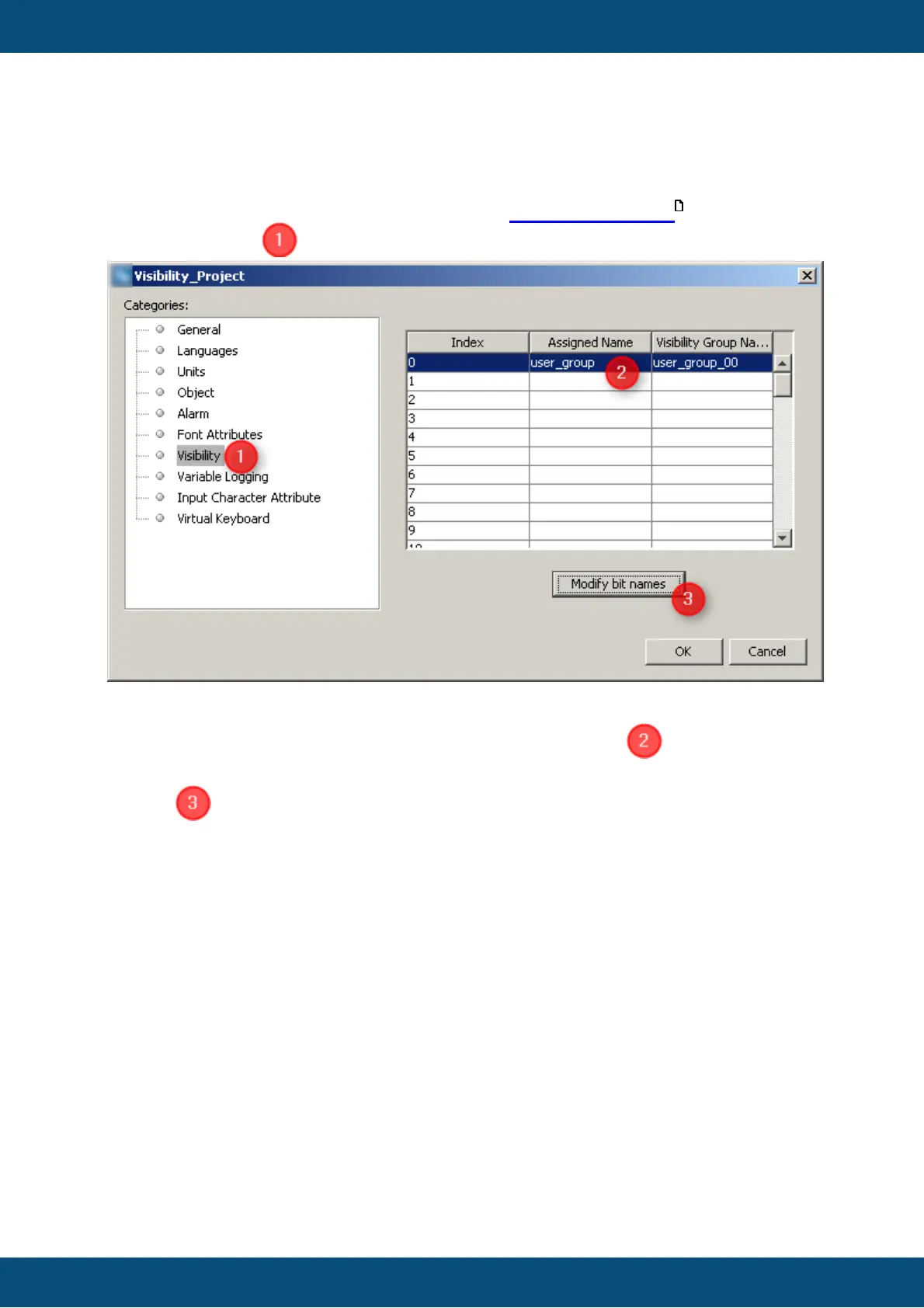
Before the Visibility can be used, you have to define the Visibility variables and its bits.
Therefore please navigate to main menu tab [File][Project Properties ] and select
category Visibility .
This dialog provides the fields to add new Visibility variables. The 'Index' of the variables
defines what internal Visibility variable should be used. So @Visibility00 variable could be
set with Index 0 by double press of the column 'Assigned Name' .
Afterwards you can configure the bits for each Visibility variable by clicking on 'Modify bit
names' . Therefore a new dialog called 'Modify bit names' will be opened:



 To Next Page