620
OPUS Projektor Manual
Device Software Update
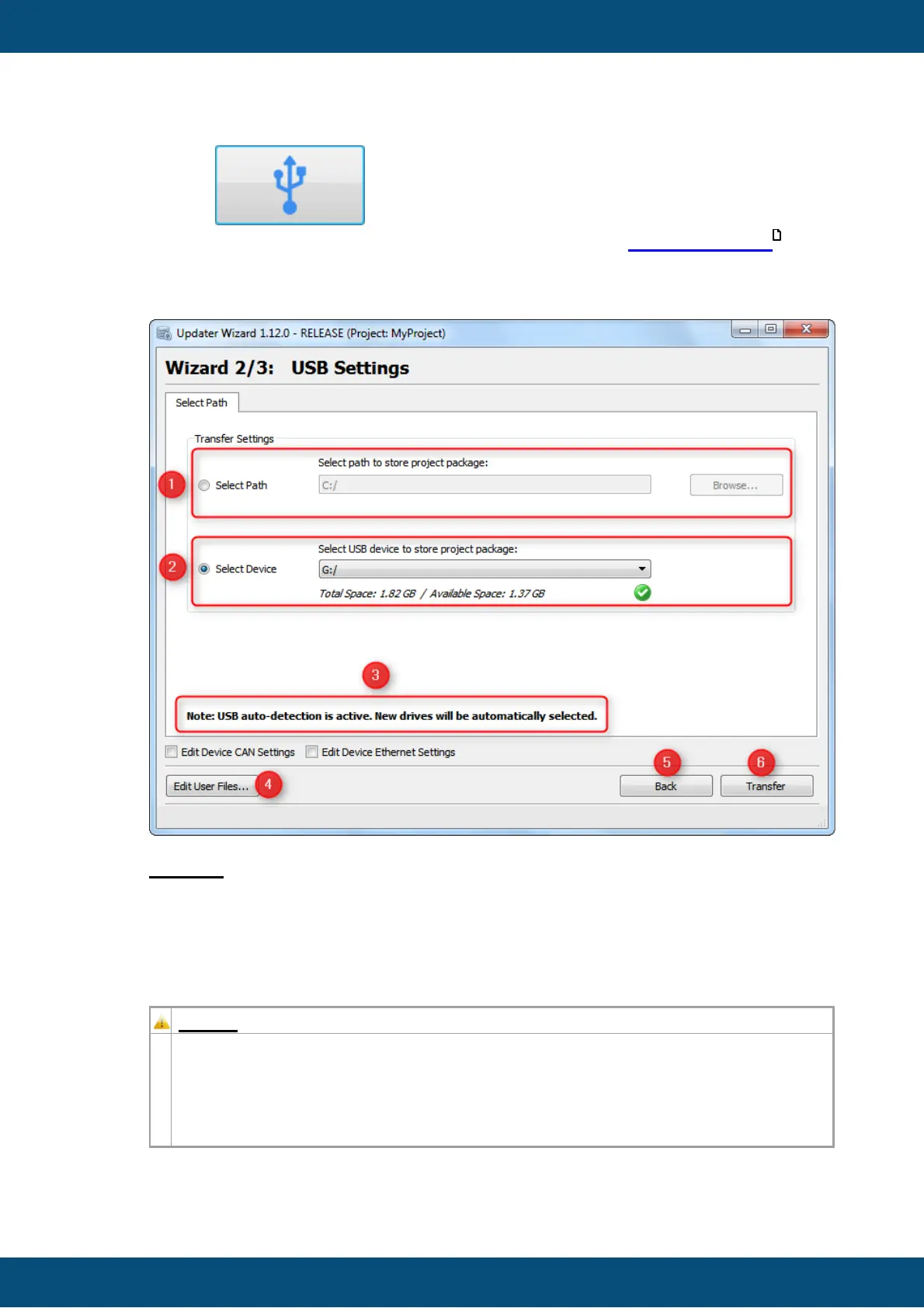
If the USB button is clicked on the Start Page, the USB Settings
Page is shown. Here you can set the USB drive to transfer the Project Package to.
USB Settings Page
Legend:
(1) The text box shows the path or USB drive name, the Project Package will
transferred to. If the application is started for the first time, the standard path "C:\" is
shown. You can edit the text box or choose a path via 'Browse...' button.
Please always select the root directory (5, 6) of the USB drive (e.g. "E:\")
otherwise the ClientUpdater application on the device won't be able to install the
project package.
Do NOT create or select any folder on the USB drive.
Afterwards accept the dialog with the button "Choose Folder" (7).
644



 To Next Page