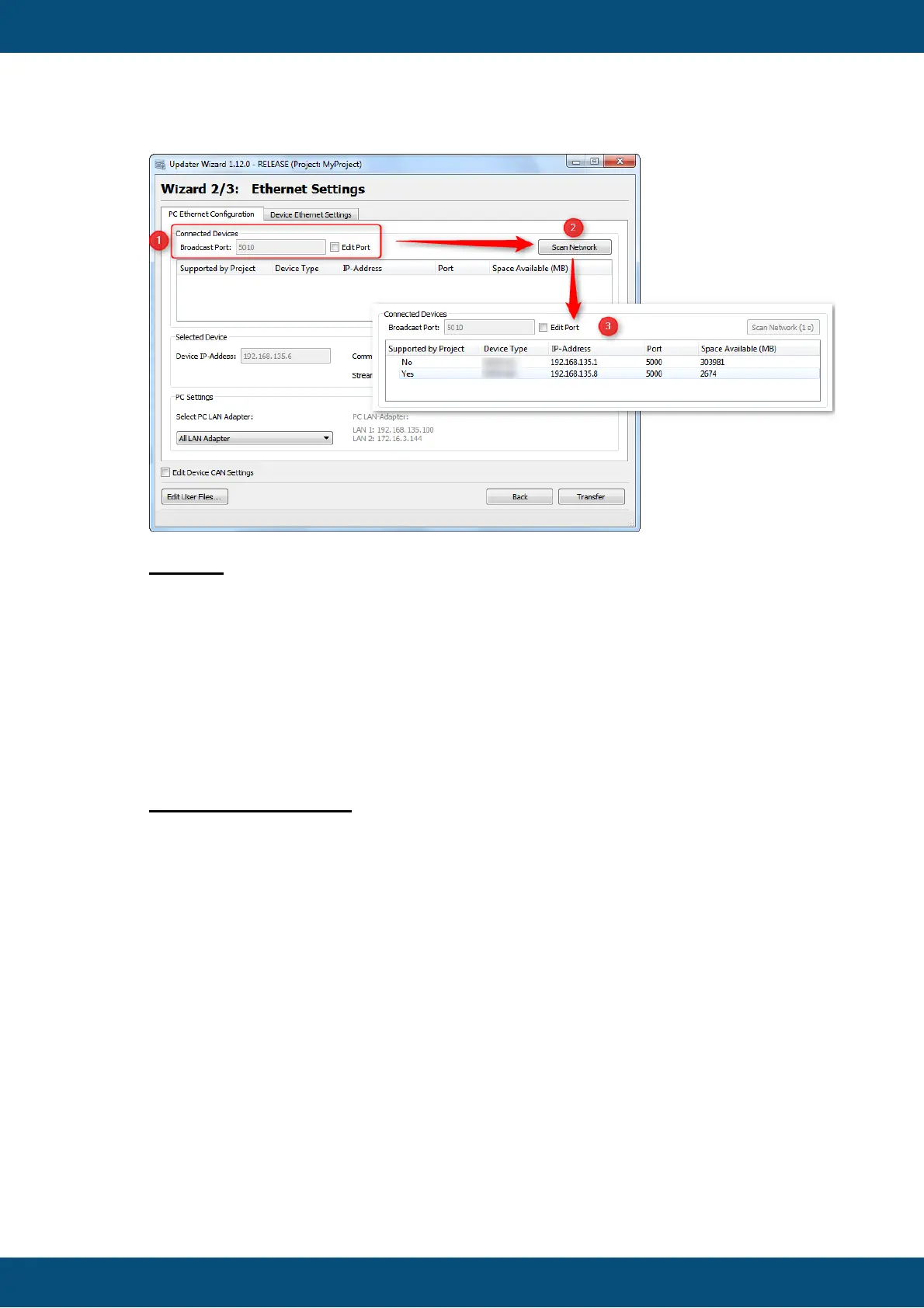
Legend:
(1) When the ethernet interface of an device is activated, it is possible to scan the
network for that device. For the communication between Host and Client the
'Broadcast Port' is used. When Host and Client are using diffrent ports the
communication won't work.
(2) When the correct 'Broatcast Port' is configured, it is possible to search after
devices with the button 'Scan Network'
(3) The list box shows all available devices in the network with some details.
PC Ethernet Parameter



 To Next Page