685
OPUS Projektor Manual
Miscellaneous
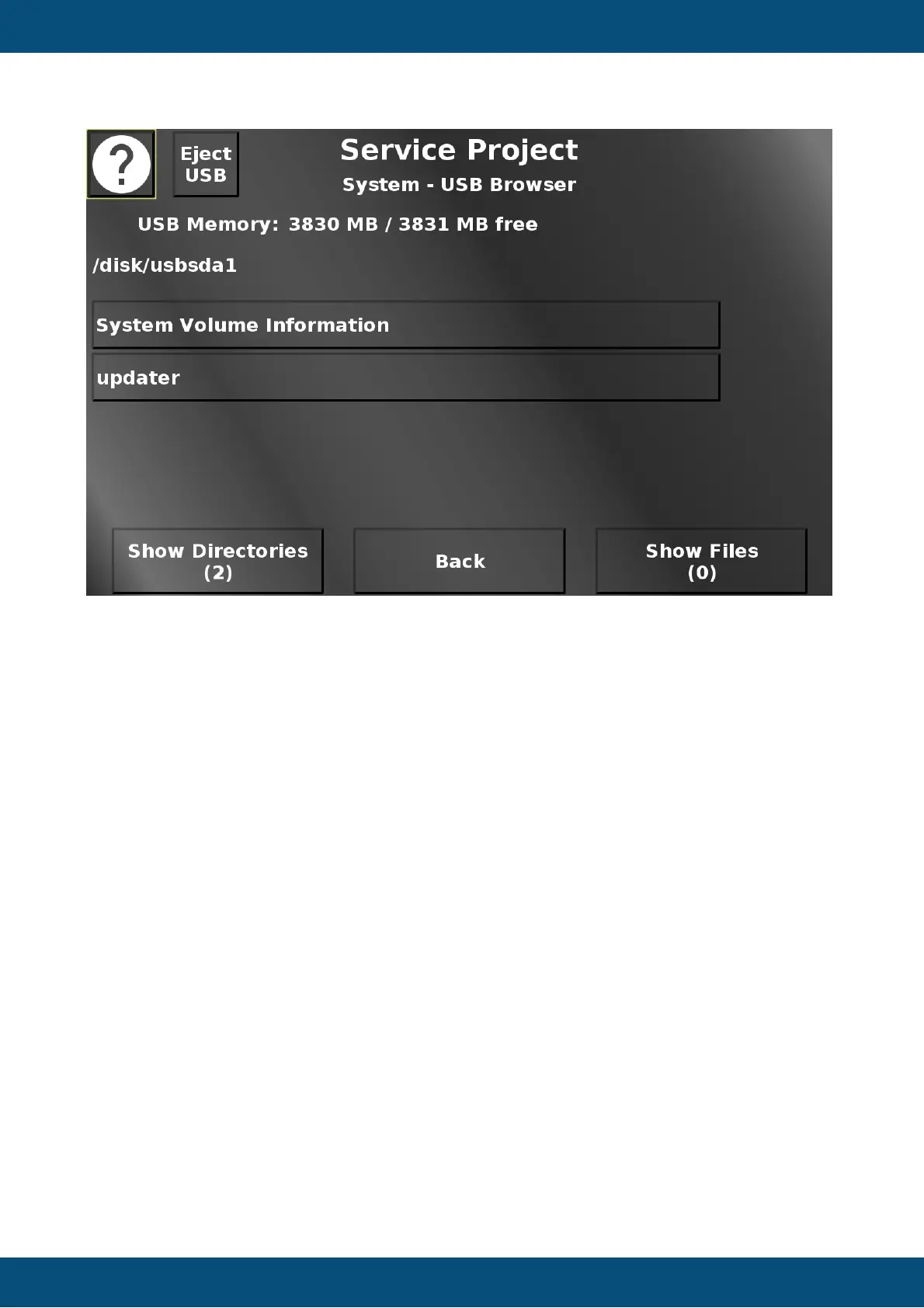
In this screen a rudimentary USB file browser is implemented. If a USB stick with a valid file
system is plugged in, the content will be shown. Next to the help button, an eject/unmount
button will be shown to unmount the USB stick before unplugging it. The view in the browser
can be switched between directories and files.
For directories, a press of the according button will show the content of this directory. The
current path is shown in the top of the screen. When directories are enterered, a "back" button
will be displayed to go back up to the root of the USB stick. Both for files and directories, "up"
and "down" buttons will be shown if more than 4 directories / files are present in the current
directory.
For files, a button press will open an alarm with a preview of the file. For image files the image
will be shown. Note that the aspect ratio will not be correct. For compatible audio and video
files an alarm with a multimedia player will be shown to play the file. Note that the aspect ratio
of the video will not be correct. For pdf files the pdf reader will be opened. For all other file
types the beginning of the file (up to 2MB) will be shown as text. The text can be scrolled to
see more content. Back returns to the system menu.
Service Project -> System -> Send Linux Command


 To Next Page
 Loading...