714
OPUS Projektor Manual
Miscellaneous
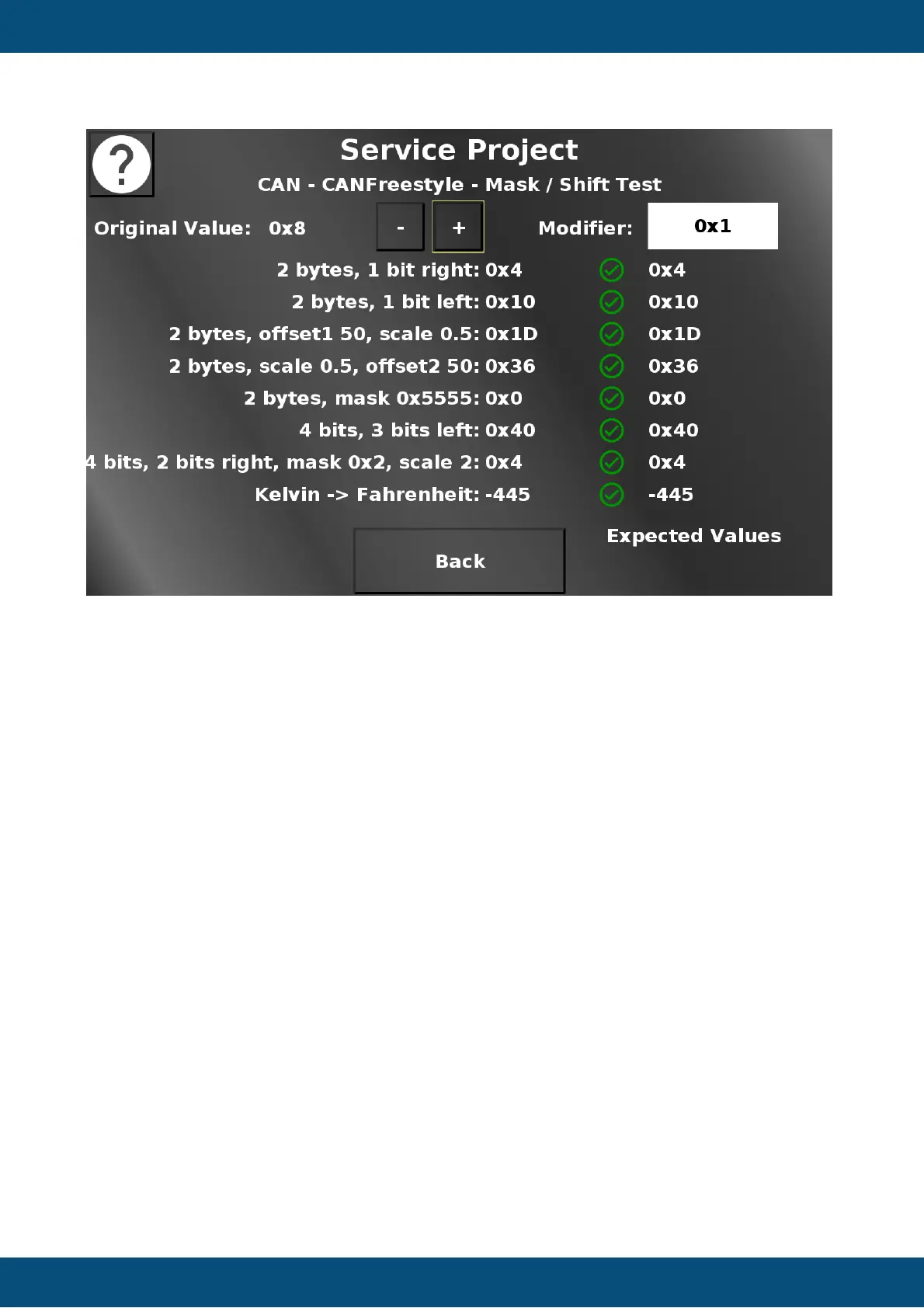
On this page, different masking, bit shift, scaling and offset functionalities can be tested. For
this test to work, CAN1 and CAN2 have to be connected.
In the top the original value can be changed (shown in hexadecimal). The Modifier dropdown
chooses the modifier by which plus and minus buttons change the value. In each line below
some modifications of the original value are configured in the CAN receive mapping. The left
value shows the modified value. The right value shows the same modification done in
JavaScript. The two value are compared every time the value is changed and the CAN
message is sent again. If the values match, a green check mark is shown. If the values don't
match, a red X is shown.
Back returns to the CAN Freestyle menu.
Service Project -> CAN -> CANFreestyle -> Custom CAN Message



 To Next Page