717
OPUS Projektor Manual
Miscellaneous
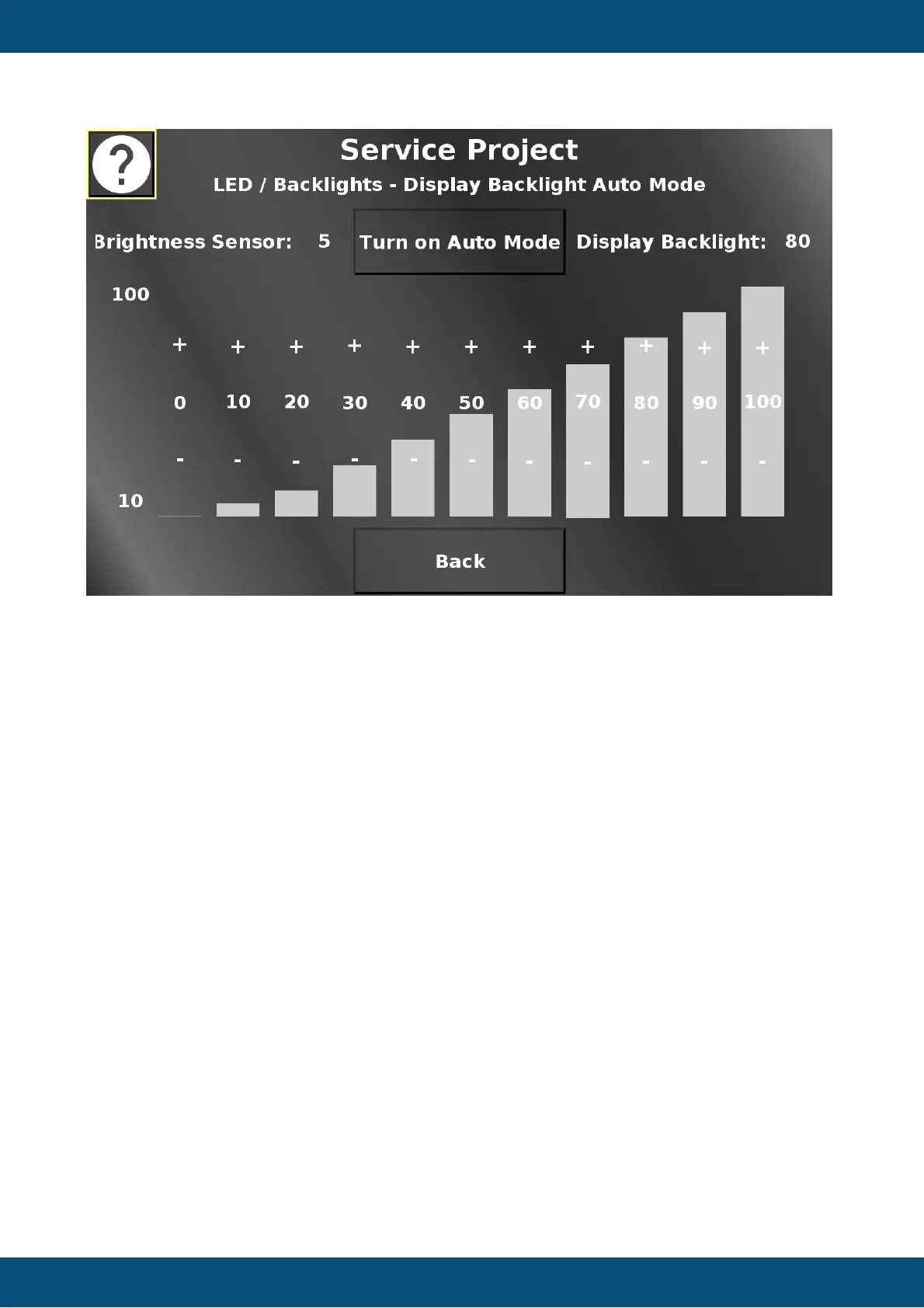
In this screen the automatic backlight control can be activated / deactivated.
Additionally, the backlight curve for the different brightness sensor values can be adjusted.
The first bar sets the brightness of the screen for an ambient brightness of 0 to 10 %.
The second bar sets the brightness of the screen for an ambient brightness of 10 to 20 %,
and so on.
The - (minus) and + (plus) sections decrease / increase the brightness value for the according
ambient brightness.
Back returns to the LED / Backlight menu.
Service Project -> LED / Backlights -> Keyboard / Encoder Colors



 To Next Page