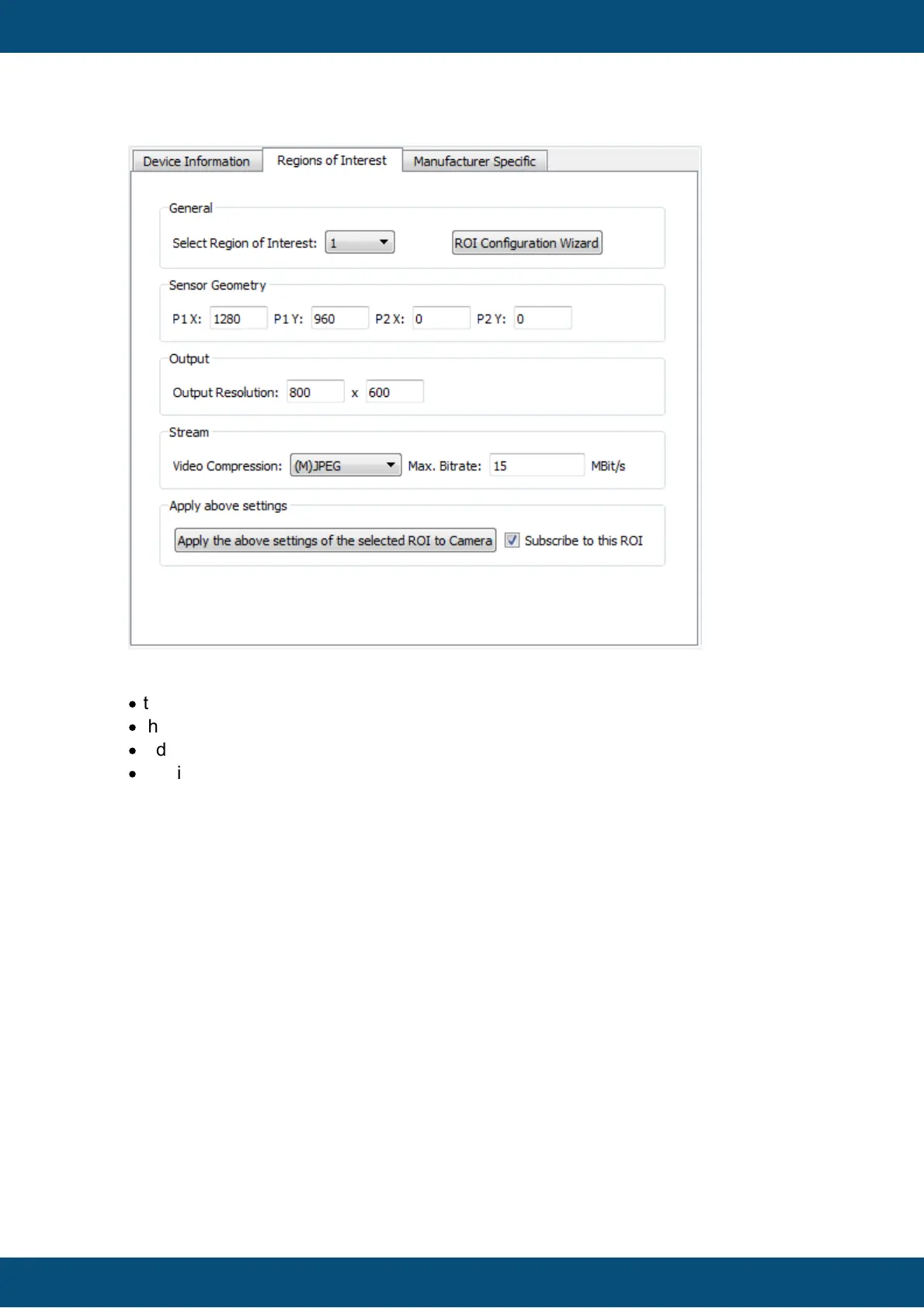
A Region of Interest (ROI) defines a setting that consists of
·
the region of the camera's sensor that shall be used (Sensor Geometry)
·
the output resolution
·
video compression
·
maximum bit rate that shall be used for the video stream
The Select Region of Interest drop down box lets you select one of the available ROIs
of the camera. The current setting of each ROI will be downloaded from the camera
when changing the selection.
Note: ROI 0 is typically read-only! Select another number to make changes.
To change the camera sensor geometry, two points on the sensor surface can be
changed (P1 and P2). The points form a rectangle on the sensor surface where P1 is the
top left point of the rectangle and P2 is the lower right point of the rectangle. The
orientation of the points can also be changed to create a horizontal and/or vertical
mirroring of the camera image (e.g. if P2 is moved to the left and above P1, the image
will be horizontally and vertically mirrored). The rectangle defined by P1 and P2 define
the resolution of the captured image.
The Output Resolution fields define the resolution of the actual video stream. If the
sensor resolution is different to the output resolution, the camera will scale the image
accordingly. Choose the lowest possible output resolution to save bandwith (e.g. if your



 To Next Page