83
OPUS Projektor Manual
User Interface
been connected to the numeric field, the user wouldn't see any brightness change until
he presses the encoder to accept the value.
Here you can change the default softkey frame width for landscape display orientation or
height for portrait display orientation. whenever you create a new page, the default
width / height is used for the softkey frames.
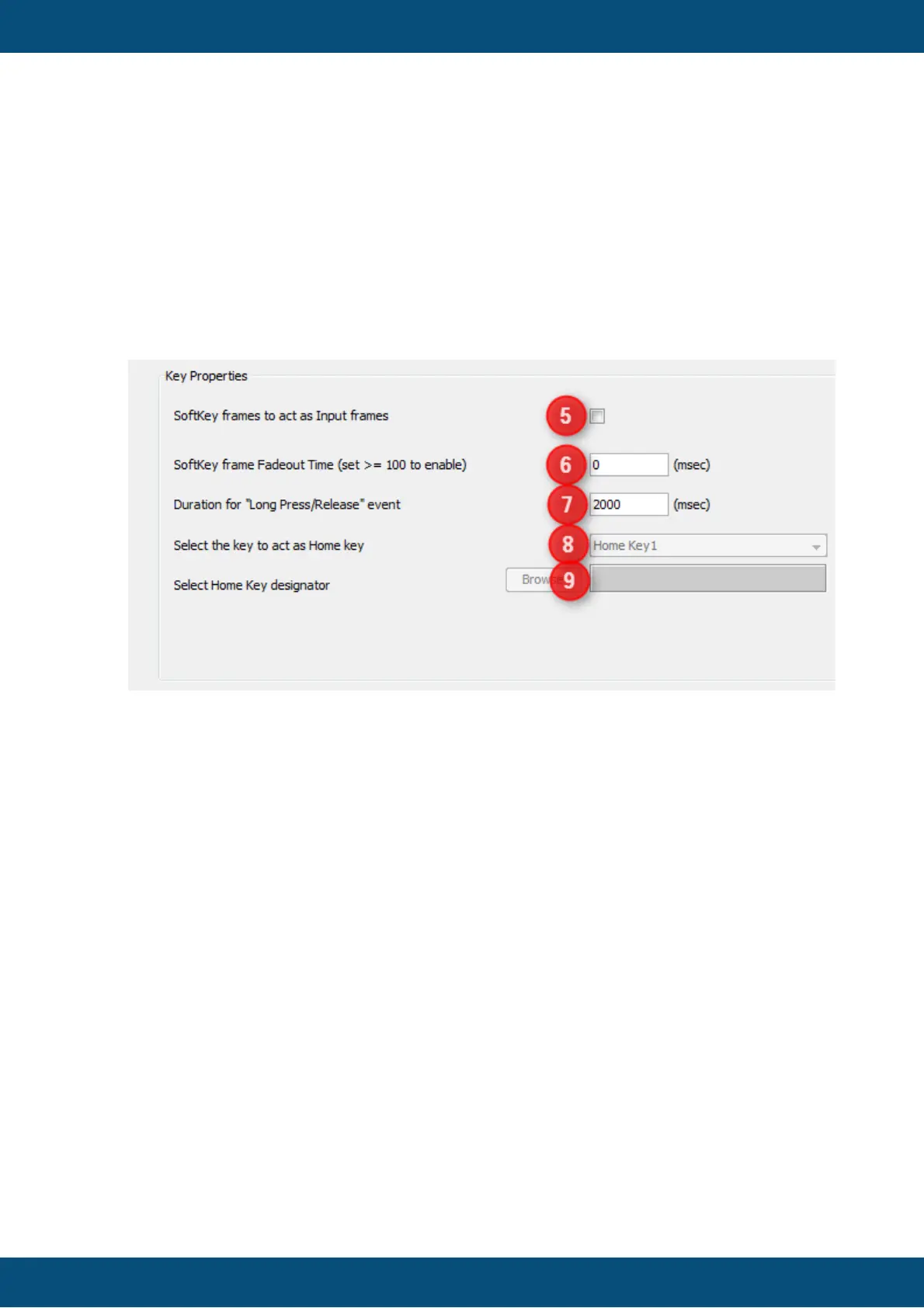
Softkey frames to act as Input Frames (5)
When you enable this property, the user can use the encoder to navigate through the
softkeys in the softkey frames.
Softkey frame Fadeout Time (6)
This value defines the delay time until the softkey frames are faded out (i.e. hidden).
Softkey frames are shown again, when the user presses a softkey or if a java script
shows them again.
A value of zero means: Disable fade out.
Duration for "Long Press / Release" Event
This time defines the time how long a user needs to press a key or touch the screen for
triggering a long press event. The long release event will be executed immediately when
a long press event was triggered and the user releases a key.
Select the Key to Act as Home Key (8)
Select Home Key Designator (9)



 To Next Page