When you offer the user the possibility to enter values with the encoder, you most likely want
to restrict the characters he is able to use.
Example: When your project asks the user to enter his name, you might want to prohibit the
possibility to enter special characters like !?_ and so on.
This is what the Input character Attribute Properties are used for. You can store a
selection of allowed characters as an Input Character Attribute. While creating your
project, you can assign these Input Character Attributes to string objects.
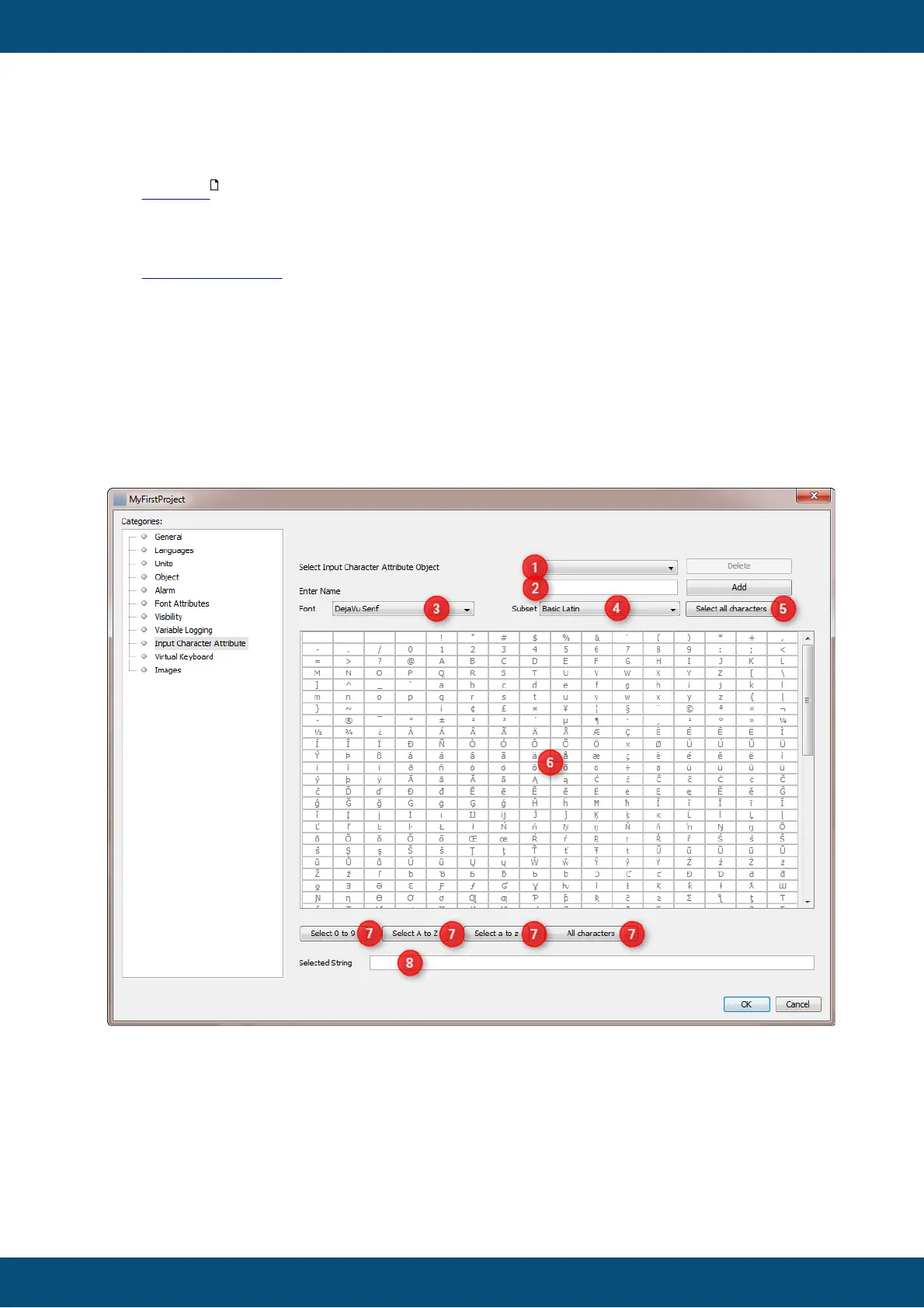
To delete an existing Input Character Attribute choose the one to delete (1) and click
Delete button.
To create a new Input Character Attribute enter a name for the new attribute and click
Add button. The name is used in the editor while creating project pages to make a string
object use the Input Character Attribute.
To change the characters available for an Input Character Attribute choose the attribute
to change (1). Then you can choose any of the fonts defined in the tool (3).



 To Next Page