Setting up Parameters via the Keypad
PID Sensor Setup
EVM Series User Manual
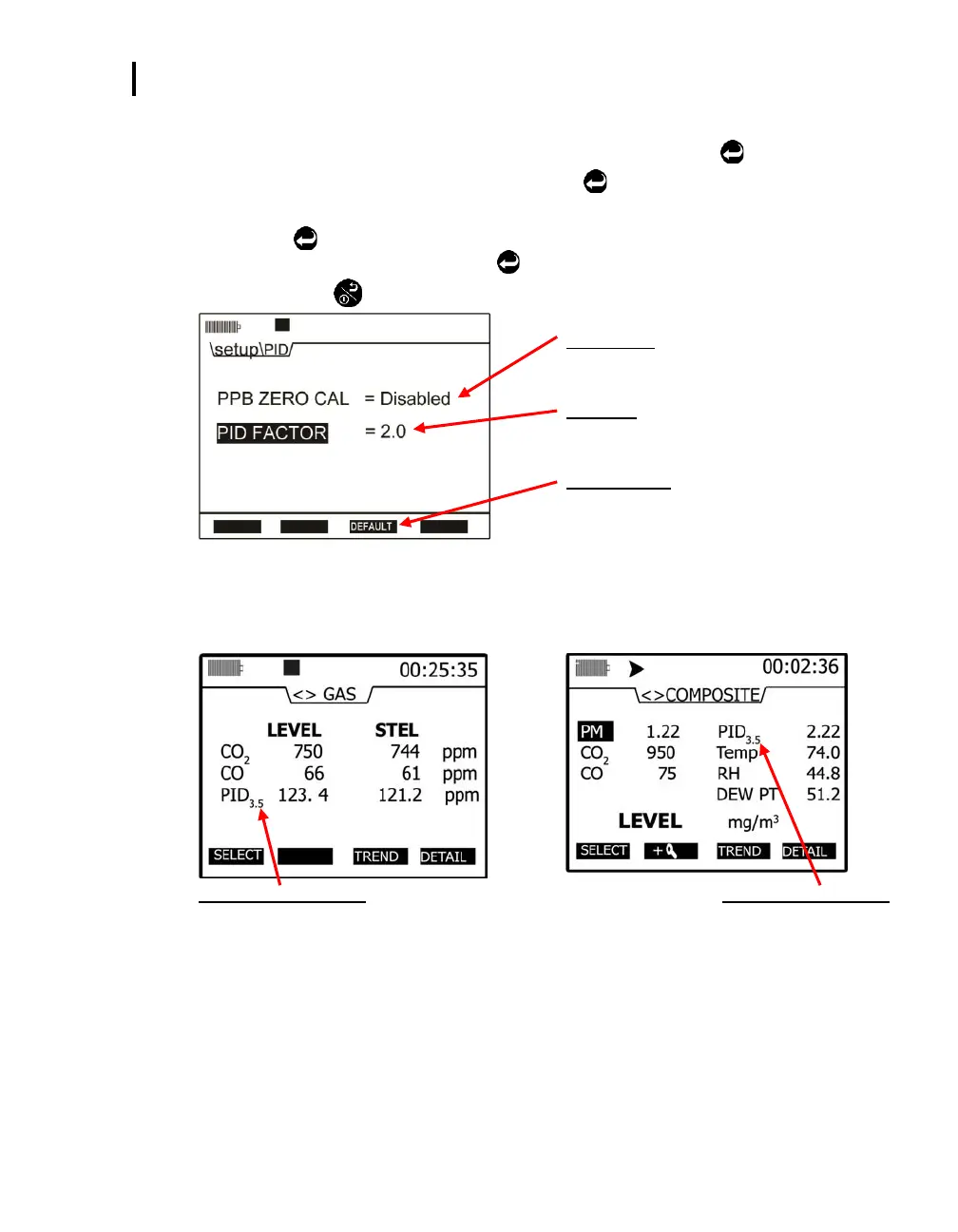
Setting PID correction factor and/or ppb zero cal
1. From the start menu, press ▲/▼ Arrows to select Setup and press Enter
.
2. Select PID by pressing ▲/▼ Arrows and press Enter
.
3. In the PID screen, select either ppb zero cal or the PID factor by pressing ▲/▼ Arrows.
4. Press Enter
to move to either the disabled/enabled field or the value field. Press ▲/▼
Arrows to change the value. Press Enter
to save your changes.
5. Press On/Off/Esc
repeatedly to return to the start screen.
PPB Zero Cal
Press up/down arrows to select either
enabled/disabled. Press Enter to save.
PID Factor
Press up/down arrows on keypad to change value.
Press Enter to save.
Default soft key
Press to restore PID factor to default (“1”).
Figure 3-7: PID correction factor/ppb setup
NOTE: When changing PID factor to a value excluding “1”, the PID correction factor will
appear as a subscript on the measurement screens. Two samples are displayed
below:
PID and correction factor
The applied correction factor “3.5” is
displayed in the Gas measurement screen.
PID and correction factor
Displayed in the Composite
measurement screen.
Figure 3-8: PID correction factor displayed on measurement screens


 To Next Page