Setting up Parameters via the Keypad
Auxiliary Input/Output
EVM Series User Manual
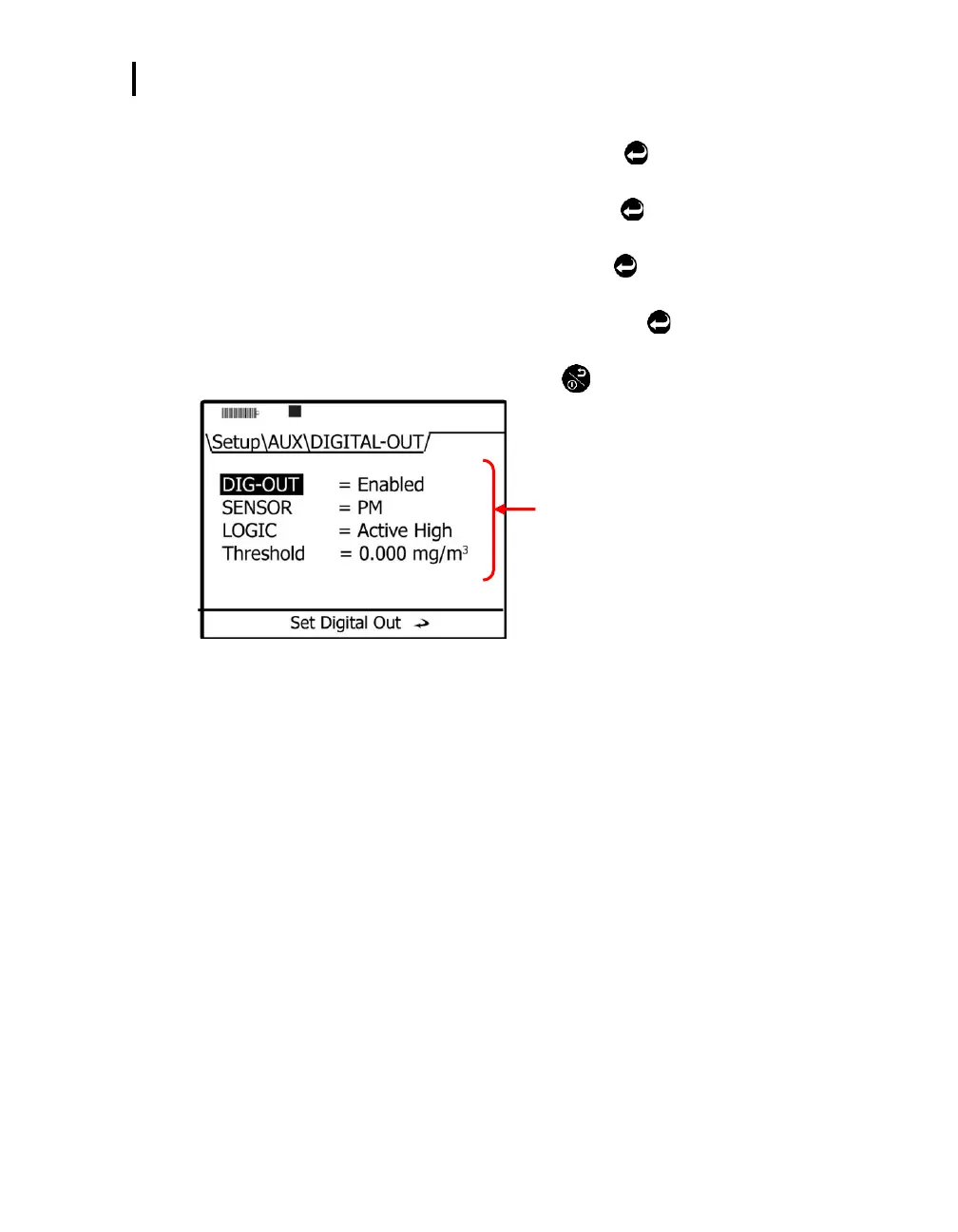
4. In the Digital-Out screen do one of the following:
Dig-Out field: select via ▲/▼ Arrows and press Enter
. Press ▲/▼ Arrows to
Enable/Disable.
Sensor field: select via ▲/▼ Arrows and press Enter
. Press ▲/▼ Arrows to select
one of the sensors.
Logic field: select via ▲/▼ Arrows and press Enter
. Press ▲/▼ Arrows to select one
of the triggering modes.
Threshold field: select via ▲/▼ Arrows and press Enter
. Press ▲/▼ Arrows to select
a value.
5. To return to the Start screen, press the On/Off/Esc
twice.
Digital Output parameters
Figure 3-13: Configuring digital output


 To Next Page