Using the Calibration wizard 5-7
6. In the Calibration Wizard Reference Setup page, click Browse, to select
the appropriate reference file for the reference sample that you are using
for the calibration.
Tip: When the reference file is selected, the reference file information is
displayed in the Calibration Wizard Reference Setup window.
7. In the Calibration Wizard Acquisition Setup page, specify a Start Mass
and an End Mass or use the wizard defaults.
8. Click Next.
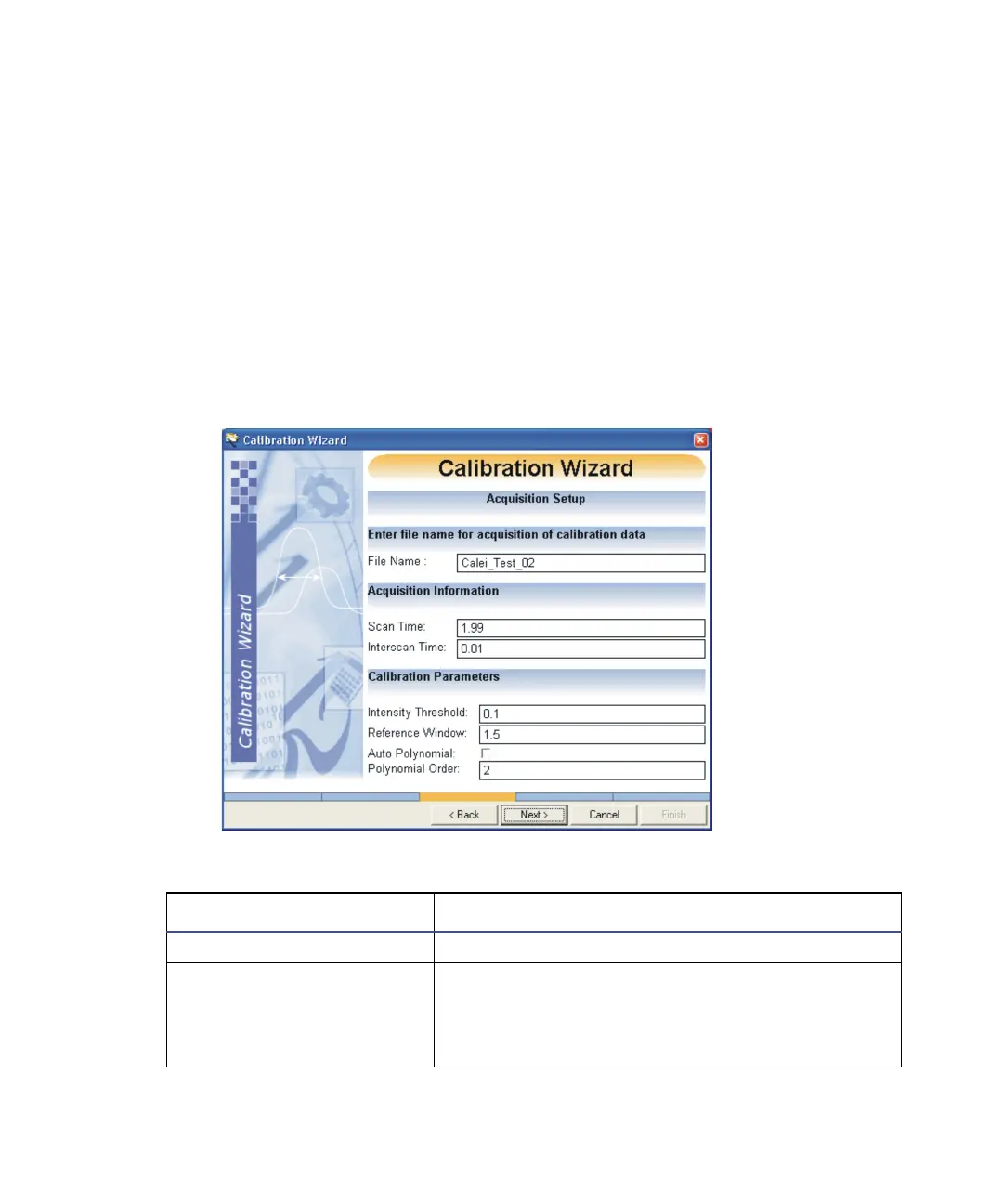
The Calibration Wizard Acquisition Setup window appears.
Calibration Wizard Acquisition Setup:
Calibration Wizard Acquisition Setup parameters:
Parameter Description
Calibration Parameters
Intensity Threshold Intensity threshold is a percentage. The calibra-
tion wizard discounts small peaks less than the
percentage of the base peak when it creates the
calibration curve.











 To Next Page