Tuning the instrument for positive CI 3-27
Setting up for CI tuning
To setup for CI tuning:
1. Ensure that the instrument is pumped down (evacuated) with an
analyser pressure of less than 3e-6 mbar (3e-7 kPa, 4.35e-8 psi) and that
the MCP detector has been conditioned.
See also: Detector maintenance on page 10-50.
Tip: MassLynx saves tuning parameters separately for each ion mode.
From the Tune window, ensure that the correct parameter values
appear for Inlet tab, Engineer tab, and TDC Settings dialog box.
2. Ensure you have either a GC interface fitted or a probe is inserted into
the source. If not, CI gas will leak out of the hole and you will not be able
to optimize even with the maximum CI gas flow.
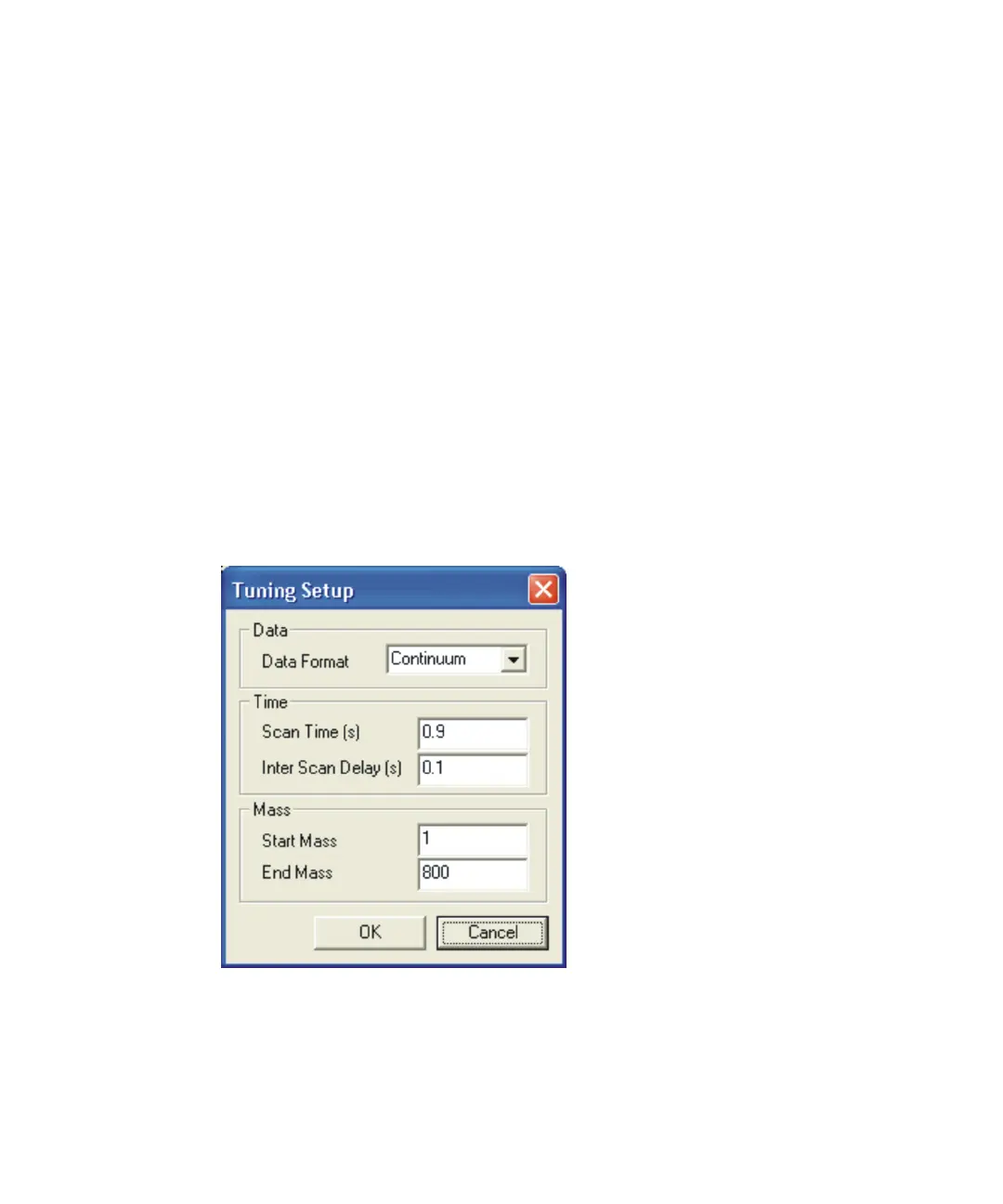
3. In the Tune window, click Settings > Tuning Setup.
Tuning Setup dialog box:
4. In the Tuning Setup dialog box, specify the parameter values shown in
Figure titled “Tuning Setup dialog box:” on page 3-4.
5. Click OK.











 To Next Page