Using the Calibration wizard 5-13
Editing the calibration parameters
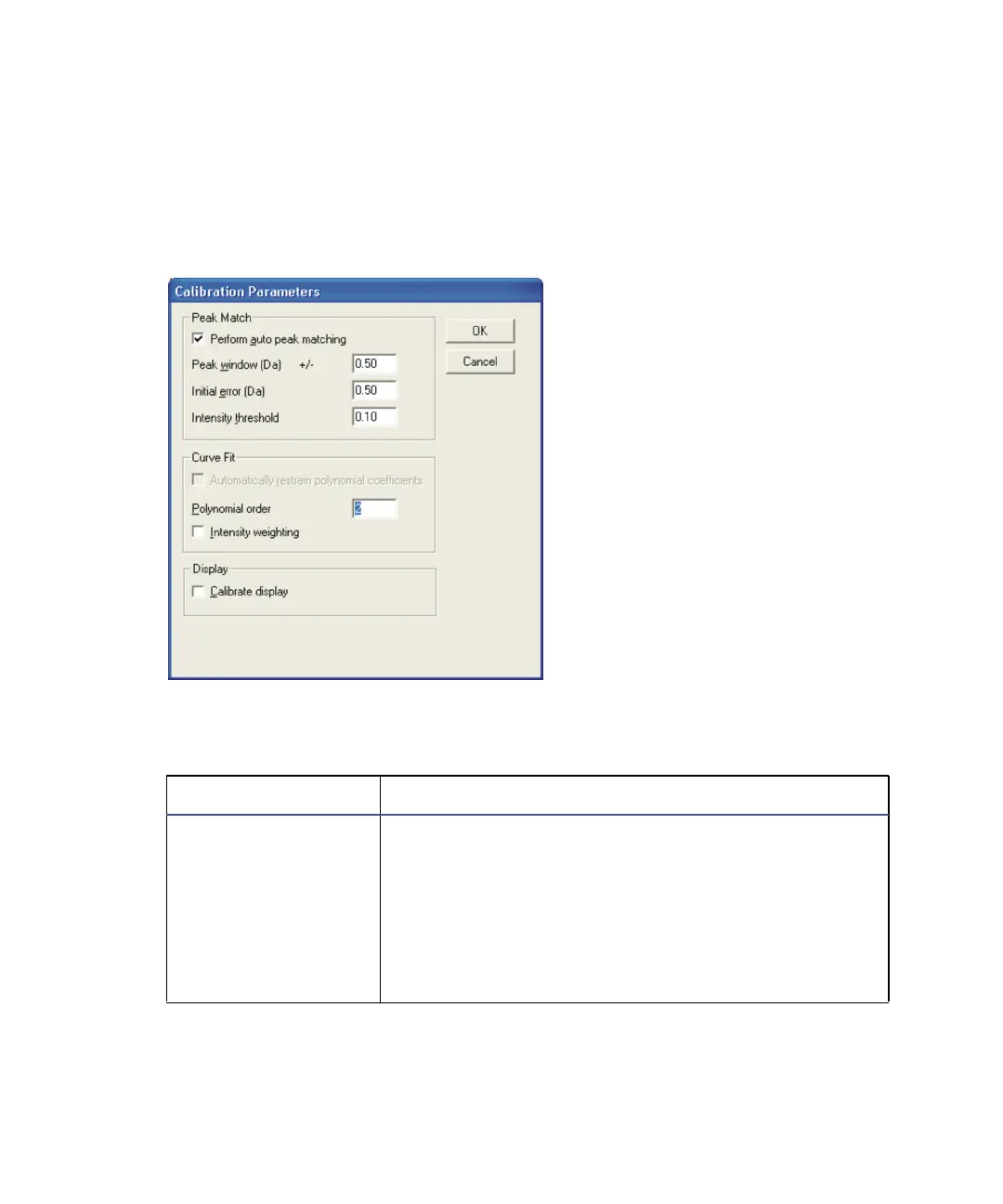
For any type of experiment, you can edit the calibration parameters in the
Calibration Parameters dialog box. In the Calibration report window, select
Edit > Calibration Parameters.
Calibration Parameters dialog box:
Calibration Parameters dialog box parameters:
Parameter Description
Perform auto peak
matching
When selected, MassLynx automatically calibrates
the spectrum.
Note: When the option is selected, and the Calibra-
tion Parameters dialog box is closed, MassLynx
automatically recalibrates the spectrum. Any
manual corrections that have been made are lost.
See also: Accepting a calibration on page 5-9.











 To Next Page