Detector maintenance 10-51
3. Click and confirm that the instrument status indicator shows
green.
Result: The instrument switches into operate mode.
4. Click Settings > MCP Conditioning.
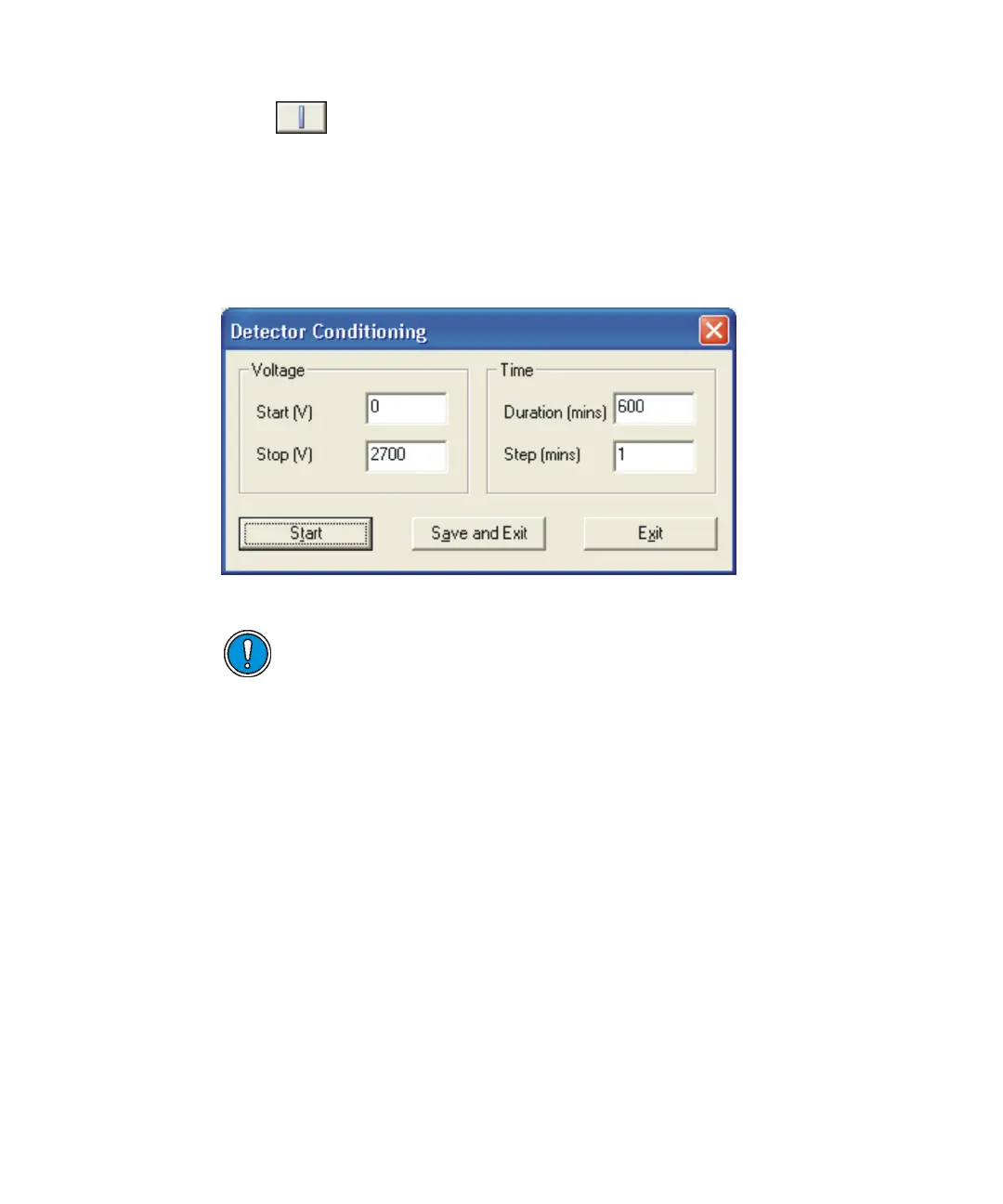
Detector Conditioning dialog box:
5. In the Detector Conditioning dialog box, enter the required values as
shown.
See also: Detector Conditioning parameters: on page B-17.
6. Click Start.
Result: The detector is conditioned over 600 minutes (10 hours). A
dialog box appears when the conditioning is complete.
Note: Waters recommends that you condition the detector for 10 hours
when the analyzer has been vented to air. If the analyzer has been
vented to dry gas and not exposed to air, conditioning can be reduced to
60 minutes.
See also: N
2
Vent on page 1-19.
Caution: Exposing the detector to a large ion current over an
extended period reduces detector life.











 To Next Page