Chapter 7 Settings and commissioning 40058725 BTA Alpha HSM
Version: 12.19.17 Page 60 of 112 GB
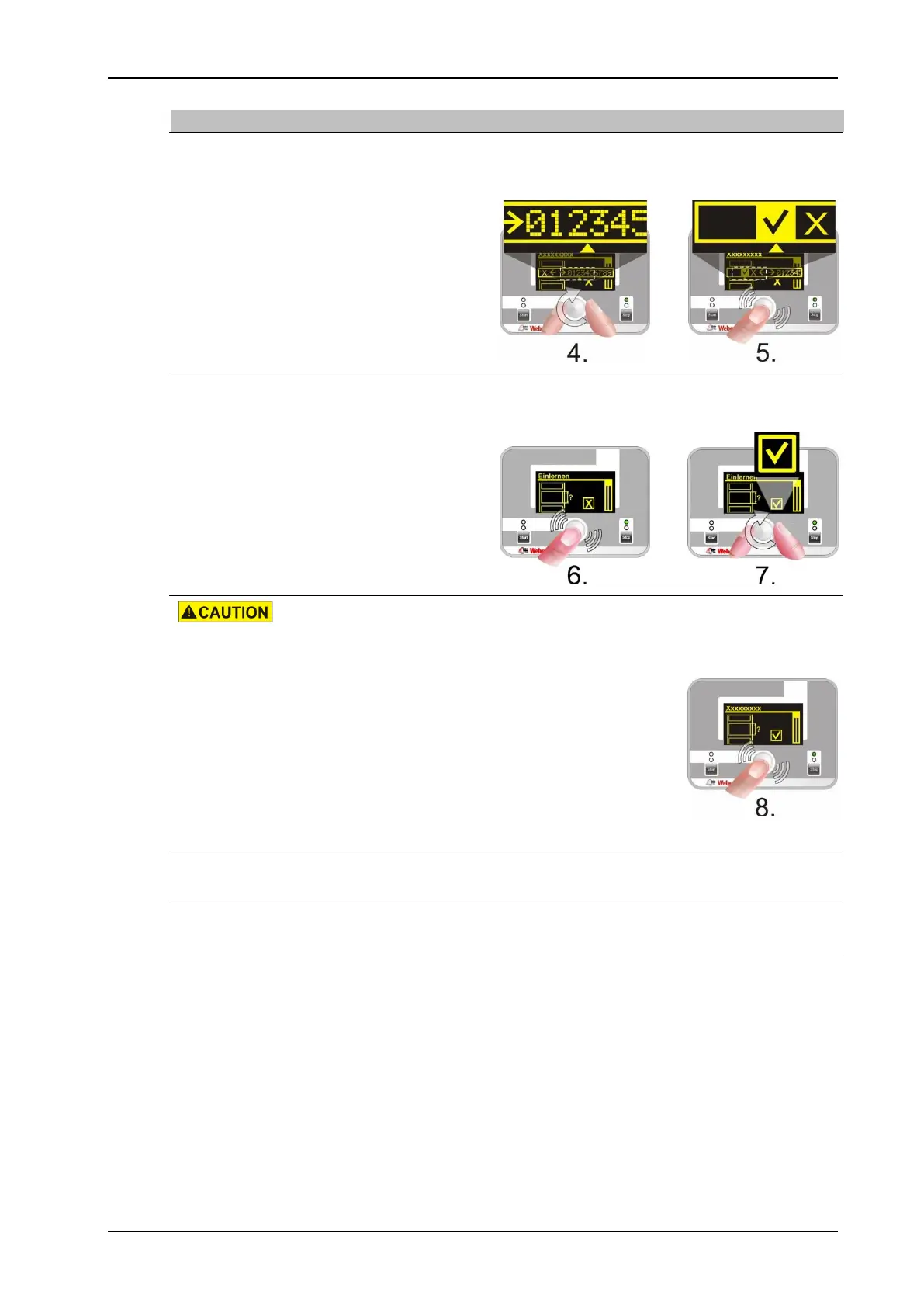
Password query? (otherwise continue with step 6.)
Enter the password by turning (selecting) or pressing the rotary knob (comp.
page73). Confirm your input with a tick.
Activate the calibration function with a tick by pressing and turning the ad-
justment button.
Entanglement hazard! Keep away from moving system parts.
Start the calibration process by pressing the adjustment button and remove
the dispensed labels.
After the calibration, the last label stops flush at the peel bar.
The "ERROR" message is shown when the calibration was not successfully
performed. Repeat Step 8.
Press the adjustment button for a long time (>3 seconds) to end calibration
mode.


 To Next Page