Chapter 8 Operation 40058725 BTA Alpha HSM
Version: 12.19.17 Page 78 of 112 GB
Temporary setting options
Temporary changes to the parameters are only used to correct the
settings while the dispenser is running. Permanent storage of the
parameters determined must manually be performed on the "Con-
figuration" menu level.
The temporary adjustment options can be reached from the "Manual advance" menu by
turning the adjustment button.
Press the adjustment button for a long time (>3 seconds) to exit the temporary settings
options.
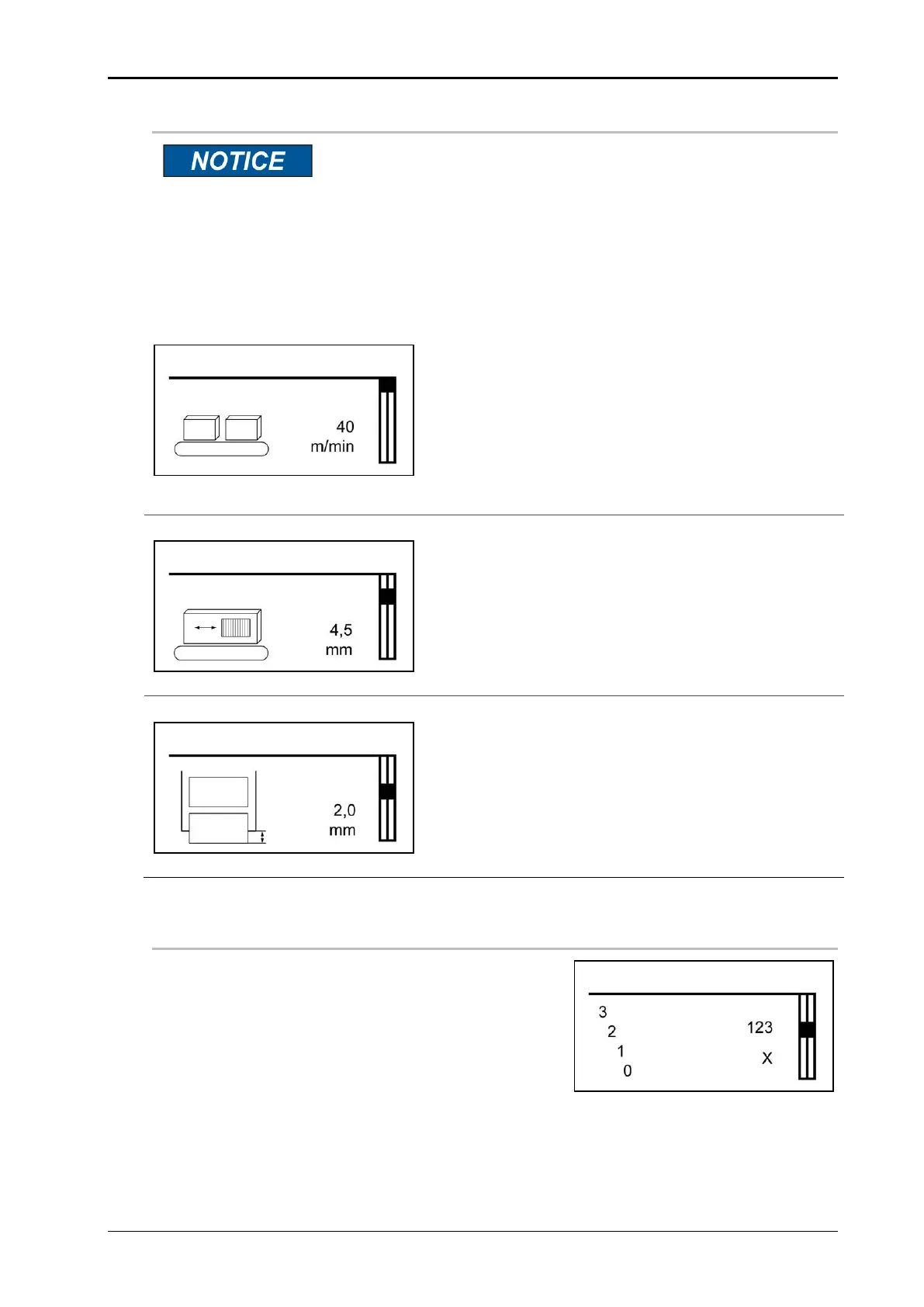
Fig. 8-16: Temporary speed
Temporary speed
Speed at which the label is dispensed. The feed rate
of the labels can be set to a fixed value.
If the speed is to be automatically adapted to the
conveyor belt technology, a rotary encoder must be
connected. The labeler speed and the product speed
must be the same to achieve optimal results. The
adjustment range is 1.0 - 70.0 m/min.
Fig. 8-17: Temporary application delay
Temporary application delay
This parameter is used to delay the labeling process,
i.e. by how many millimeters the label is applied off-
set to the product from the trigger signal onward. The
adjustment range is 0 – 999.9 mm.
Fig. 8-18: Temporary application position
Temporary application position
The label position is a value that ensures that the
label stops flush at the peel bar. The value can here
be adjusted. The adjustment range is -50.0 to 200.0
mm.
“Countdown“ (Set Count Down)
Here, you can activate the "Countdown" function,
i.e. the value set is counted down in every dispens-
ing cycle during the labeling mode. The counter
value corresponds to the remaining application
cycles. The labeler automatically stops and gener-
ates a warning message when the end value "000
0" is reached. The adjustment range is 0-99999.
"" results in acceptance of the "Countdown" val-
ue, "X" results in termination of the input.
Temporary label position.


 To Next Page