Chapter 8 Operation 40058725 BTA Alpha HSM
Version: 12.19.17 Page 72 of 112 GB
Status LEDs
The [Start] and [Stop] buttons each have two green control LEDs positioned above them.
When the lower LED above the [Start] button is lit up, "labeling readiness" is indicated.
When the upper LED flashes in addition, a trigger process has been initiated. When the
upper LED is lit up, a trigger signal is pending, but the process has not been initiated.
When the lower LED above the [Stop] button is lit up, an interruption of the labeling mode
is indicated. When the top LED flashes, an error message is pending and when the top
LED is lit up, a warning is pending. (For troubleshooting instructions, see as of page101).
Presentations and operation of the menus
Display modes
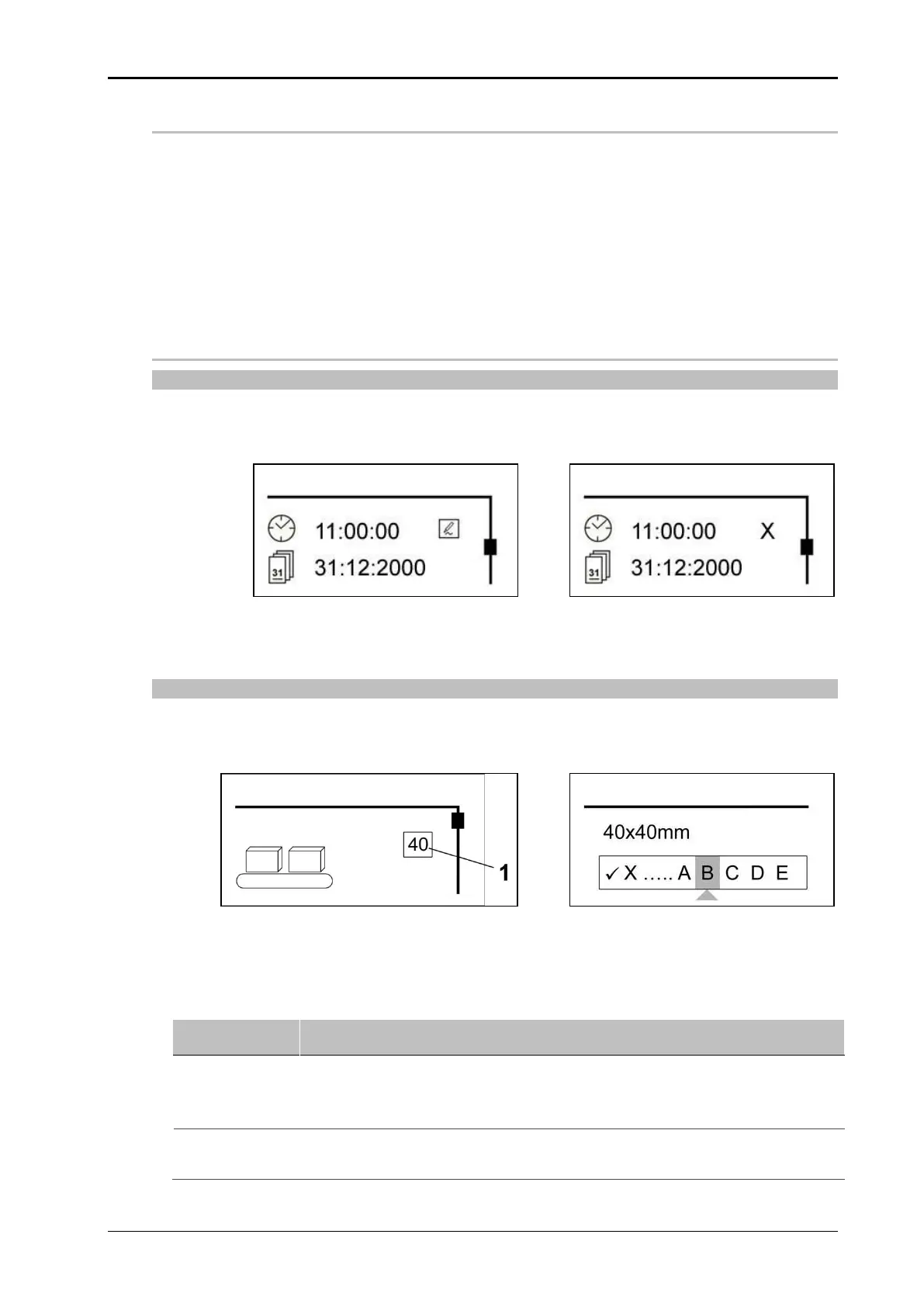
The menu pages differ between display and editing mode. In the edit mode, the scrolling
bar is shown as being open (see Fig. 8-7), and in the display mode, the scrollbar is shown
as closed (see Fig. 8-8).
Input fields
Input of adjustment values and parameters always relate to the element selected. The se-
lection is indicated by a frame (see pos. 1, Fig. 8-9 ).
Text input is facilitated by a pop-up character selection (see Fig. 8-10).
Fig. 8-9: Example for parameter input
Fig. 8-10: Example for text input
Instruction
How to proceed with the registration.
Select the setting value or text character desired by turning the adjustment
button an then briefly press the adjustment button.
Use X to delete inputs (f.r.t.l.)
When text is entered, select the symbol at the end and confirm the input
by briefly pressing the adjustment button.


 To Next Page