430 Ink Jet Printer Service and Maintenance Manual
106
Issue 2
Part No. 306-0430-102
Full System Reset
Opens the
System Restart
dialogue. This gives three
options:
Initialise
, where the printer is restored to the factory system
settings
Reset – keep messages
, where the backed up system
settings are restored and any stored messages are kept.
Reset – all messages deleted
, where the backed up system
settings are restored and any stored messages are deleted.
Select Alternative
Zero
Opens the
Select alternative zero
dialogue.
Alternative
zero symbol
can be set to one of several available zero
characters.
Calibrate Menu
Note: The FIN is a 12 digit code. The following example shows the ink performance information that is
contained within the 12 digits.
110/110/47/ 32/ 35
(VISCOSITY CURVE) (PRESSURE) x10 bar (TEMPERATURE)
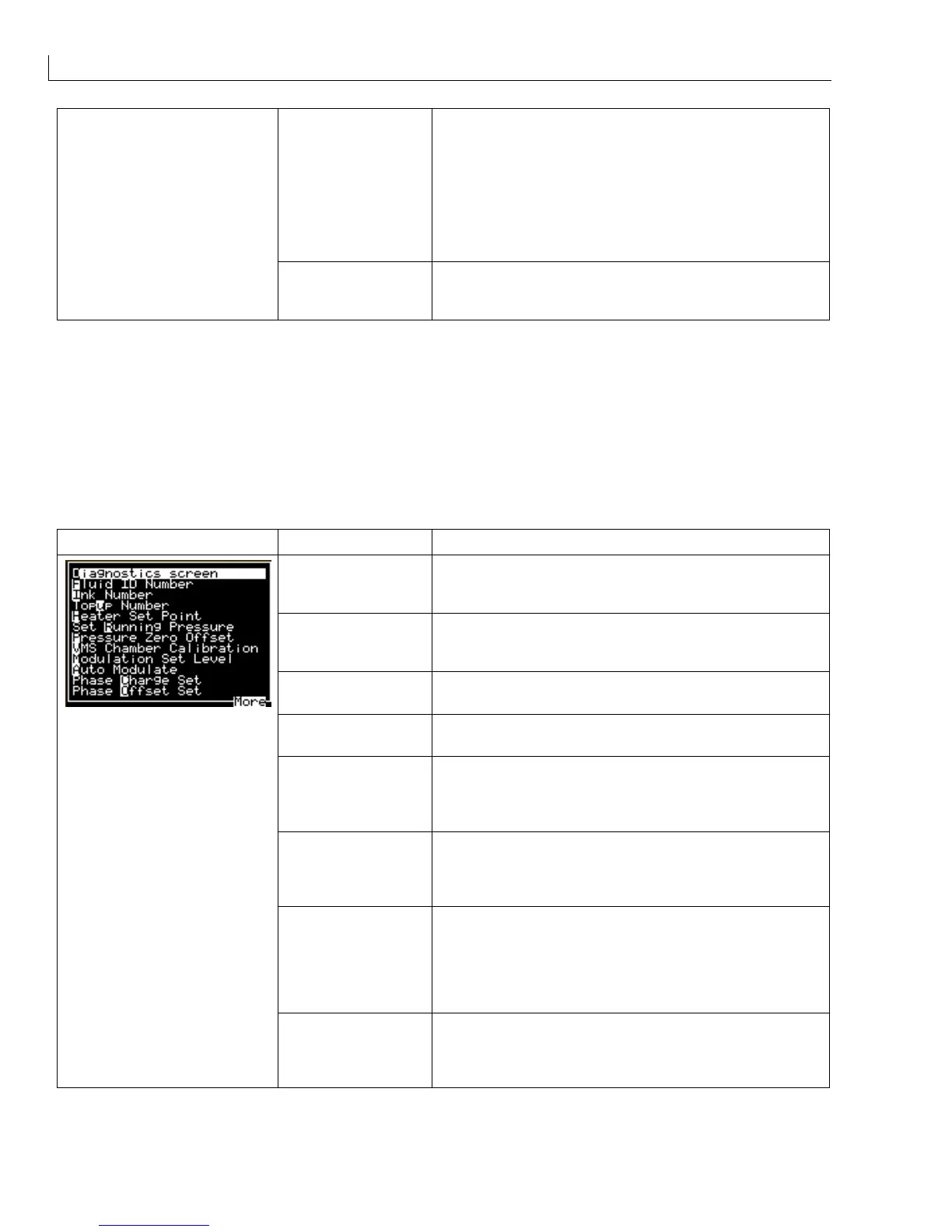
Calibrate Menu Menu Option Function
Diagnostics Screen
Opens the
Diagnostics screen
. This displays information on
the ink system status, which can be useful when diagnosing
printer faults.
Fluid ID Number
Opens the
Fluid ID Number
screen. This displays a list of
Fluid Identification Numbers (FINs) that may be used with the
430.
Ink Number
Opens the
Ink Number
dialogue. This is used to select the
ink part number.
Topup Number
Opens the
Topup Number
dialogue. This is used to select
the topup fluid part number.
Heater Set Point
Opens the
Ink System
dialogue.
Running Pressure
and
Ink
temperature
can be adjusted. The Heater Set Point is
automatically set when the FIN is entered (units are
10x Temp
°
C).
Set Running Pressure
Opens the
Ink System
dialogue.
Running Pressure
and
Ink
temperature
can be adjusted. The Running Pressure is
automatically set when the FIN is entered (units are 10x
press bar).
Pump Zero Offset The Pump Zero Offset option allows the ink system pressure
to be set to zero relative to local atmospheric pressure; this
operation should be carried out with no ink in the system and
the pump not running. Opens the
Pump Zero Offset
dialogue, containing
Are You Sure?
which must be
confirmed with
Y
or cancelled with
N
.
VMS Chamber
Calibration
This function calibrates the Viscosity Monitoring System for
the ink currently selected. When calibrating the VMS, ensure
that the ink in the mixer tank has been added from a new
bottle; if not, drain the tank and replenish with fresh ink.



 To Next Page