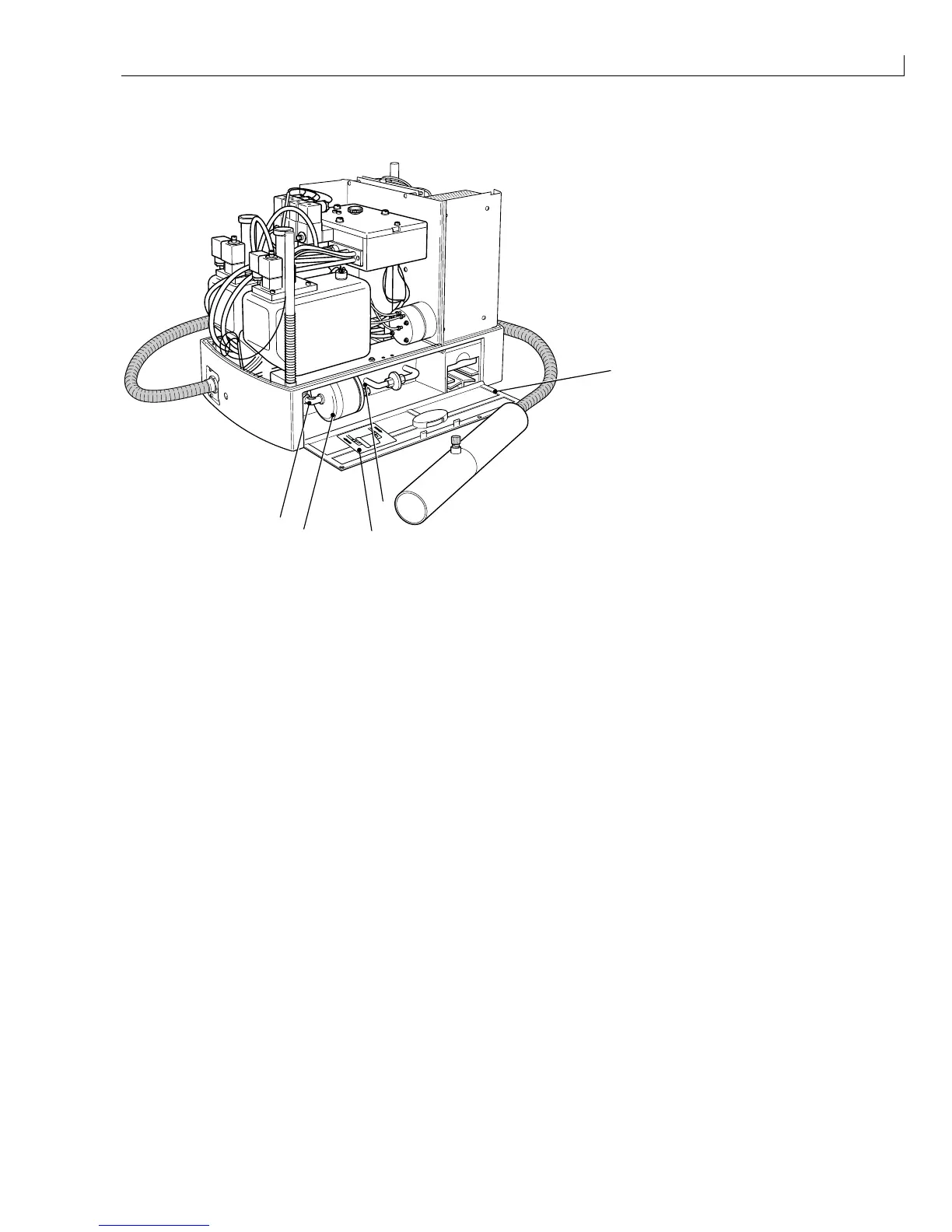
Disassembly and Assembly: Main Filter
Issue 2
125
Part No. 306-0430-102
Main Filter
(
1
) Hinged flap
(
2
) Main filter
(
3
) Feed tube
(
4
) Return tube
2
1
4
3
5
(
5
) Label
Figure 60 Main Filter
Removal
1
Open the hinged flap (
1
) at the front of the printer to gain access to the filter compartment.
2
Lift out the filter (
2
) so that the feed (
3
) and return (
4
) ink tubes are accessible.
3
Place a wad of tissue or absorbent cloth underneath the filter to catch any ink spillage.
4
Disconnect the ink feed and outlet tubes from the filter.
Installation
1
Connect the ink feed and outlet tubes to the filter. Comply with the flow direction marked on the filter and on
the label (
5
) on the hinged flap.
2
Push the filter back into the compartment
3
Close the hinged flap.



 To Next Page