430 Ink Jet Printer Service and Maintenance Manual
40
Issue 2
Part No. 306-0430-102
Restore Calibration Parameters
To restore the previously calibrated parameters:
1
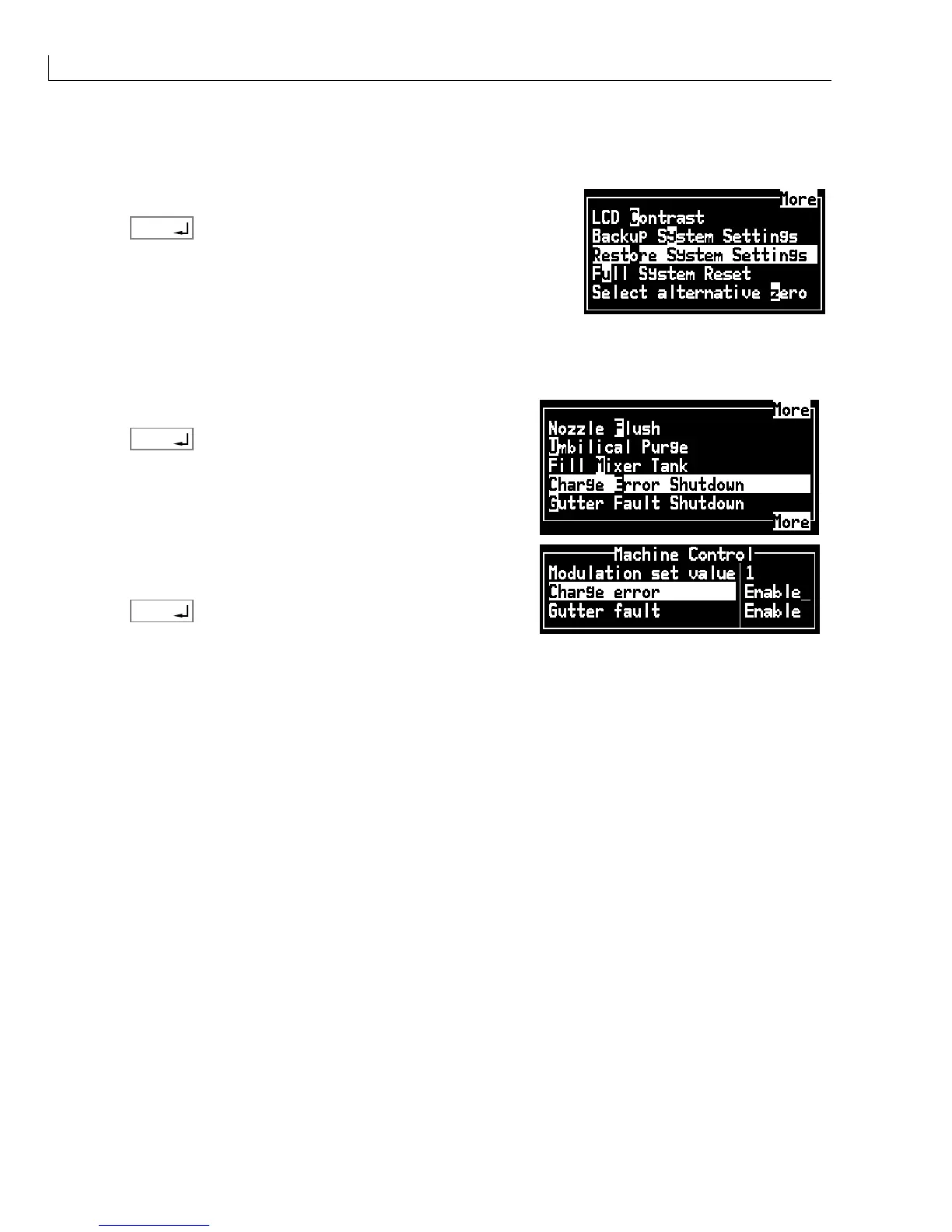
From the Configure menu select Restore System Settings.
2
Press
enter
to restore the settings.
Enable Gutter Detect and Charge Check
1
From the System menu select Charge Error Shutdown.
2
Press
enter
.
3
Select
Charge error
and toggle to
Enable
.
4
Select
Gutter fault
and toggle to
Enable
.
5
Press
enter
to enable both functions.



 To Next Page