430 Ink Jet Printer Service and Maintenance Manual
130
Issue 2
Part No. 306-0430-102
EHT Module
1
2
1
4
3
(
1
) Baffle plate securing screw (
3
) EHT module
(
2
) Baffle plate assembly (
4
) EHT connector
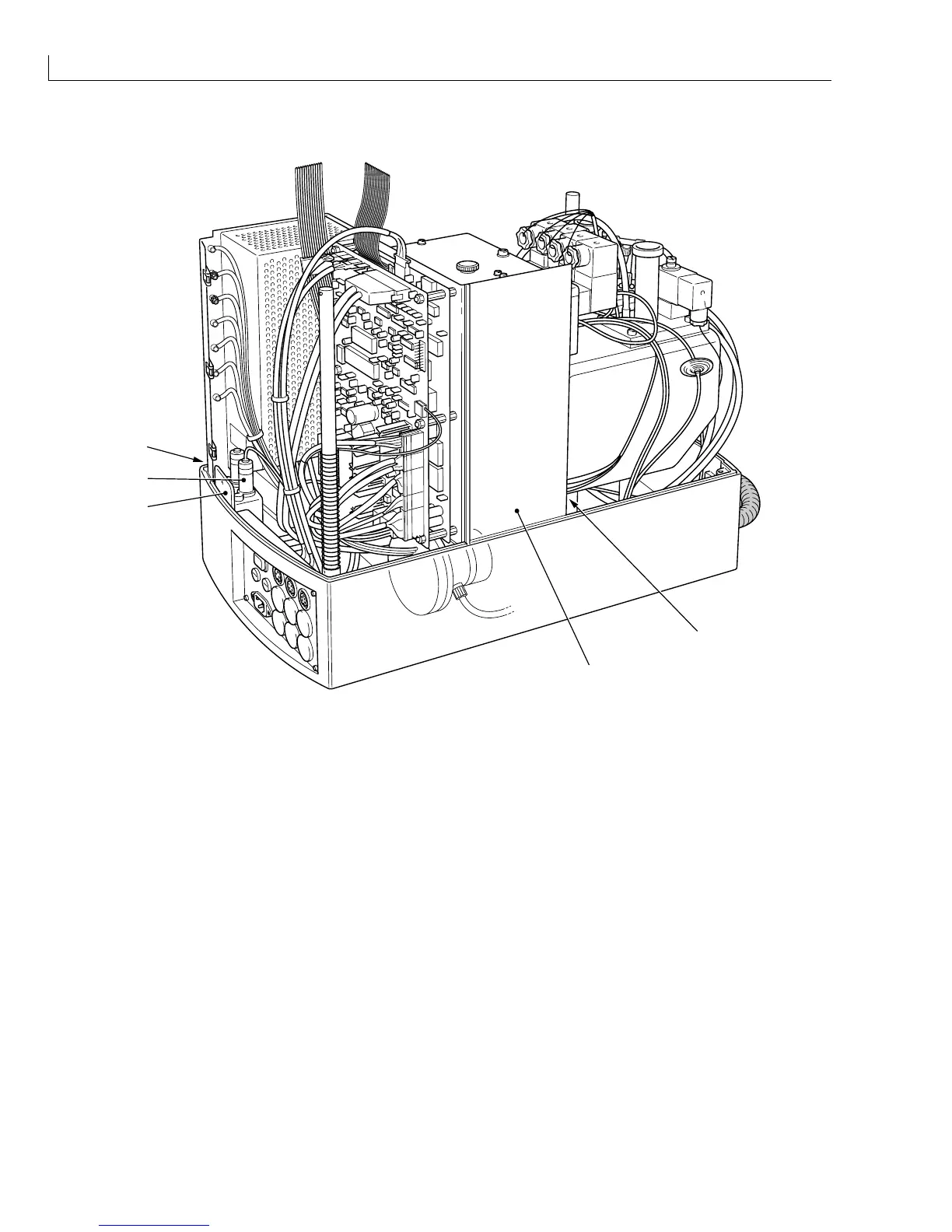
Figure 64 EHT Module Removal
Removal
1
Remove the two screws Figure 64 (
1
) securing the baffle plate to the base moulding. Move the baffle plate
assembly (
2
) so that it is clear of the EHT module.
2
Remove the EHT connector (
4
) from the EHT module.
3
Lift the EHT module clear of its housing and disconnect the low voltage connector from its base.
Installation
1
Fit the low voltage connector to the base of the module and place the module in its housing.
2
Fit the EHT connector (
4
) to the top of the module.
3
Replace the baffle plate assembly (
2
) in its correct position and secure it with the two screws (
1
) removed at
Removal
step
1
.



 To Next Page