Disassembly and Assembly: LCD and Backlight
Issue 2
115
Part No. 306-0430-102
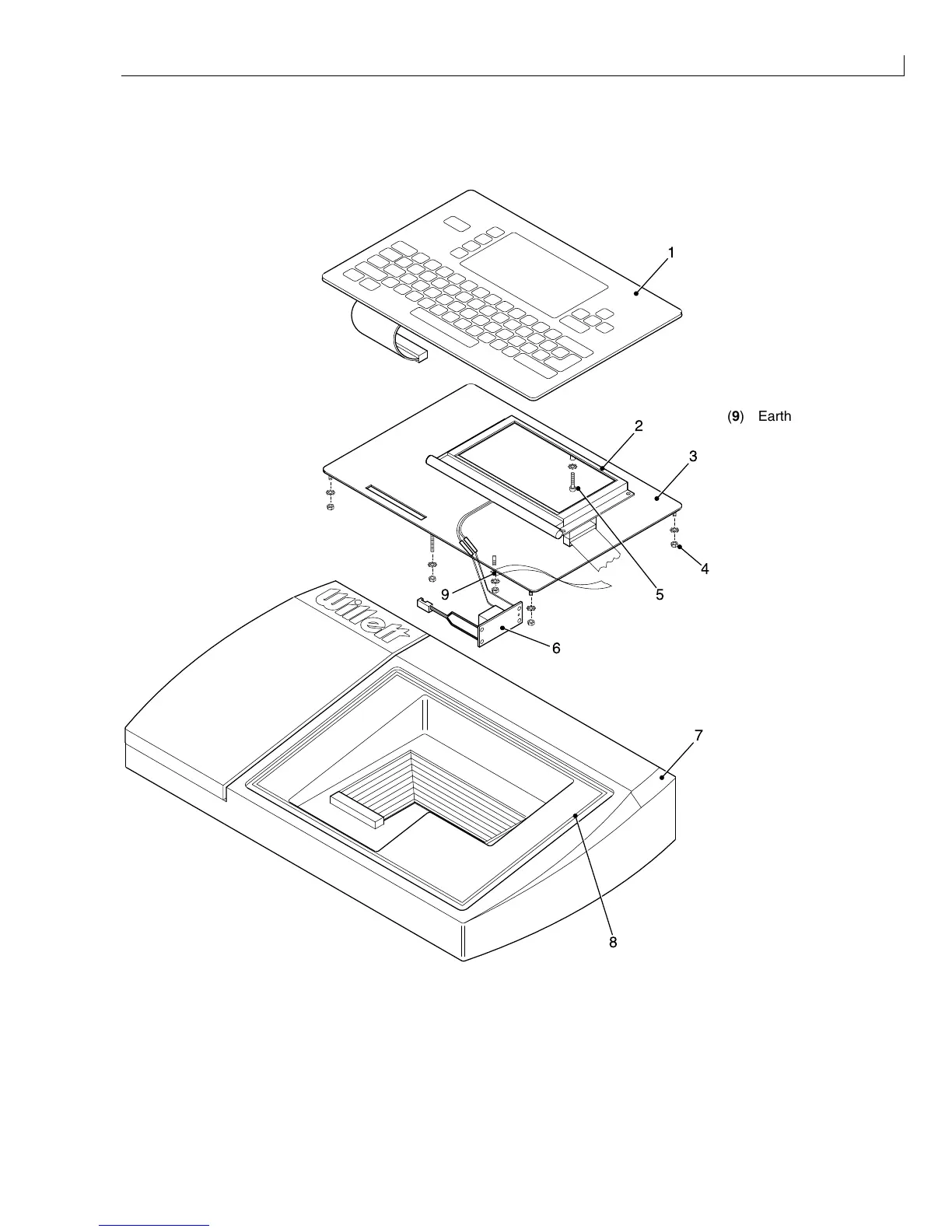
LCD and Backlight
(
1
) Keypad
(
2
) LCD panel assembly
(
3
) Keypad plate
(
4
) Securing nuts and
washers
(
5
) Securing screw
(
6
) Backlight inverter
(
7
) Top moulding
(
8
) Seal
8
1
7
3
2
4
5
6
9
(
9
) Earth strap
Figure 54 Top Moulding, Keypad and LCD Panel
Removal
To remove the LCD and backlight panel assembly, proceed as follows:
1
Disconnect all cables, earth strap and the vent tube from the printer top moulding, noting their position and
orientation for Installation.



 To Next Page