430 Ink Jet Printer Service and Maintenance Manual
B-2
Issue 2
Part No. 306-0430-102
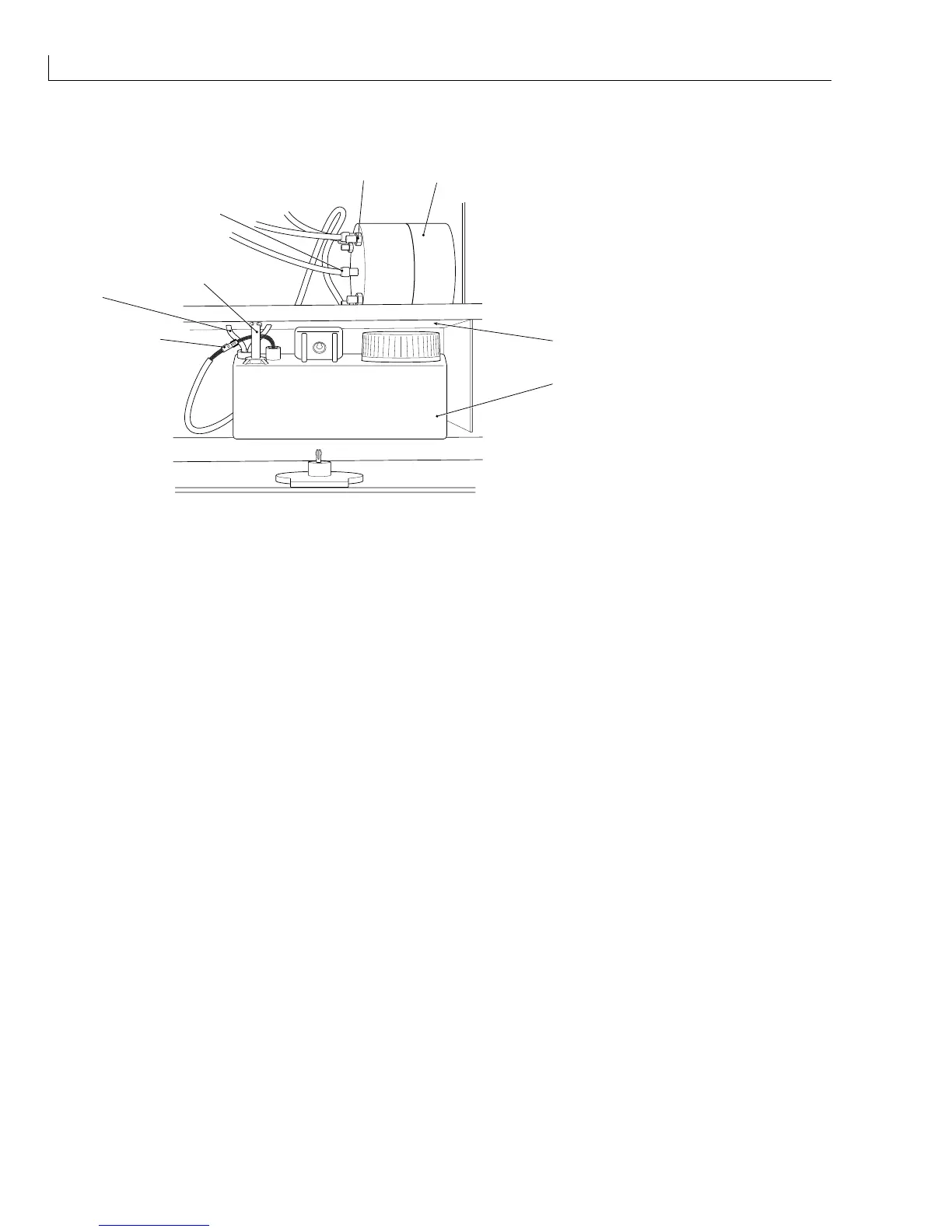
Flush Tank
(
1
) Flush tank
(
2
) Fixing pin
(
3
) Level sensor connector
(
4
) Flush tubes
(
5
) Flush pump
(
6
) Flush pump fixing screws
(
7
) Retaining nuts
1
5
7
8
2
3
4
6
(
8
) Hose connectors
Figure 94 Earlier 430 Flush Tank and Flush Pump
Removal
1
Open the hinged cover at the front of the printer.
2
Remove the circlips from the fixing pin (
2
)
(one above the plate, one below).
3
Lift out the fixing pin.
4
Lift out the flush tank (
1
).
5
Unplug the level sensor connector (
3
).
6
Disconnect the flush tubes (
4
).
Installation
Installation is the reverse of removal. Ensure that the flush tank is free to rotate around the fixing pin.



 To Next Page