Disassembly and Assembly: Power Supply Unit
Issue 2
113
Part No. 306-0430-102
Power Supply Unit
2
1
(
1
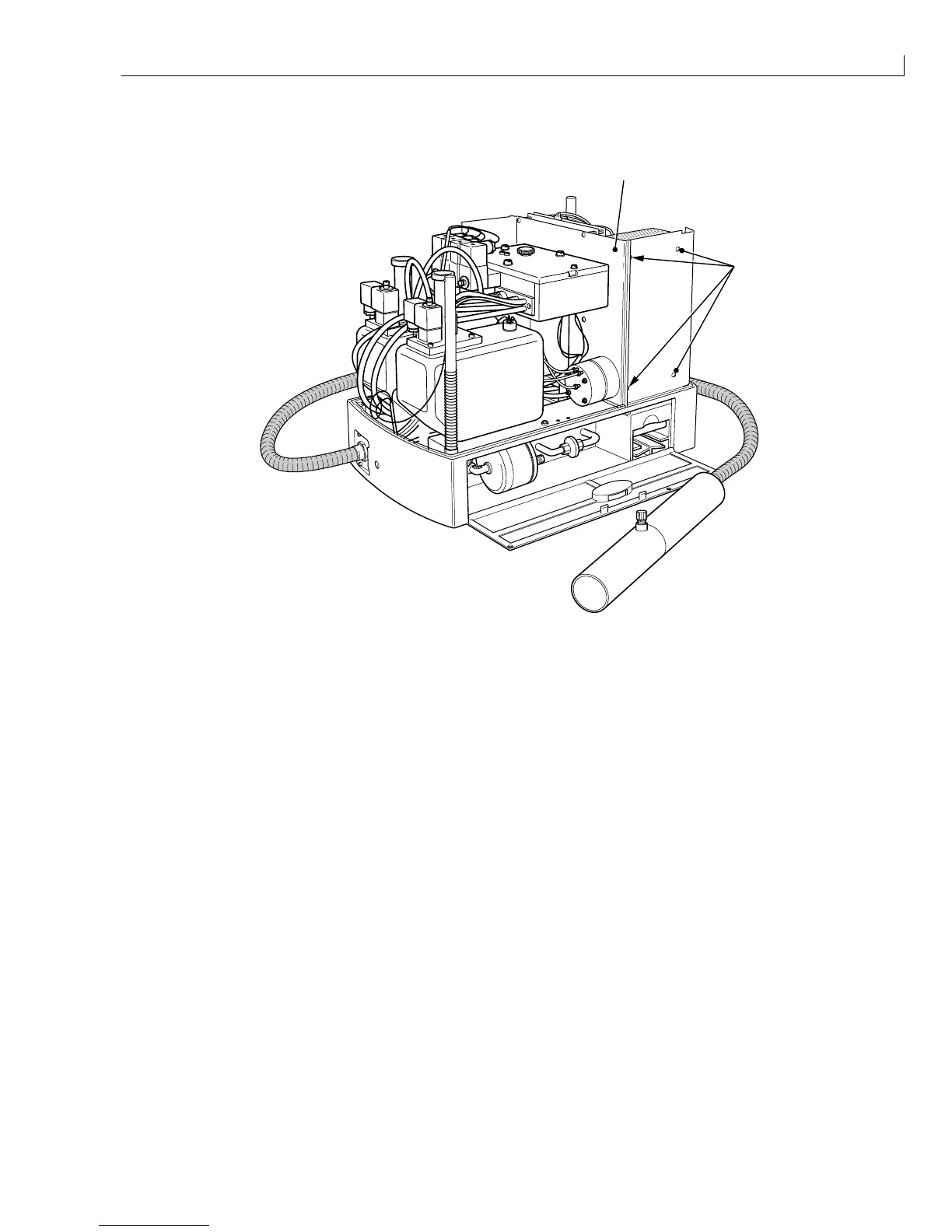
) Baffle plate (
2
) PSU module securing screws and washers
Figure 53 Power Supply Unit
Removal
1
Disconnect the DC power cable from the POWER connector on the I/O board.
2
Remove and retain the screws and washers (Figure 53 (
2
)) that secure the PSU module to the baffle plate
(
1
). Support the PSU to prevent damage to other components.
3
Lift up the PSU module sufficiently to gain access to the mains connector on the base. Disconnect the
mains connector and earth leads.
4
Lift out the PSU module, taking care that the DC power lead does not catch on any other components.
Installation
1
Hold the PSU above the cooling fan in the electronics compartment.
2
Connect the mains input lead to the connector on the base of the CPU and reconnect the earth leads.
3
Align the fixing holes on the rear of the PSU with the corresponding holes in the baffle plate. Secure the
PSU to the baffle plate using the screws and washers retained in
Removal
step
2
.
4
Connect the DC power cable to the POWER connector on the I/O board.



 To Next Page