Installation: Commissioning
Issue 2
3
Part No. 306-0430-102
Commissioning
Access
1
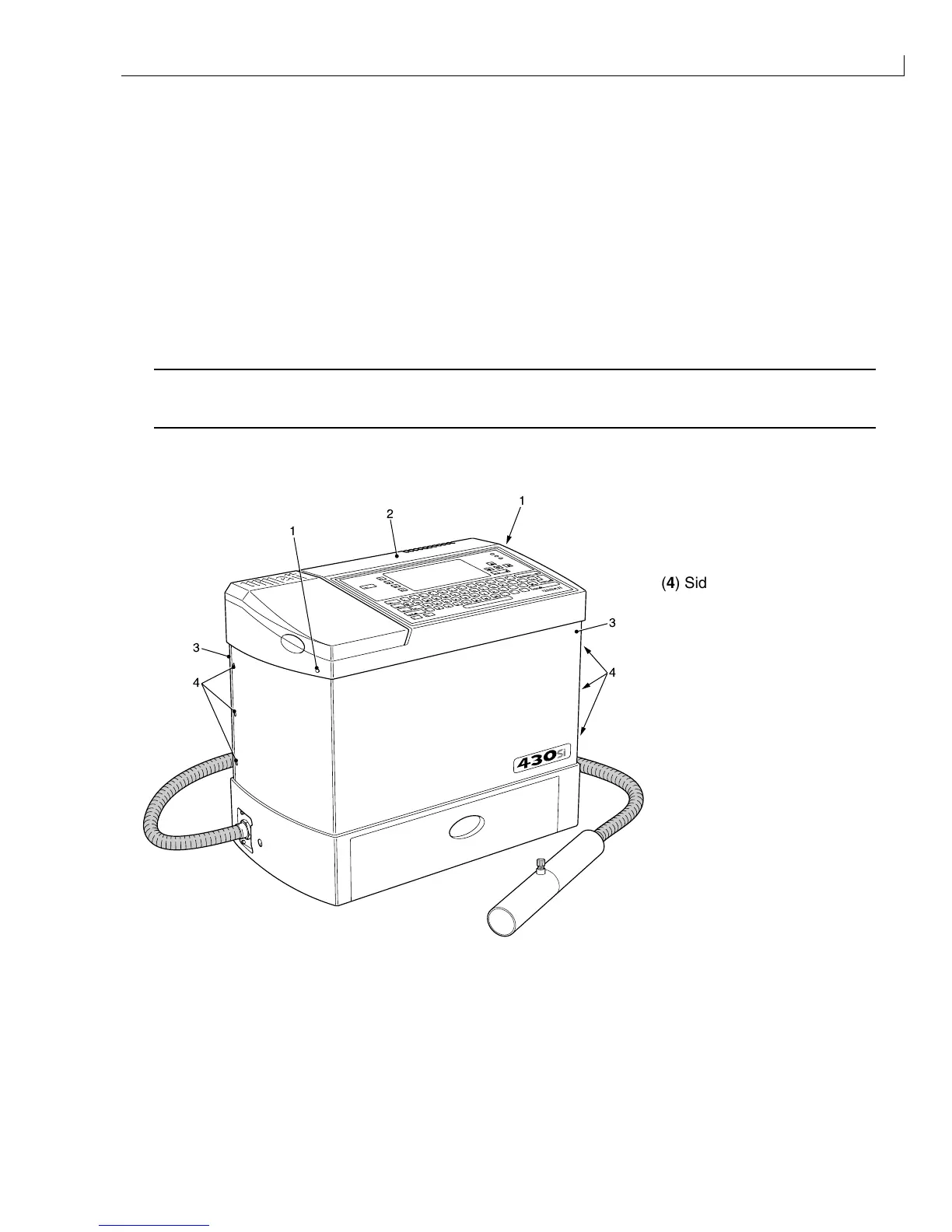
Tighten the two top cover fasteners (
1
) until they release the top cover catches (the top cover (
2
) will raise
slightly).
2
Unscrew both top cover fasteners, leaving them captive.
3
Raise the top cover until the spring loaded locating pins on the extender legs slot into their respective
locating holes.
4
Turn the six side cover fasteners (
4
) one quarter turn counter-clockwise. These fasteners are captive in their
respective side covers (
3
).
Caution - Equipment Damage
Take care not to damage the printer base, internal components or wiring when removing or refitting the
side covers
5
Remove the side covers, noting their orientation for refitting.
(
1
) Top Cover Fasteners
(
2
) Top Cover
(
3
) Side Cover
1
2
1
3
4
3
4
(
4
) Side Cover Fasteners
Figure 2 Cover Fastener Location



 To Next Page