System Calibration and Test: Modulation Calibration (Manual)
Issue 2
35
Part No. 306-0430-102
Modulation Calibration (Manual)
Caution - Print Quality
To ensure high print quality, ink viscosity must be checked and must be correct prior to attempting
modulation calibration.
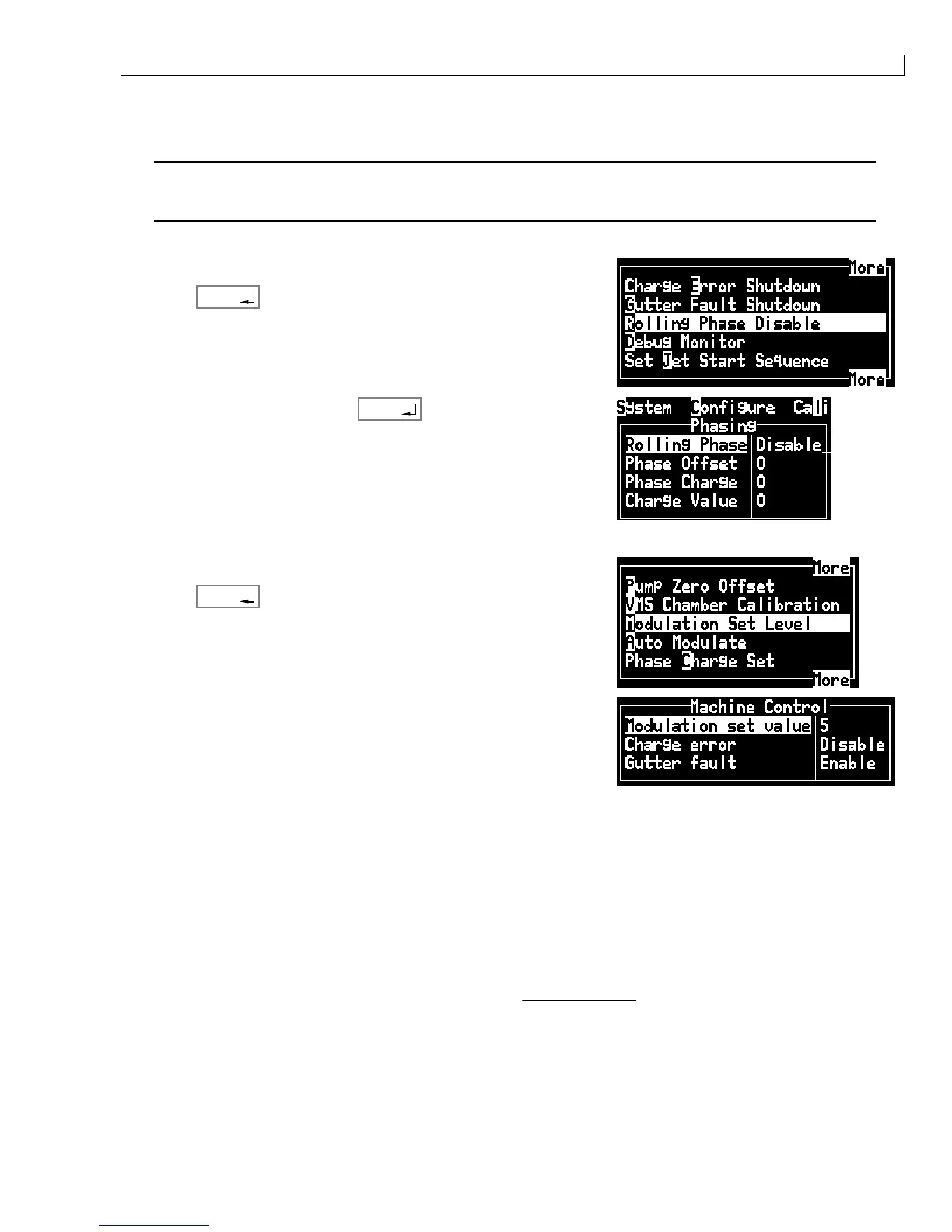
Disable the Rolling Phase:
1
From the System menu select Rolling Phase Disable.
2
Press
enter
.
3
Toggle to
Disable
then press
enter
.
Adjust the modulation value:
4
From the
Calibrate
menu select
Modulation Set Level
.
5
Press
enter
.
6
View the position of the jet break-off. Adjust the
Modulation Set
Value
until the modulation level is 5.
7
Observe the jet in the viewing area illuminated by the strobe
LED.
8
Whilst observing the jet, slowly increase the modulation until the satellites start to merge with the main
drops.
9
Continue to increase the modulation until all the satellites have just merged and record this value as
V min
.
10
Continue to increase the modulation until the break up point starts to move away from the nozzle (turning
point) and record this value as
V tp
.
11
Set the modulation voltage,
V set
half way between
V min
and
V tp
.



 To Next Page