System Calibration and Test: Set EHT Trip Level (Normal Operation)
Issue 2
39
Part No. 306-0430-102
Set EHT Trip Level (Normal Operation)
1
Ensure the printhead is clean and dry.
2
Fit the printhead cover.
3
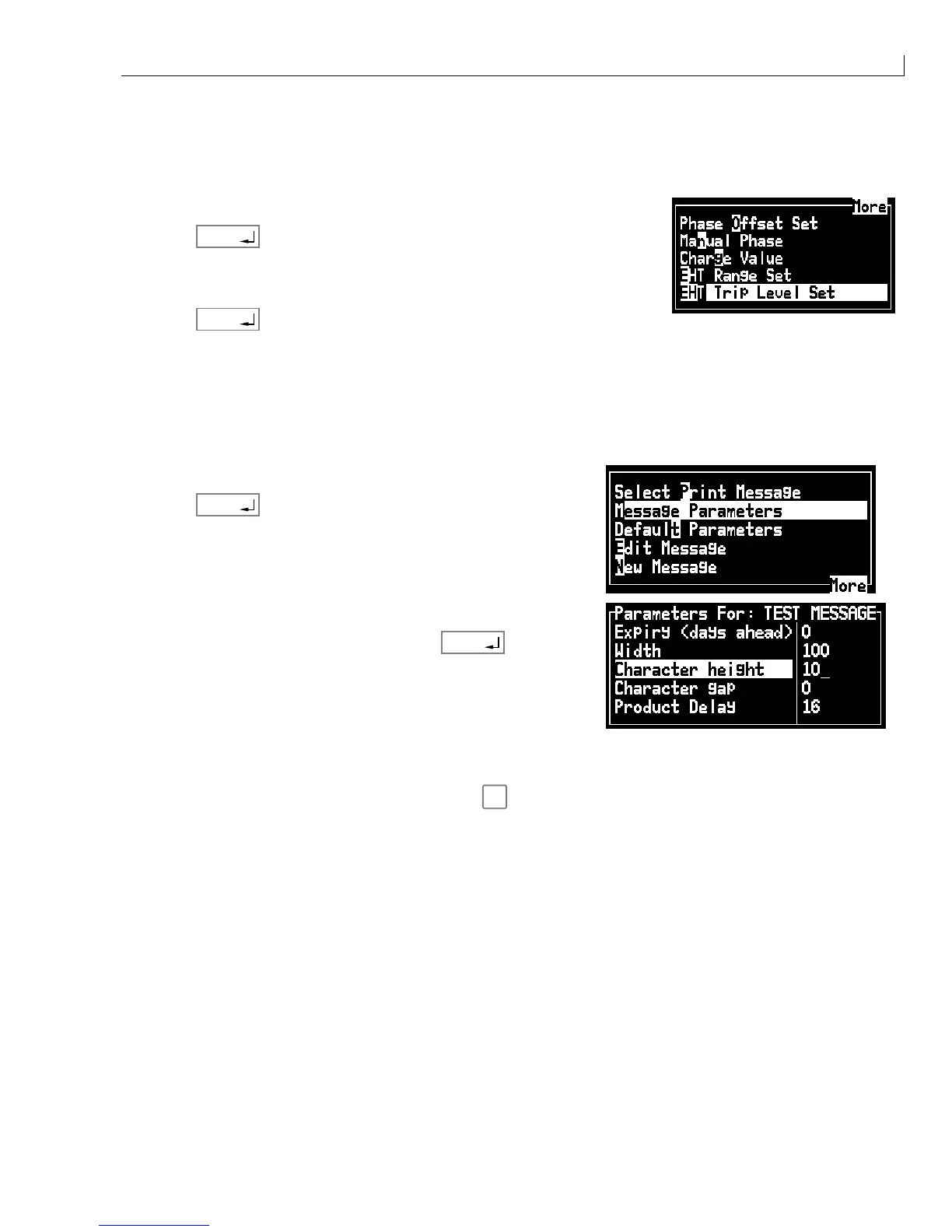
From the
Calibrate
menu select
EHT Trip Level Set
.
4
Press
enter
. The display shows
Setting EHT trip level
.
5
After approximately one minute the display changes to
EHT Trip Test
successful
.
6
Press
enter
.
EHT Trip Test
1
Raise the top moulding and remove the side covers.
2
Remove the electrical connector from Feed Valve V6. This will prevent an ink jet being formed at the
printhead nozzle.
3
From the
Messages
menu, select
Message Parameters
.
4
Press
enter
.
5
Select
Character height
.
6
Set the Character height to 10 then press
enter
.
7
To prevent the machine from shutting down, set the charge/gutter detect to DISABLE as instructed in
Gutter Fault and Charge Error Disable
, page 29.
8
Fit the modified EHT printhead cover and press
f1
to start the Jet.
9
Insert the EHT Trip Tool between the +ve deflection plate and the 0V plate. The point of the tool should be
towards the +ve plate (lower).
10
Ensure that the machine shuts down with an EHT trip indicated on the LCD.
11
Refit the electrical connector to Valve V6.
12
Refit the side panel to the printer and lower the top moulding.
Print Height Test
Take two print samples with the printhead between 14 mm and 24 mm from the substrate. Make sure that the
minimum and maximum print height specifications are met:
•
A 5 drop high message must print a message down to a minimum height of 2 mm.
•
A 24 drop high message must print a message up to a maximum of 9 mm.



 To Next Page