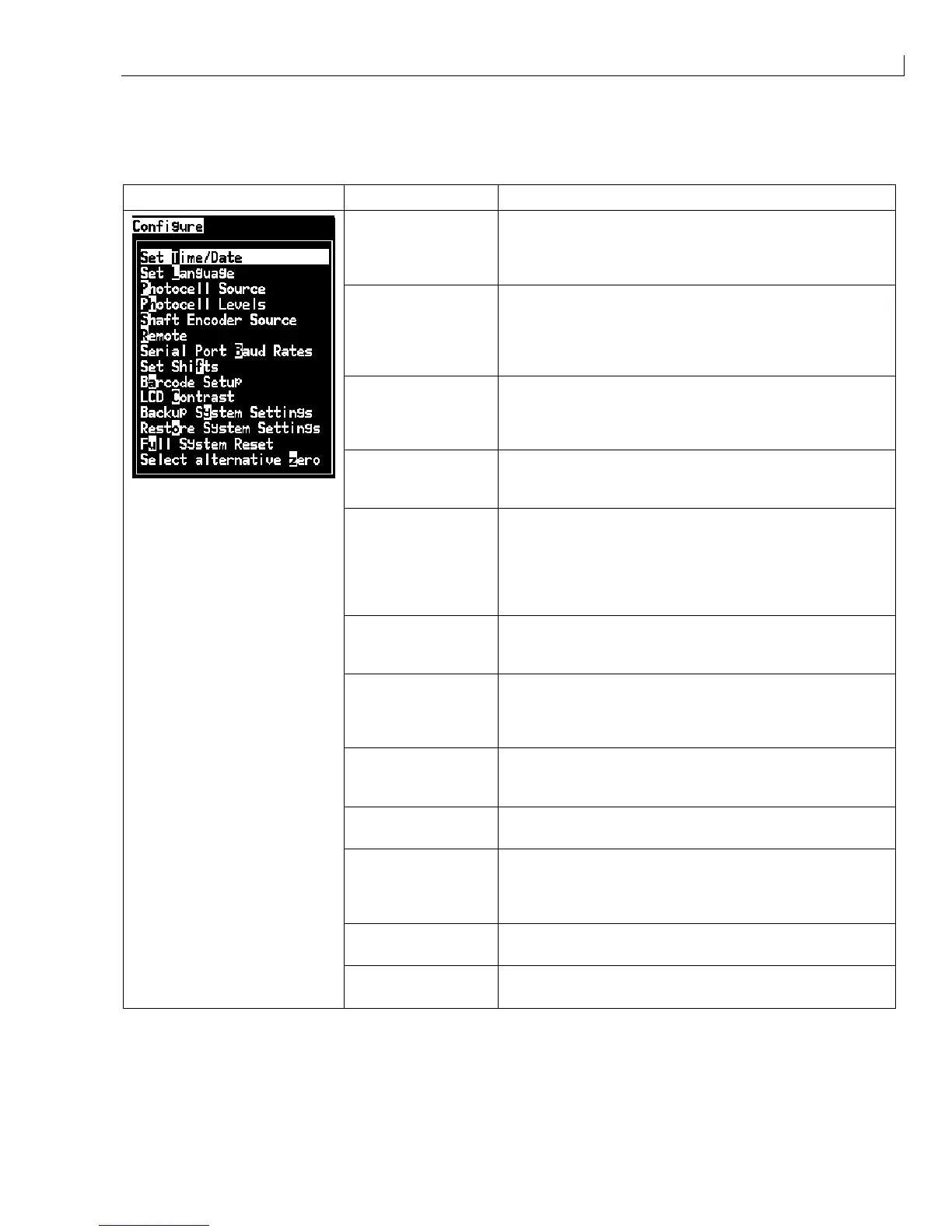
System Software: Configure Menu
Issue 2
105
Part No. 306-0430-102
Configure Menu
Configure Menu Menu Option Function
Set Time/Date Allows the Real Time Clock (RTC) in the printer to be set to
the local time and date. Opens the
Set time/date
menu. The
parameters that can be set are:
Day
,
Month
,
Year
,
Day
number
,
Hour
,
Minutes
,
Seconds
.
Set Language Allows the language used for the display to be set. Opens
the
Select prompt language
menu with the language
options available (available languages depend on the model
type of the machine). Selecting a language automatically
sets the appropriate keyboard type for that language.
Photocell Source
Selects the photocell source to be used. Opens the
Print
Control
menu.
Photocell source
can be toggled between
External 1
and
External 2
. (NB
External 2
requires special
software).
Photocell Levels Selects the active level for the photocells. Opens the
Photocell levels
dialogue.
Photocell 1
and
Photocell 2
can
be toggled individually between
Active high
and
Active low
.
Shaft Encoder Source An external shaft encoder should be used where there may
be variations in the speed at which the product passes the
printhead. Opens the
Print Control
menu.
SE source
can
be toggled between
External
(when an external shaft
encoder is used) and
Internal
(when an internal timer is
used).
Remote An RS232 serial port can be selected for communication with
other devices. Opens the
Select Port for Remote
dialogue.
Options are
Off
,
COM1
and
COM2
.
Serial Port Baud
Rates
Allows the baud rates for the serial ports to be set. Opens the
Configure serial ports
menu. The baud rate can be set to
75
,
110
,
150
,
300
,
600
,
1200
,
2400
,
4800
,
9600
or
19200
baud.
Set Shifts
Opens the
Set shifts
menu. The shift start time, the length of
the shift and the shift identification character can be set (see
Figure 5 Shift Setting Diagram
, on page 9).
Barcode Setup
Opens the
Barcode Bar/Space Ratios
menu. Up to four bar
widths and four space widths can be set.
LCD Contrast
Opens the
LCD Contrast
menu.
LCD Contrast
can be set to
a value from
0
to
255
. Also,
Back Light Saver
can be set to
Enable
or
Disable
and
Key pad buzzer
can be set to
Enable
or
Disable.
Backup System
Settings
Parameters set during the calibration process are saved to
memory, overwriting any previously saved parameters.
Restore System
Settings
Previously saved parameters and settings are read from
memory, undoing any recent changes.



 To Next Page