430 Ink Jet Printer Service and Maintenance Manual
26
Issue 2
Part No. 306-0430-102
Machine Power-Up
1
Ensure that the correct fuses are fitted for the local mains supply voltage. The correct values are listed
below:
a
110 V supply - 5 A fuse.
b
240 V supply - 3.15 A fuse.
2
Connect the printer to the mains supply and set the mains switch on the connector panel to ON (I).
3
Ensure that the machine initialises correctly.
4
If the LCD is not visible, press
f3
, and then
ctrl
+ L
. When the LCD is readable, press any key to set
the contrast.
5
If there is no ink in the system, check that the Ink Out icon is displayed.
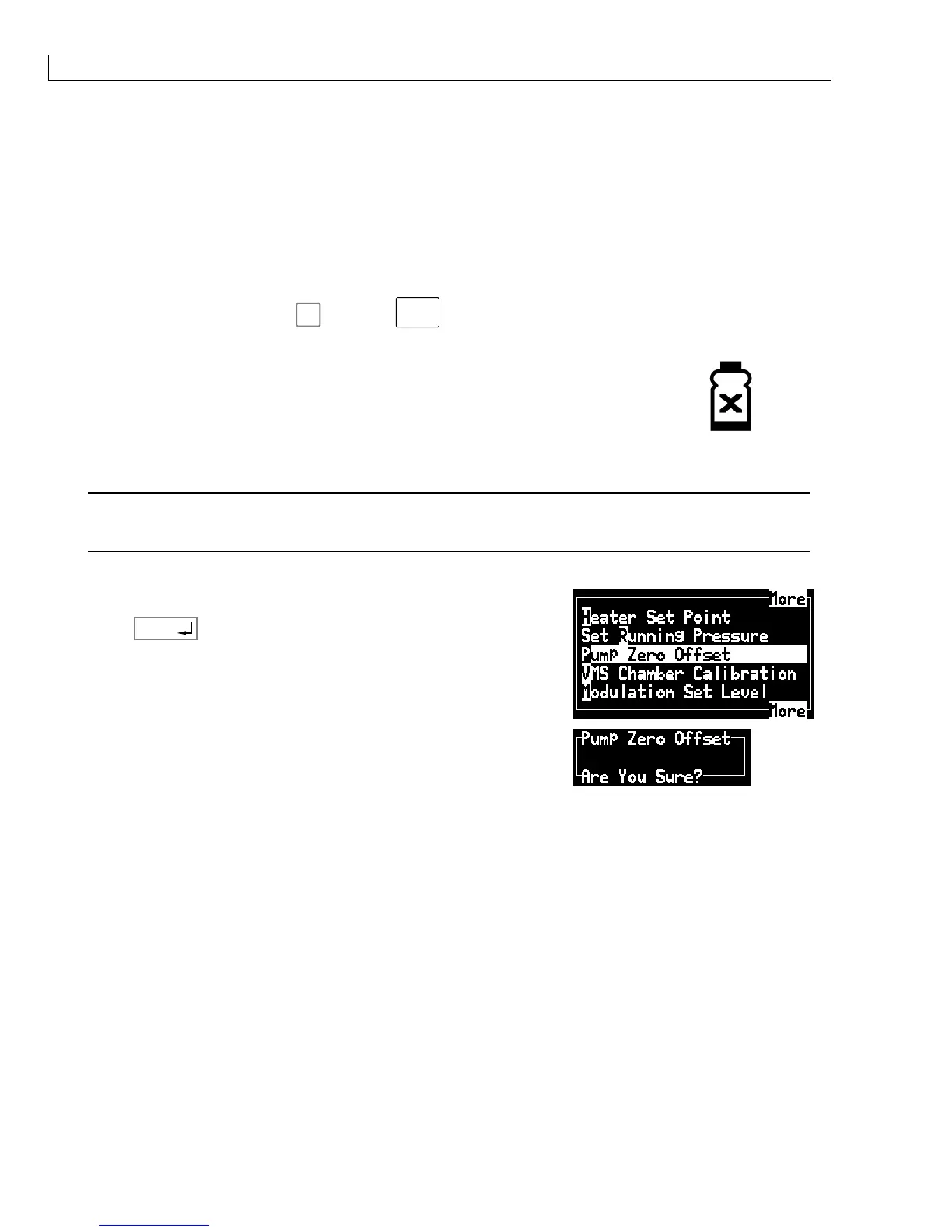
Pump Zero Offset Calibration
Caution - False Readings
To avoid the risk of false readings, the pump zero offset should only be calibrated when there is no ink
in the system and the pump is off.
Calibrate the pump zero offset as follows:
1
From the
Calibrate
menu select the
Pump Zero Offset
option.
2
Press
enter
.
3
Press
Y
to confirm or
N
to cancel the operation.
The ink system pressure is automatically set to zero relative to local atmospheric pressure. There is no visual
indication that the calibration has been performed.
Cooling Fan Check
Check that the electronic compartment cooling fan is operating correctly (i.e. blowing air through the electronic
compartment).
Note: The cooling fan does not rotate until the machine has been switched on for 2 to 4 minutes.



 To Next Page