System Calibration and Test: Fluid Identification Number (FIN)
Issue 2
31
Part No. 306-0430-102
Fluid Identification Number (FIN)
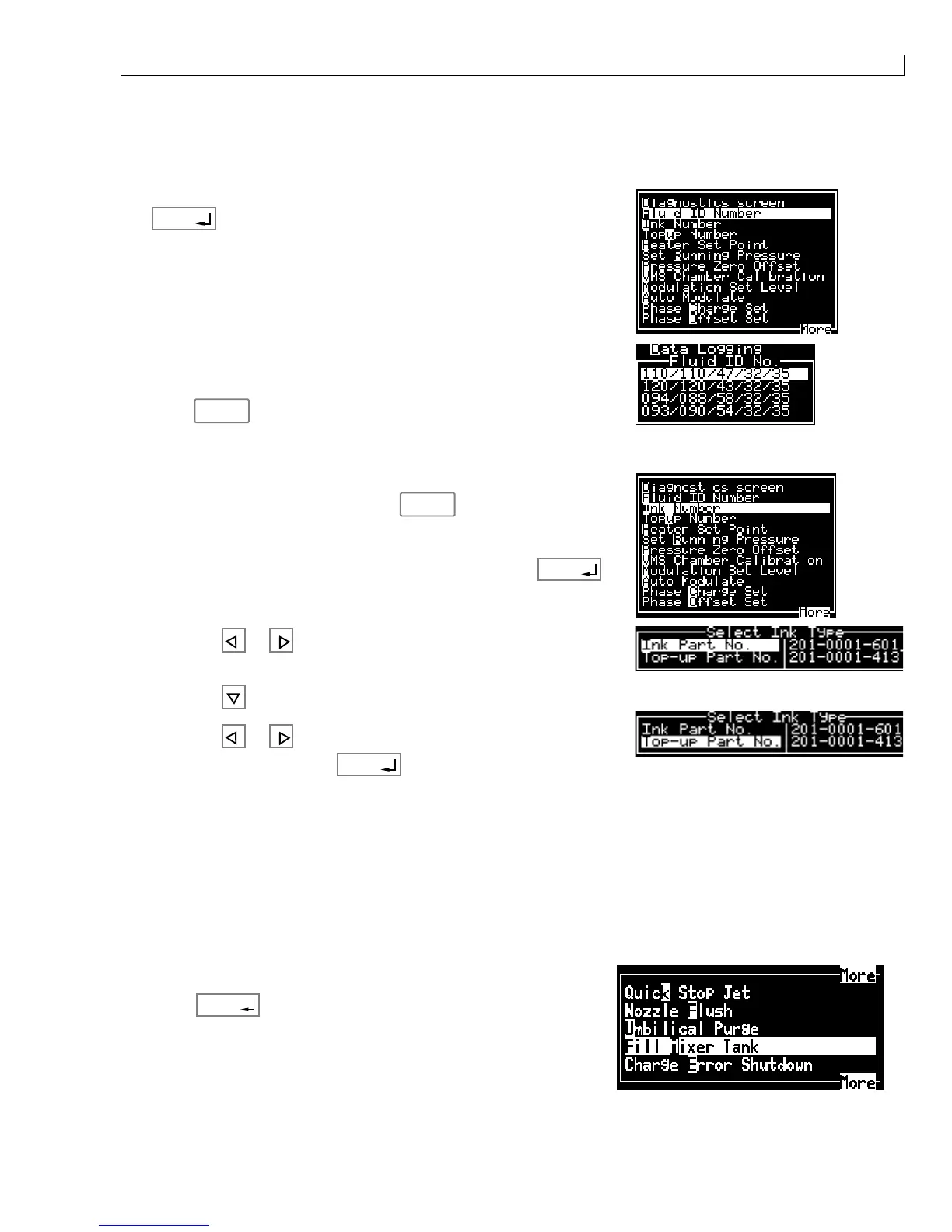
To ensure that the correct FIN for the ink in use has been entered into the machine, proceed as follows:
1
From the
Calibrate
menu select
Fluid ID Number
and press
enter
.
2
Check that the Fluid ID No. highlighted corresponds with ink and
top-up being used with the machine. If the FIN, Ink Part No. and
Top-up Part No. have previously been entered and are correct,
press
esc
.
Note: Refer to Table 2, 430 Range of Inks on page 15 for a list of ink, Top-up and FIN part numbers.
3
If the FIN number does not correspond with the ink and top-up
being used with the machine, press
esc
.
4
Select
Ink Number
from the
Calibrate
menu and press
enter
.
5
Press the
or key to scroll to the correct
Ink Part No.
for the
Fluid ID No.
6
Press the
key to highlight the
Top-up Part No
.
7
Press the
or key to scroll to the correct
Top-up Part No.
for
the Fluid ID No. and press
enter
.
Note: A list of part numbers (for ink and top up) and FINs appears in Illustrated Parts List, Table 46,
page 166.
Fill Mixer Tank
If the ink level in the mixer tank is less than 250 ml then it will be below the ink pick up pipe. The machine will
not reach operating pressure or top up ink.
If there is 250 ml or less ink in the mixer tank, fill it as follows:
1
From the
System
menu select
Fill Mixer Tank.
2
Press
enter
. The pump starts and the mixer tank fills. When
the level of ink is OK, the pump stops (this may take several
minutes).



 To Next Page