Firmware Download: Windows 95/98 Procedure
Issue 2
23
Part No. 306-0430-102
Boot Monitor Recovery Procedure
If a data communications error occurs whilst downloading a new software Flash File or the system memory
becomes corrupted, the system may “lock-up”. If this situation occurs, use the following recovery procedure:
1
Switch off the 400 Series unit.
2
Remove the I/O board to allow access to the CPU.
3
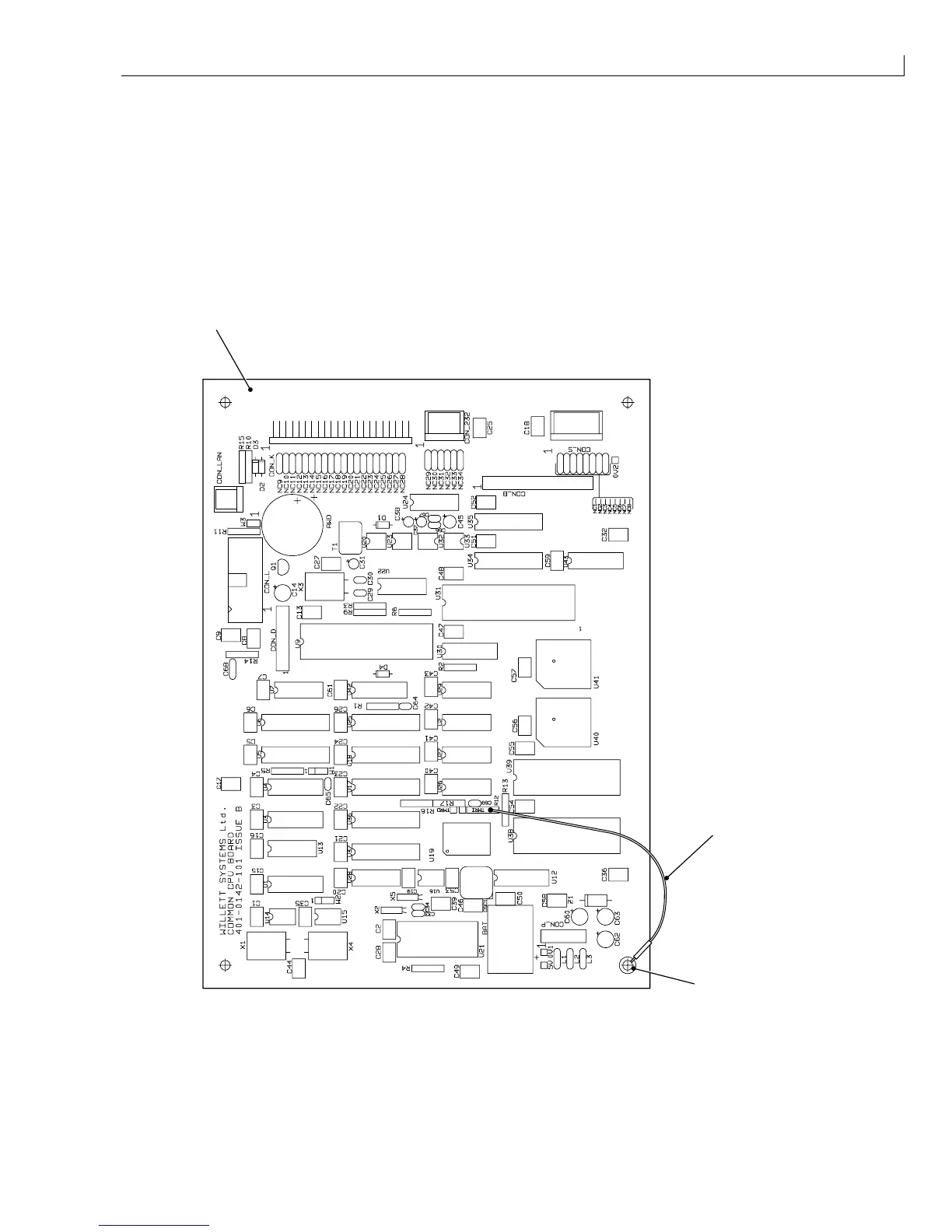
Connect test point TMR1 to the chassis (0 V) with a test lead. TMR1 is the test point closest to R12.
(
1
) CPU board
(
2
) Test lead
1
3
2
(
3
) Pillar (0 V)
Figure 11 Connection of TMR1 to chassis
4
Replace the I/O board and connections.
5
Connect a PC to the comms port.
6
Switch on the printer.



 To Next Page