Installation: Setting up Shifts
Issue 2
9
Part No. 306-0430-102
Passwords
Liase with the customer and find out which machine functions they want available to relevant personnel and
which passwords they want to use. Set the Passwords for Levels 1 and 2.
Caution - Degraded Performance
Machine functions that only Willett trained personnel can access are set at Password Level 3 (MASTER
password), these functions must not be given as customer options.
Notes: You must be at Password Level 3 to set Password Levels.
Do not divulge the master password to the customer.
Setting up Shifts
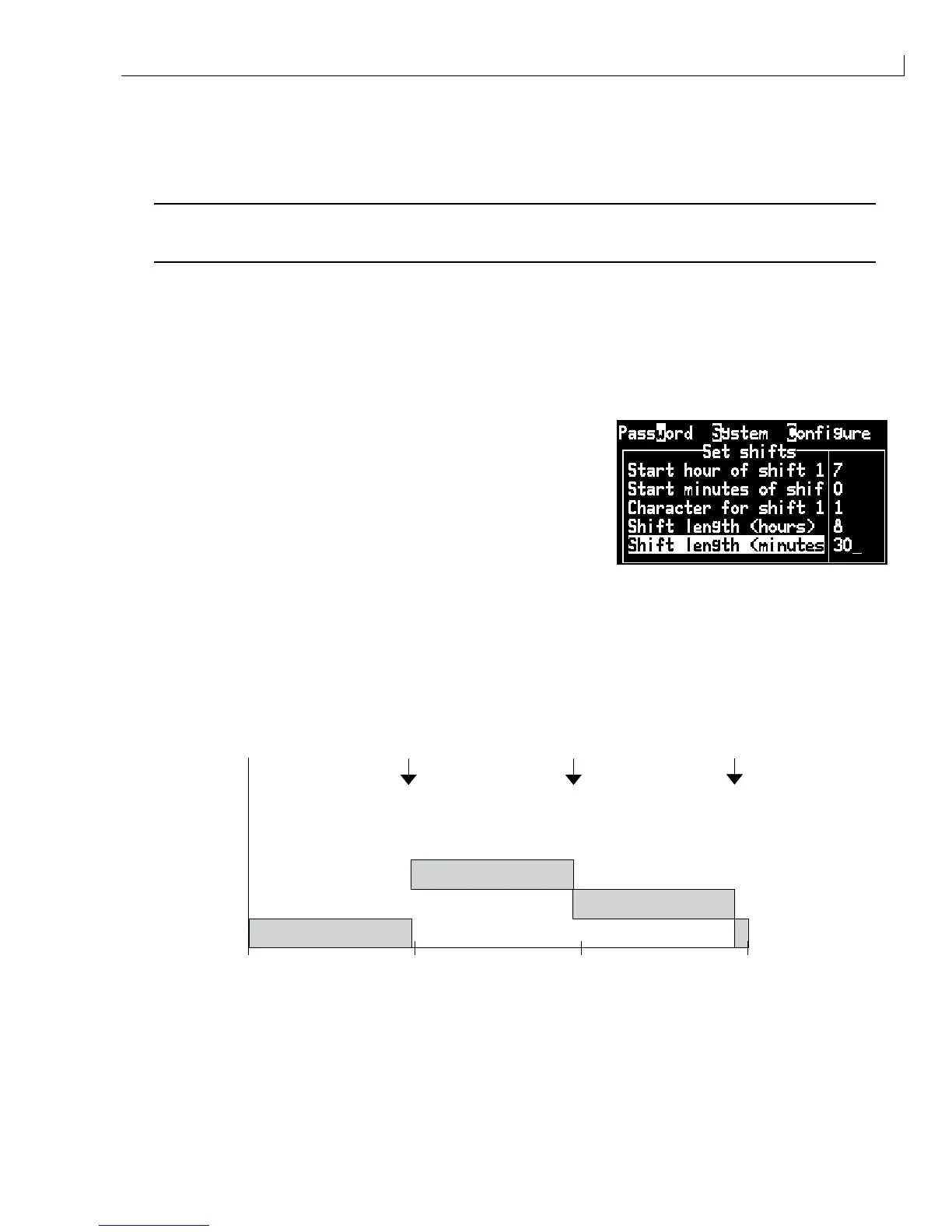
Liase with the customer to confirm shift requirements (if any). The example below show how to set a shift
system where the day is split into three shifts with each shift numbered from 1 and shift 1 starting at 0700.
1
From the
Configure
menu, select
Set Shifts
. The Set Shifts
sub-menu is displayed.
2
Set the shift parameters as follows:
Start hour of shift 1 = 7
Start minutes of shift 1 = 00
Character for shift 1 = 1
Shift length (hours) = 8
Shift length (minutes) = 00
Notes: You must delete the Character for shift 1 using the
backspace
or
del
key before entering a new
value.
Once you enter a start time and length, the other shifts are calculated automatically.
3
Using the Shift criteria defined above, the insertion of a shift at approximately 0330 would provide a shift
number of 2.
07:00
00h
SHIFT 3
SHIFT 1
SHIFT 2
08:00 16:00 23:59
07:00+8=15:00 07:00+8+8=23:00
Figure 5 Shift Setting Diagram



 To Next Page