430 Ink Jet Printer Service and Maintenance Manual
28
Issue 2
Part No. 306-0430-102
Voltage Checks
1
Check the voltages on the POWER connector, situated at the bottom right-hand corner of the I/O board.
Use Pin 2 as the 0 V reference. 0 is a representation of the POWER connector with the voltages shown for
each pin.
Notes: - 24 V is generated from the I/O board not the PSU.
Allow ± 5% tolerance on all voltages except -24 V which is allowed ± 10%.
The power connector must be connected to the I/O board to carry out this check.
PIN 8
-24 V
PIN 7
0 V
PIN 6
+24 V
PIN 5
+5 V
PIN 4
-15 V
PIN 3
+5 V
PIN 2
0 V
PIN 1
+15 V
Figure 14 I/O board POWER connector
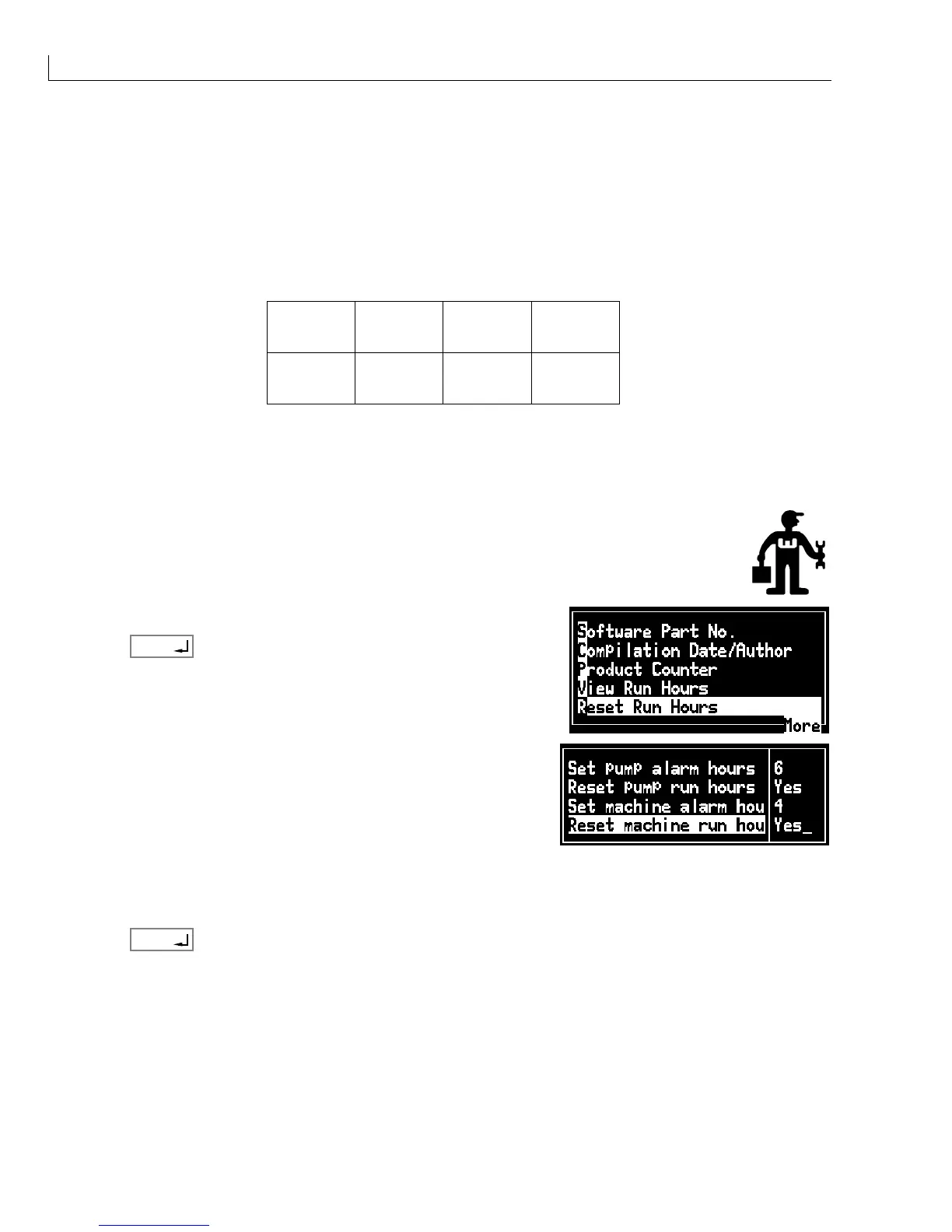
Reset Run Hours
If the Service icon is displayed, the time until the next service is due must be entered to remove it.
Proceed as follows:
1
From the Data Logging menu select Reset Run Hours.
2
Press
enter
.
3
Select
Set pump alarm hours
. Enter the number of hours until
the next ink system or pump service is due.
4
Set
Reset pump run hours
to
Yes
.
5
Refer to the
Preventative Maintenance Schedule
on page 143 and set
Set machine alarm hours
to the
number of hours until the next machine service is due.
6
Set
Reset machine run hours
to
Yes
.
7
Press
enter
to save the settings.



 To Next Page