Installation: Commissioning
Issue 2
7
Part No. 306-0430-102
28
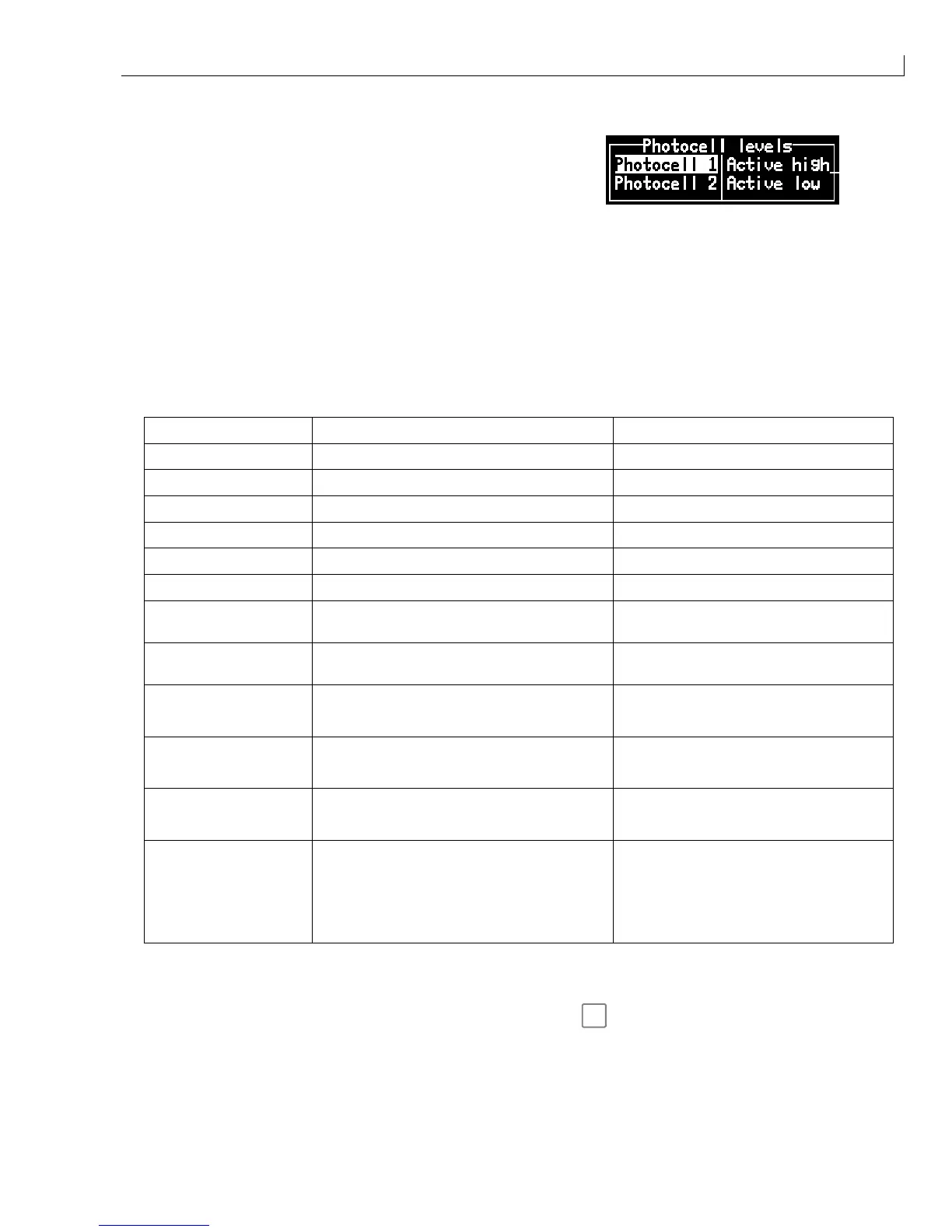
From the
Configure
menu, select
Photocell Levels
and set
the state of the
photocell 1 level
to
Active high
or
Active Low
as required.
29
The printer should now be printing continuously. Let the printer complete a minimum of 250 000 prints. Use
the counter to monitor the number of messages printed. Monitor the printer to ensure that the system
functions correctly.
30
At regular intervals access the
Calibrate
menu and select the Diagnostics Screen. Monitor the machine
parameters and check that they remain stable. Typical Diagnostics Screen values are shown in the table
below.
Note: The values provided are typical. The exact figures will vary slightly for each machine depending
on the model, ink type and ambient conditions.
Machine Parameter Typical Value (see Note above) Dependancy
Ink Pressure 32 Ink type, Pressure set value.
Cabinet Temperature 35 Ambient temperature.
Viscosity Set Point 29 Ink type, Ambient temperature.
Phase Angle Any value (must be stable) Correct Jet Break-up.
Ink Temperature 25 Ambient temperature
Head Temperature 25-35 Ink type, heater set point.
Viscosity Actual 29 Indicated value
±
1 compared to Viscosity
Set Point = correct viscosity.
Phase Profile 08-09 (Ideal) Phase charge, charge value,
Phase pick-up position
Ink (Reservoir Tank)
J
Covered
F
Low
Level Detect covered – OK
Level Detect uncovered – LOW
Sol (Top-up Reservoir)
J
Covered
F
Low
Level Detect covered – OK
Level Detect uncovered – LOW or EMPTY
VMS
F
J
Full
F
F
J
Filling
J
J
Emptying
F
Empty
VMS chamber Sequence
Mix
F
F
F
J
High
F
F
J
On
J
F
Empty
J
Low
J
J
MIXER TANK CONDITION
High – Tank level too High
On – Tank level OK
Low – Tank level too Low
31
After 250 000 prints have been satisfactorily completed, press
f1
and ensure that the printer performs a
clean shutdown.
Note: If the machine does not provide an adequate clean start-up or shutdown during these
procedures, it is possible that air may have become trapped in the flush pump and flush
pipework.



 To Next Page