Firmware Download: Windows 95/98 Procedure
Issue 2
19
Part No. 306-0430-102
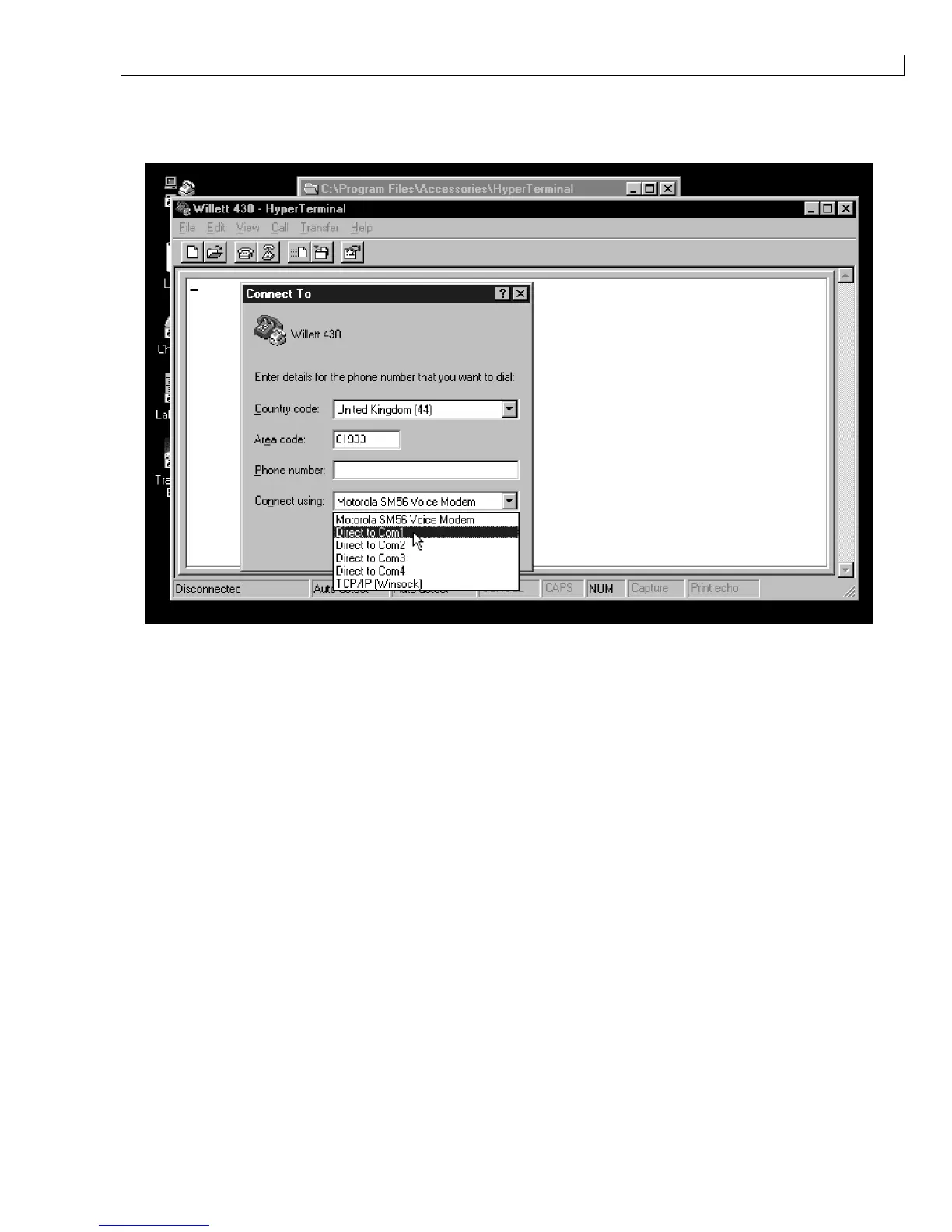
The
Connect To
dialog box appears.
5
Change the
Connect Using
edit box to Com1.
Figure 9 Connect To Menu
6
When the COM1 properties menu is displayed, ensure the settings are as follows:
Baud Rate: 9600
Data Bits: 8
Stop Bits: 1
Parity: None
Flow Control: None
Connector: Com1 (assuming Com1 is the port to be used)
7
Click
OK
to confirm the settings.
8
If required, this set up can be saved for future use by selecting
Save As
from the
File
menu and saving the
communications set up as, for example, 430.trm.
9
Ensure that port COMM1 on the printer is set to corresponding baud rate, data bits, stop bits and parity
settings.
10
From the
Data Logging
menu, select the
Serial Port Functionality
option and set
Status
to
Disable
.
11
From the
System
menu select
Debug Monitor
.
12
Set
Com1
to the active port. The prompt
MON>
should appear in the PC HyperTerminal Window.



 To Next Page