Asynchronous Transfer Mode – ATM
Acterna ANT-5 Page 101
6.3.1 Virtual Container Setup Tx
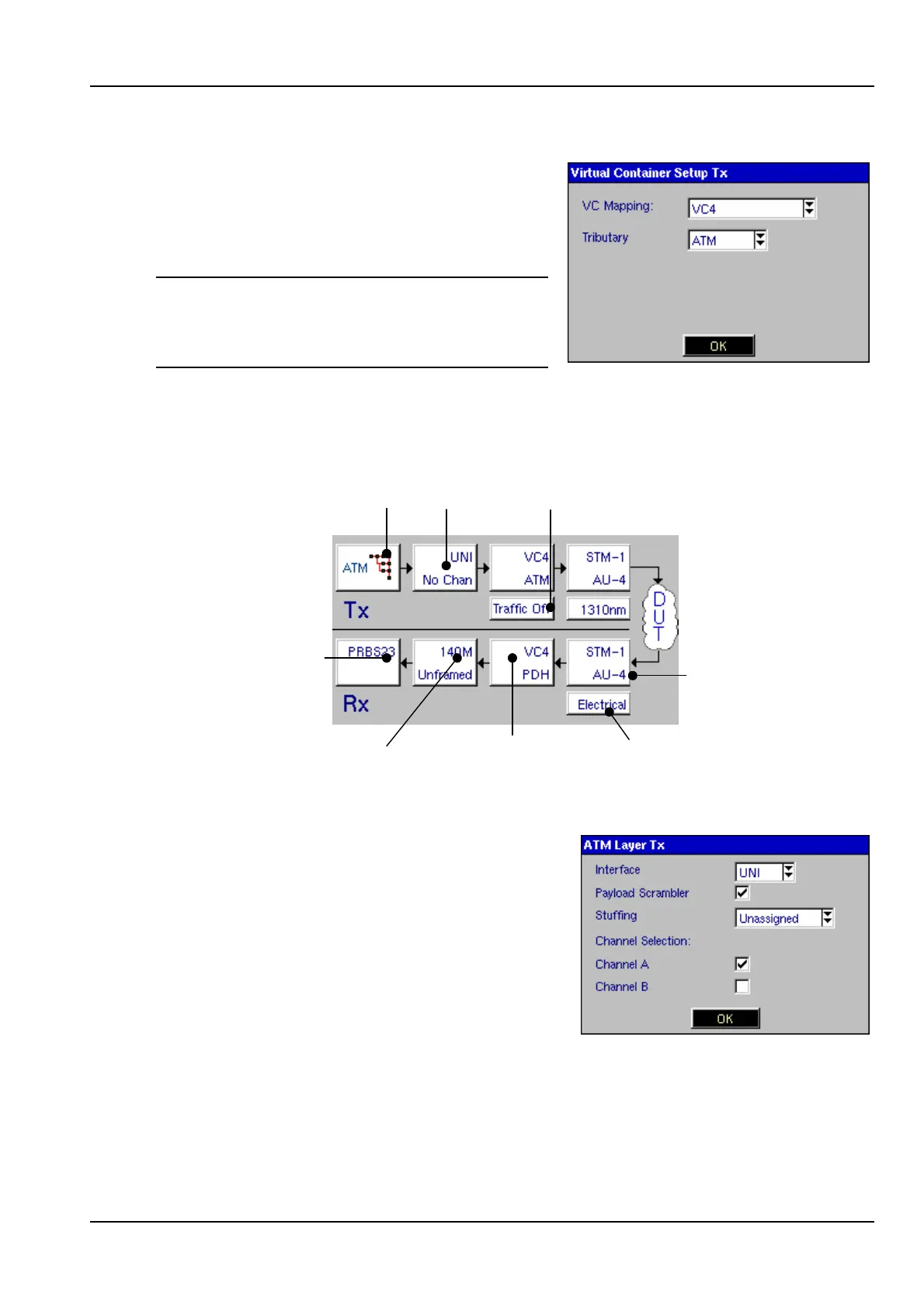
Once the physical layer is configured correctly,
open the Virtual Container Setup Tx panel,
and select the Tributary ATM from the
dropdown menu, then click on OK.
Note: For an SDH structure ensure that VC
Mapping is set to VC4. If ATM is required
within a SONET structure then set the SPE
Mapping to STS-3c SPE.
You will notice that the signal structure page has changed, similar to the diagram
shown below.
Interface
ATM Traffic
Off/On
ATM Layer
Switch to ATM
signal structure
PDH
Pattern
Virtual
Container
Hierarchy
6.4 Configuring the ATM Layer
With reference to the above diagram open the
ATM Layer Tx panel.
UNI or NNI can be selected as the Interface. In
this example the Interface is set to UNI and the
Payload Scrambler has been turned on. The
transmitter can send Idle or Unassigned cells.
In this example, the ATM cell stream will be
stuffed with Unassigned cells when no traffic is
sent. Finally, select the Channel. Channel A tests the foreground channel, and
Channel B is used to carry a fixed payload type on the background channel. Click on
OK when you have set the parameters.
From the signal structure page move the directional keys over Traffic Off panel. The
Enter key can be used to switch Traffic On or Traffic Off as required.



 To Next Page