Appendix F - Remote Access
Page 162 Acterna ANT-5
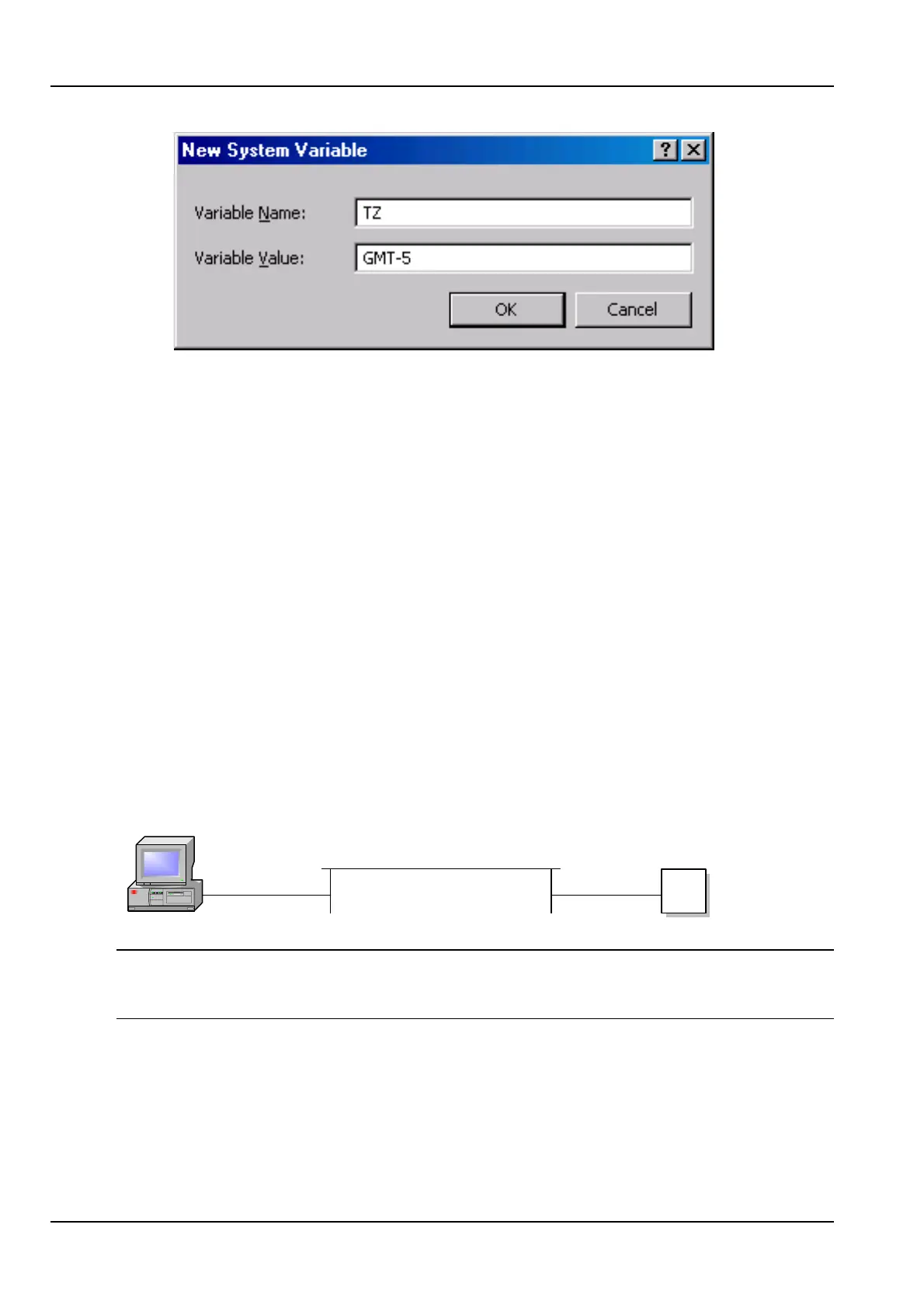
• Type TZ in the Variable Name field.
• Type a time zone in GMT+n or GMT-n format, depending on the relative
difference in time zones between your PC and the BN4565/01. For examples of
values for this variable, see page 149.
• Click OK, and exit the Control Panel.
18. A connection to an external power supply is advisable. Reboot the ANT-5, launch
the REMOTE application and leave on.
19. From Network and Dial-up Connections double click on the icon for the ANT-5
remote connection. The modem will then dial out to the remotely located ANT-5
modem and establish a connection.
Refer to section 5.4.1, Software Installation and operation on using the GUI
faceplate.
14.2 Remote Operation via Ethernet (IEEE 802.3)
14.2.1 Setting up the remote ANT-5
ANT-5
Ethernet Ethernet
Host computer
Note: The following illustrates how remote access can be achieved using the network,
it is not exhaustive and other scenarios may be equally valid. Please ensure the cable
is less than 3 metres from the ANT-5 to the RJ45 socket.
The following is required and assumed to be working:
• Complete ANT-5 unit with all necessary cables.
• 10BaseT connection.
1. Liaise with your IT department for a static IP address, the Subnet Mask and
Gateway of the network to which the ANT-5 will be connected.



 To Next Page