Getting started
Acterna ANT-5 Page 31
page also has a rectangular border that delimits the printable extent of the paper. This
can be used to ensure that the paper size and unprintable area are correct. If the
border is truncated (i.e. a complete rectangle is not visible) then the unprintable area
may be set too small or the paper size too large. Conversely, if the border is too far
from the edge of the paper then the unprintable area may be set too large or the paper
size too small.
Note: The SDH Access Tester application also uses the Menu key to provide a drop
down facility which can be used to print a comprehensive results and setup report via
the serial port (See Section 4.23). To use this feature successfully, it is important to
have the correct Printer Driver and Serial Port settings rather than relying on the
simple test data mentioned in Sections 2.7.1 and 2.8.
2.8 Serial port
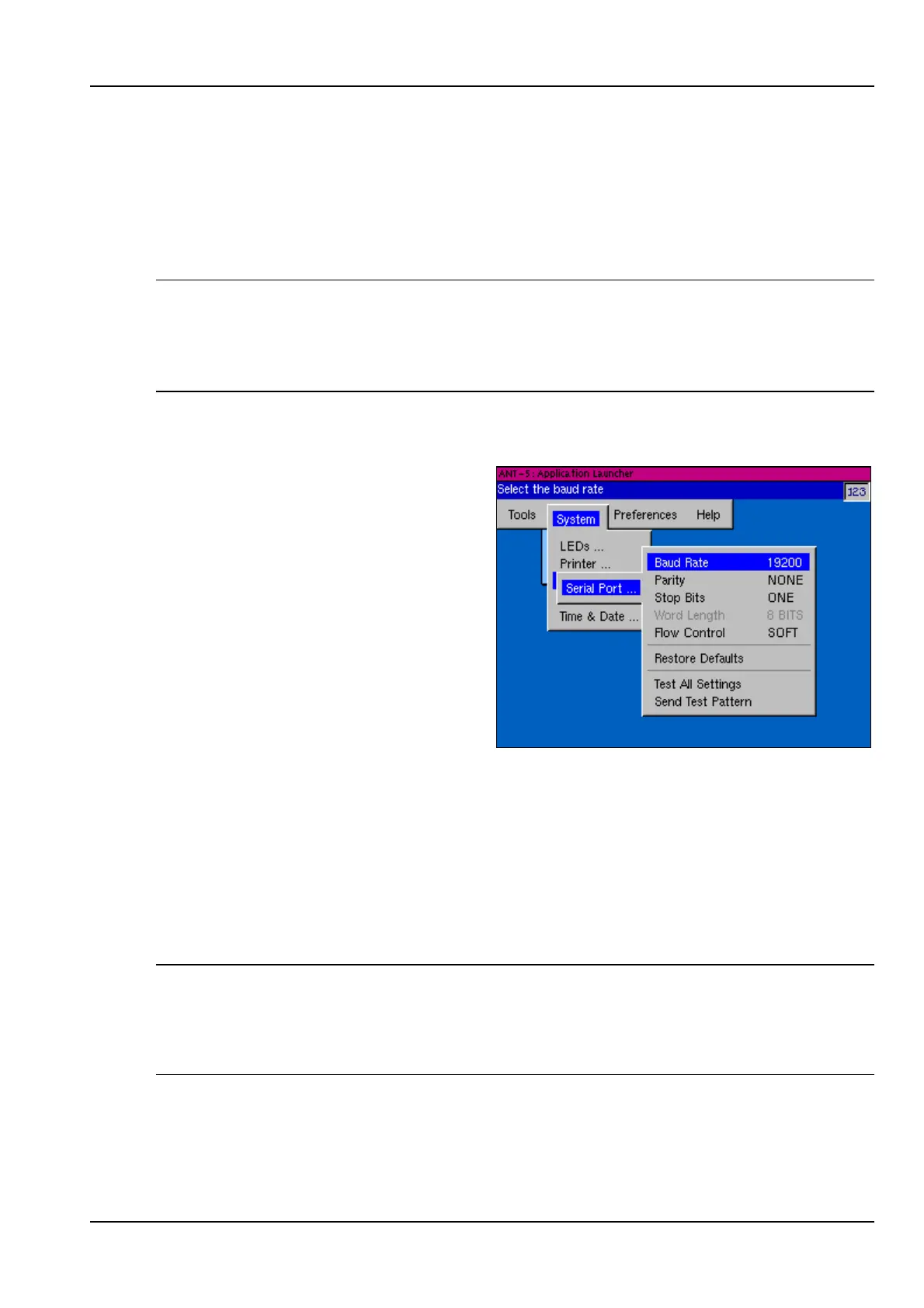
The ANT-5 can be connected to a
printer, modem or PC via the 9-way,
male, D-type connector. The
configuration of the serial port
parameters such as baud rate, parity
and stop bits can be set in the Serial
Port section of the System menu.
A facility to send an ASCII test pattern
to the serial port is provided as an aid
to setting up peripherals. This is
particularly useful for setting up the
serial connection for a printer since
most printers will print ASCII text sent
to them.
See Appendix C – Serial port and adapter cables for a diagram of the serial port.
2.8.1 Comms menu
A remote operation option is available for ANT-5, (See Section 5.4), enabling the unit
to be operated remotely from a Windows PC. This can be via the telephone network
using modems to the V.24 port or over Ethernet.
Note: BN4565/01 units will require an external Ethernet PC Card. Only 3COM 589
chip-set PC cards are supported, model numbers 3CCE589EC and 3CCE589ET.
An internal Ethernet port is fitted from BN 4565/02 onwards, care should be taken not
to confuse the E1 120Ω (RJ48) and the Ethernet port -> (RJ45).



 To Next Page