Getting started
Page 32 Acterna ANT-5
BN4565/01 units
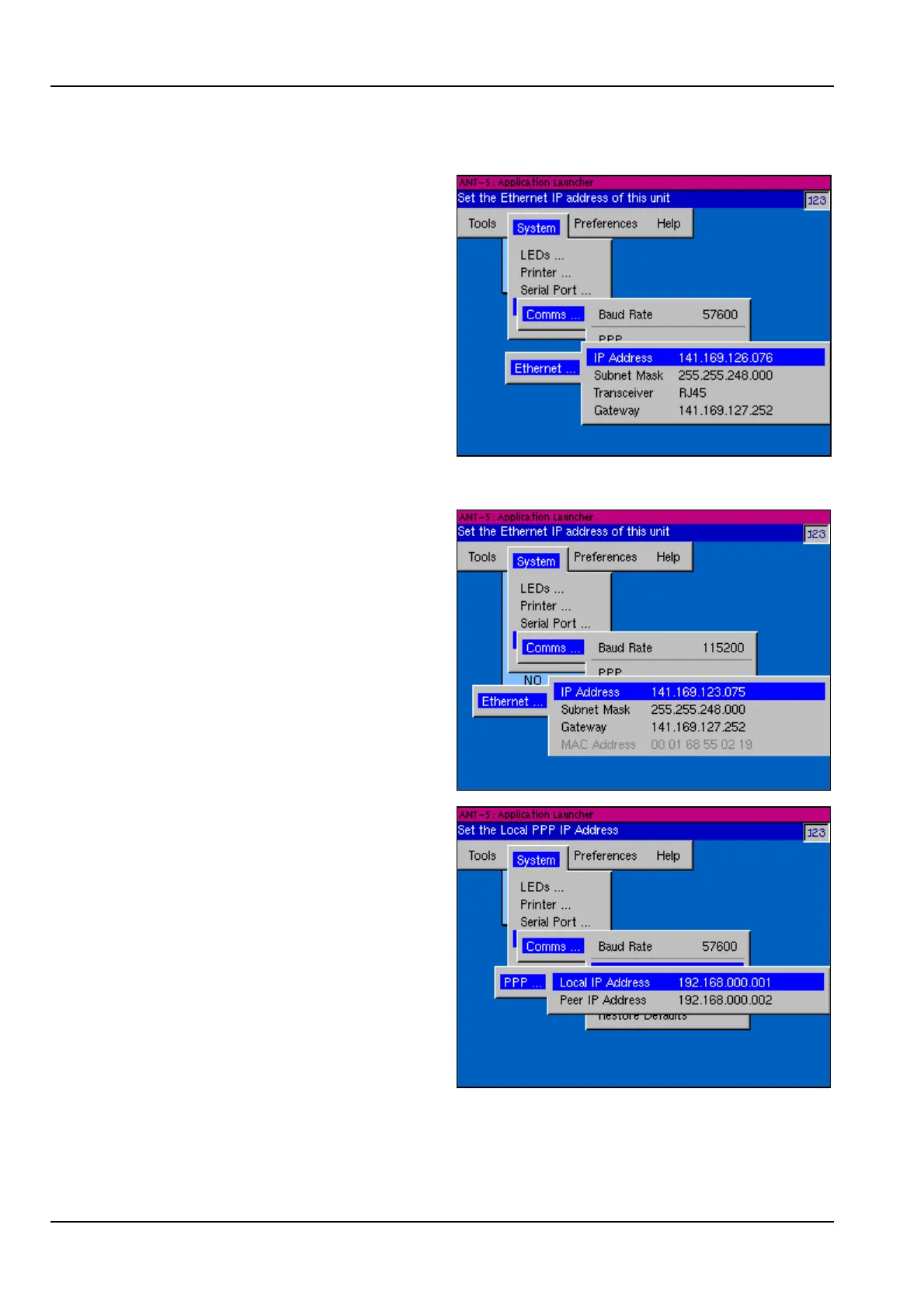
For Ethernet operation your IT
department will need to assign the
Subnet Mask, Gateway and a unique
static IP Address for the MAC
address of the Ethernet Card since
the ANT-5 does not support DHCP.
Highlight the appropriate line and
press the Enter key to edit the
address as required.
BN 4565/02 onwards
The greyed out MAC Address of the
built-in Ethernet port is shown in this
graphic. Your IT department will need
to know this when assigning the IP
address.
For PPP operation the ANT-5 acts as
the server and is responsible for
assigning IP addresses, conversely
the PC acts as the slave.
The Peer IP Address is the address
the ANT-5 assigns the remotely
connected PC for that PPP interface,
and as such is the address of the PC
from the ANT-5.
The Local IP Address is the address
of the ANT-5 from the PC.
These addresses can be edited in the
same way as above.



 To Next Page