The SDH Access Tester application
Acterna ANT-5 Page 61
Notes: The Stop key will always be available to stop tests manually, regardless of the
Timer settings. The time and date can be set in the Time & Date section of the
System menu.
4.7 Performance Analysis Setup
Note: The Performance Analysis setup tab will become available if selected from the
Measurement Selection page. See Section 4.3 for further details.
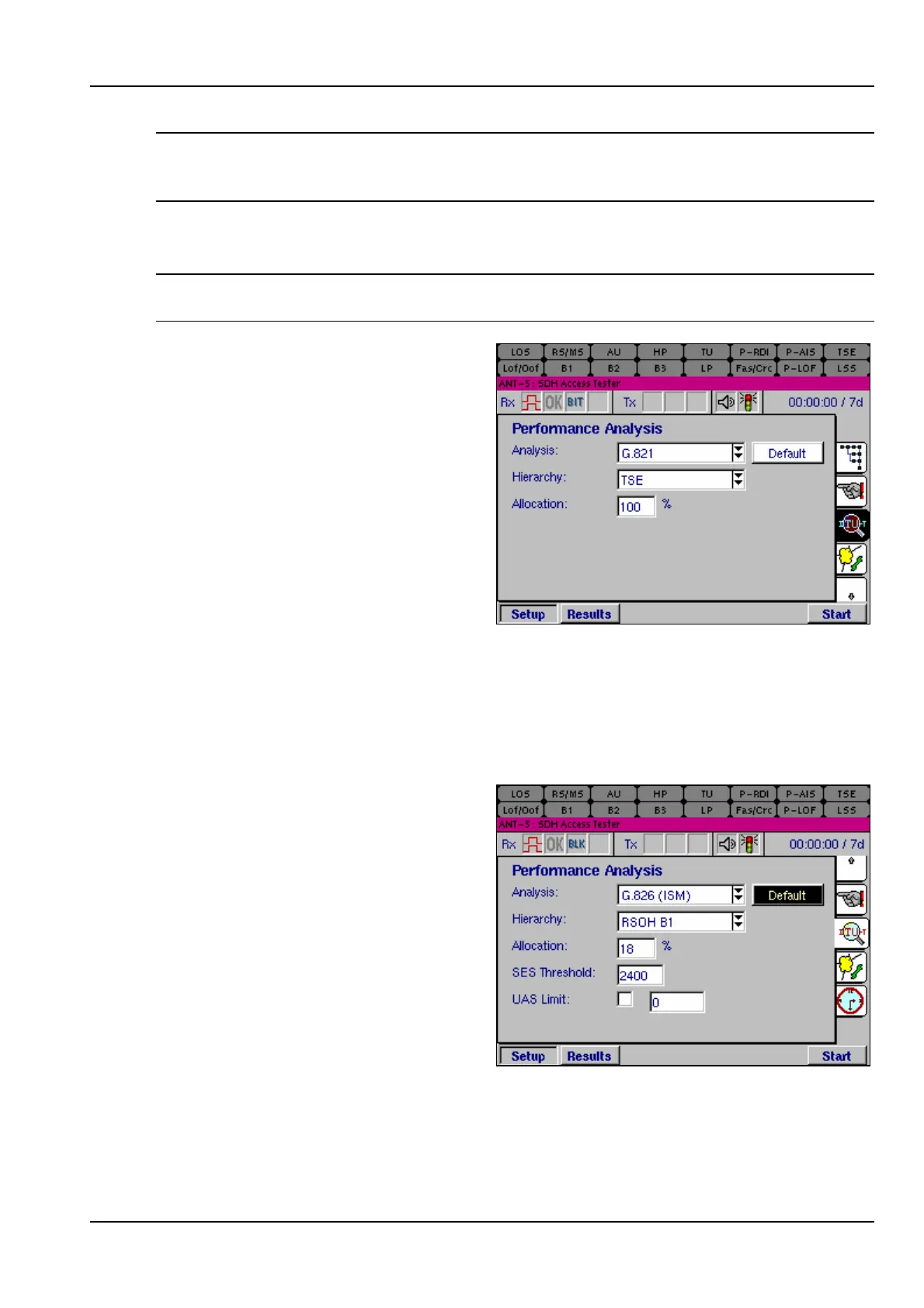
The Performance Analysis setup
page is used to determine how the
performance of a system will be
measured and recorded by the
instrument. A wide range of options
are available; see Appendix E –
Performance Analysis Options for a
list of the options with additional
details of the measurement method
for each option. The setup page has
two main parameters from which to
choose the option – Analysis and
Hierarchy.
For each analysis type, a set of hierarchies are available, which are dependent upon
the Analysis type selected. Some of these are only applicable to SDH, and will be
greyed-out in the list of options if a PDH Rx interface is selected.
For each selection of Analysis and Hierarchy, selecting the Default button restores
the default settings to the available parameters.
Allocation allows a percentage of the
required performance for an HRX
(Hypothetical Reference Connection)
to be allocated to the current test.
This allocation is typically 10-20% for
Access Networks.
SES Threshold allows setting of the
threshold for Severely Errored
Seconds, which in G.826 is said to be
30% of the number of blocks in one
second.
UAS Limit allows setting of the
threshold for Unavailable Seconds, in G.826 said to be 10 consecutive seconds of
SES. This can be disabled by clearing the adjacent checkbox.



 To Next Page