Optional software for the ANT-5
Page 94 Acterna ANT-5
5.6.3 Synchronous Payload Envelope Setup
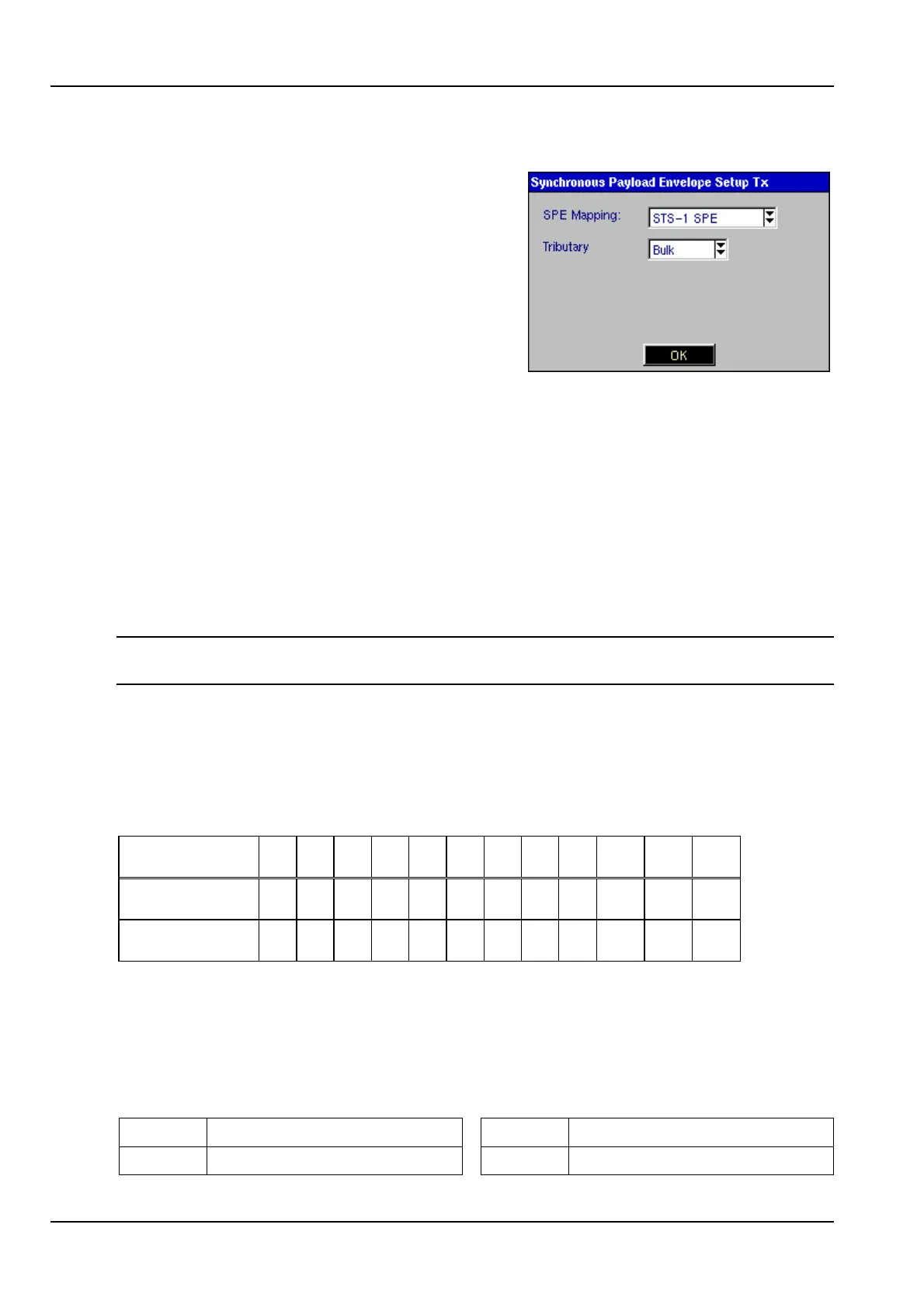
SPE Mappings can be selected from the
Synchronous Payload Envelope Setup
element. This element will not be available if a
PDH interface has been selected.
Bulk should be selected as the Tributary if
bulk testing of the virtual container is required.
The test pattern will then be injected across
the whole of the Synchronous Payload
Envelope.
If the unit supports Concatenated Mapping (See Section 5.3) then a test pattern can
be injected throughout the contiguous concatenated payload in either transmit or
receive mode as required by:
1. Setting the Hierarchy Type to SONET.
2. Set the Rate to OC-12
3. Set SPE Mapping within the Synchronous Payload Envelope panel to
STS-12c SPE.
Note: VT1.5 and VT2 mapping will also become selectable if the AU3 mapping option
has been purchased and enabled.
5.6.4 Channel Setup
The channel for testing will depend on the parameters set for the hierarchy and
synchronous payload envelope.
Mappings to the OC Channel
OC 1 2 3 4 5 6 7 8 9 10 11 12
STS-N 1 1 1 2 2 2 3 3 3 4 4 4
AU-3 channel 1 2 3 1 2 3 1 2 3 1 2 3
5.6.5 PDH Setup
Only bit rates and framing types appropriate to the SONET configuration will be
displayed as options within this panel.
5.6.6 SONET LED Indicators
LOS Loss of Signal Lof/Oof Loss of Frame
Line-L Line overhead B1 Section error monitoring



 To Next Page