Getting started
Acterna ANT-5 Page 35
2.13 Power saving features
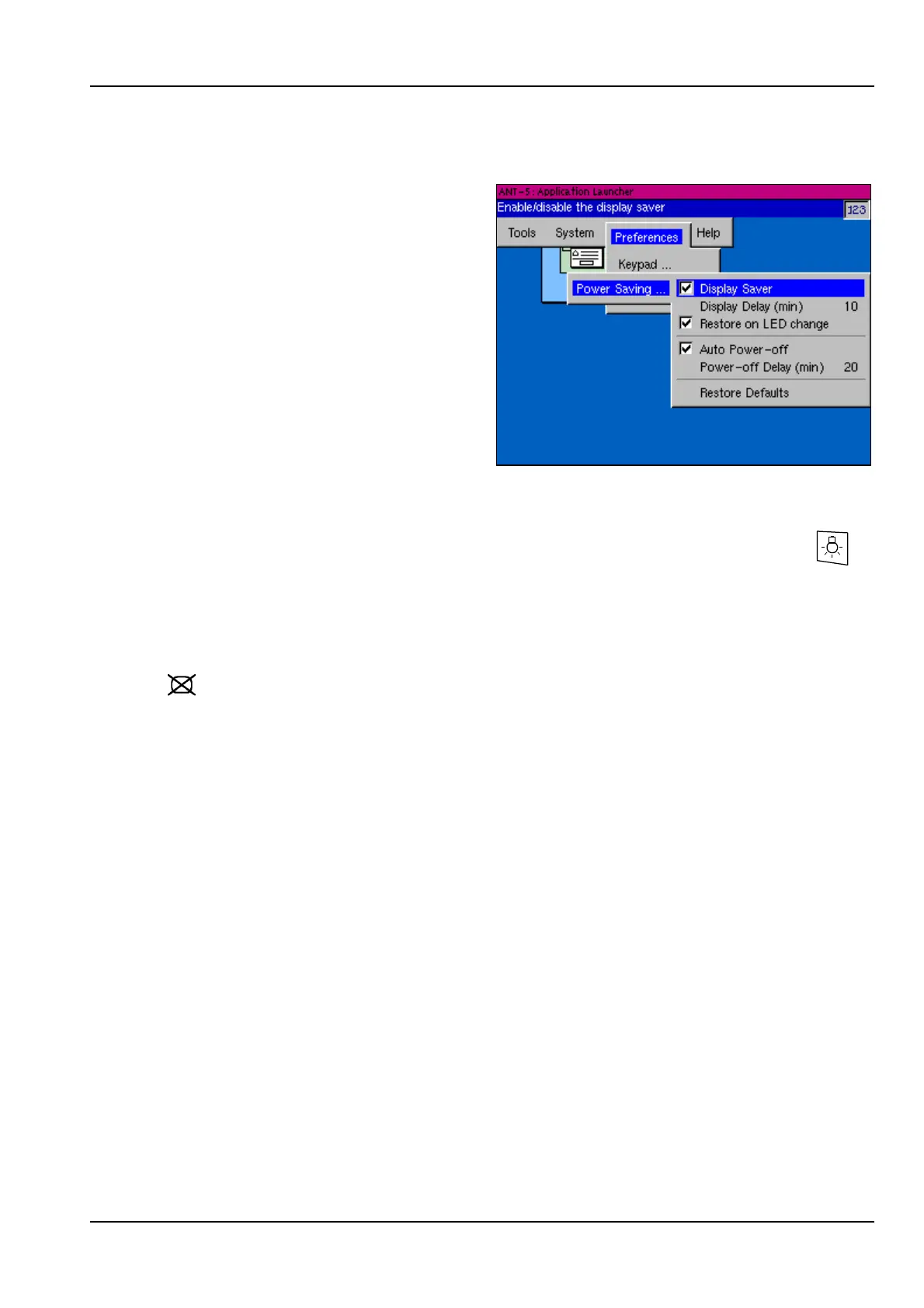
The power saving features can be set
up in the Power Saving section of the
Preferences menu.
These take effect when the instrument
has been idle for a set period of time
with no keyboard activity.
2.13.1 Using the backlight
The screen has a backlight which can be switched between high and low
level by pressing the Backlight key. Use the low level to save battery power.
2.13.2 Display Saver
When the Display Saver is selected, the screen will turn off after a set period of
keyboard inactivity in order to save battery power. When this happens the screen LED
( ) will come on to indicate that the screen has been blanked. The full screen
display can be restored by pressing any key.
The time delay before blanking occurs can be set up in the Power Saving section of
the Preferences menu.
This section can also be used to set up the ANT-5 to restore the screen automatically
when there is a change in the status of the on-screen simulated LEDs. The behaviour
of these LEDs is controlled by the current tester application.
2.13.3 Auto Power-off
When Auto Power-off is selected, the ANT-5 will switch itself off after a set period of
keyboard inactivity in order to save battery power. The time delay before this occurs
can be set up in the Power Saving section of the Preferences menu.
The ANT-5 will not switch itself off if a test is running. However, if the unit is
accidentally switched off, or there is no power left in the battery, results will be saved
in the internal: device of the File Manager. These will be saved as AUTO files, with
suffixes of .A5R, the time and date will also be present so that the results are easily
identified.



 To Next Page