The SDH Access Tester application
Acterna ANT-5 Page 65
4.11.1 Injection of Anomalies
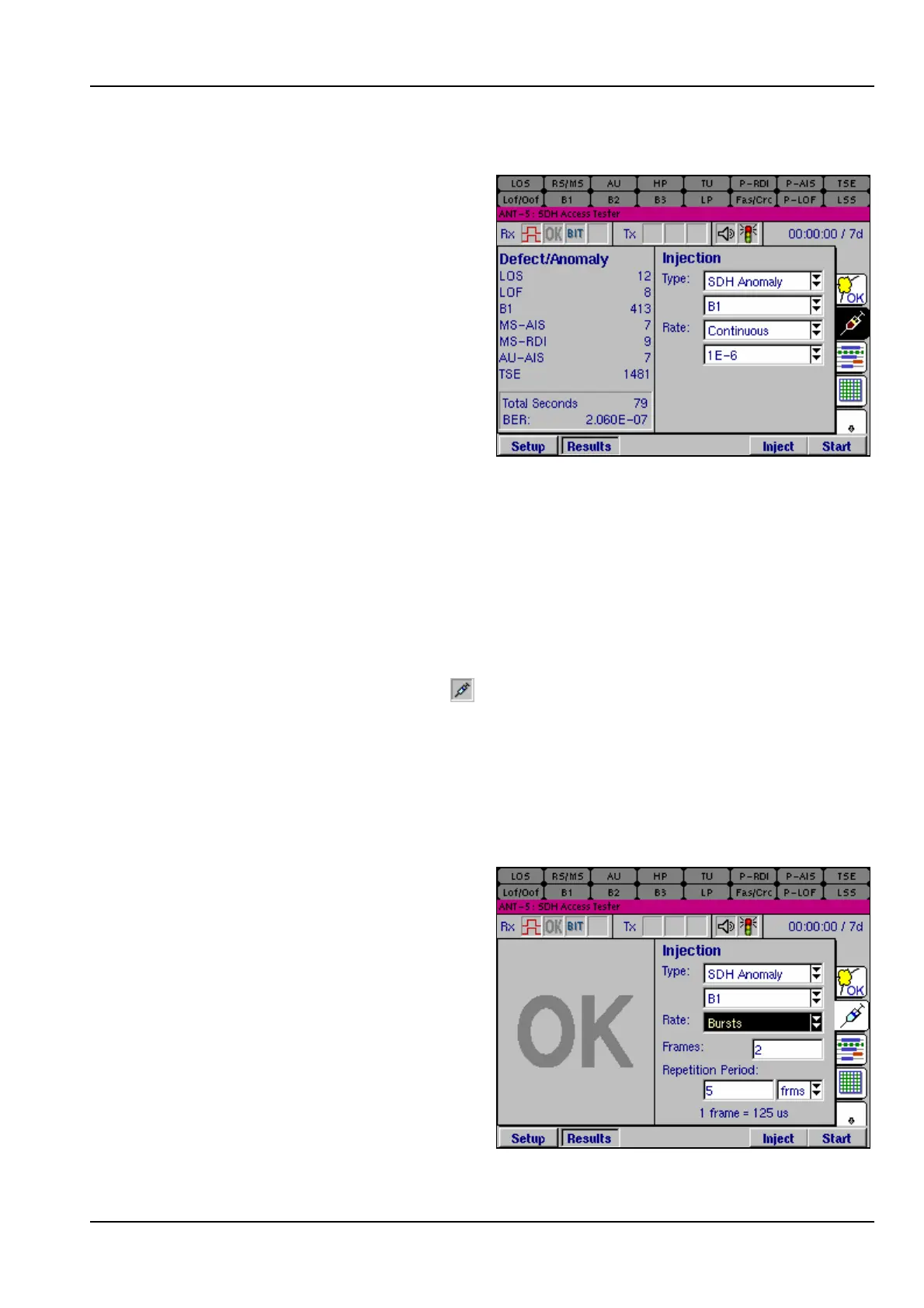
The Injection page can be used to
inject a range of different anomalies
into the transmit structure, either
singly or at an average rate of
between one error in every 10
2
bits
and one error in 10
10
bits, of the
appropriate type.
The type of anomalies to be injected
is selected from the Type list box. The
list of available anomaly types
depends on the type of framing being
used, and also whether SDH or PDH
hierarchies and line interfaces have
been selected.
The number of anomalies to be injected is selected from the Rate list box and can be
set to Single or Continuous. The Continuous rates available are 1E-2, 1E-3, 1E-4,
1E-5, 1E-6, 1E-7, 1E-8, 1E-9 or 1E-10, the available rates depending upon which
anomaly is selected.
To inject a single anomaly into the Tx path, set the Rate to Single then press the
Inject firm key. The Inject firm key will now be depressed indicating that anomalies are
being injected. To inject anomalies at a Continuous rate, set the Rate, then press the
Inject firm key. The injection icon, , displays an animated syringe when anomalies
are being injected. To stop injecting, press the Inject firm key, the injection icon now
disappears.
The Inject firm key appears automatically in the Injection page. To allow injection
from any other page, users can view the Inject firm key by pressing the Alt button.
4.11.2 Injection of Bursts errors
As well as single or continuous errors,
Bursts can also be injected into the
SDH Anomaly structure. The benefit
of this feature is that these errors
allow network elements to be stressed
more closely under conditions that
emulate real errors.
Errors are injected into consecutive
SDH frames. This process is then
repeated, the Repetition Period is
defined in frames or seconds which
gives a convenient method of testing
frame synchronization.



 To Next Page