The SDH Access Tester application
Page 48 Acterna ANT-5
with the Enter key. If a test is running, some parameters on the setup pages can be
viewed but not changed and these will be greyed to indicate that they are disabled.
When making changes to the setup, any value selected for a parameter (by pressing
the Enter key for example), becomes effective immediately unless it is not a valid
value. In this case the previous value will be retained or a substitute value used.
Note: Whether a test is running or not, the transmitter will start to transmit
continuously as soon as a valid configuration is entered. The receiver will look for and
attempt to recognise a valid signal on its Rx input in readiness for the Start key being
pressed. When a test is not running, the LEDs and Rx icons will continuously indicate
errors and alarms but any other results displayed will be the results of a previous test.
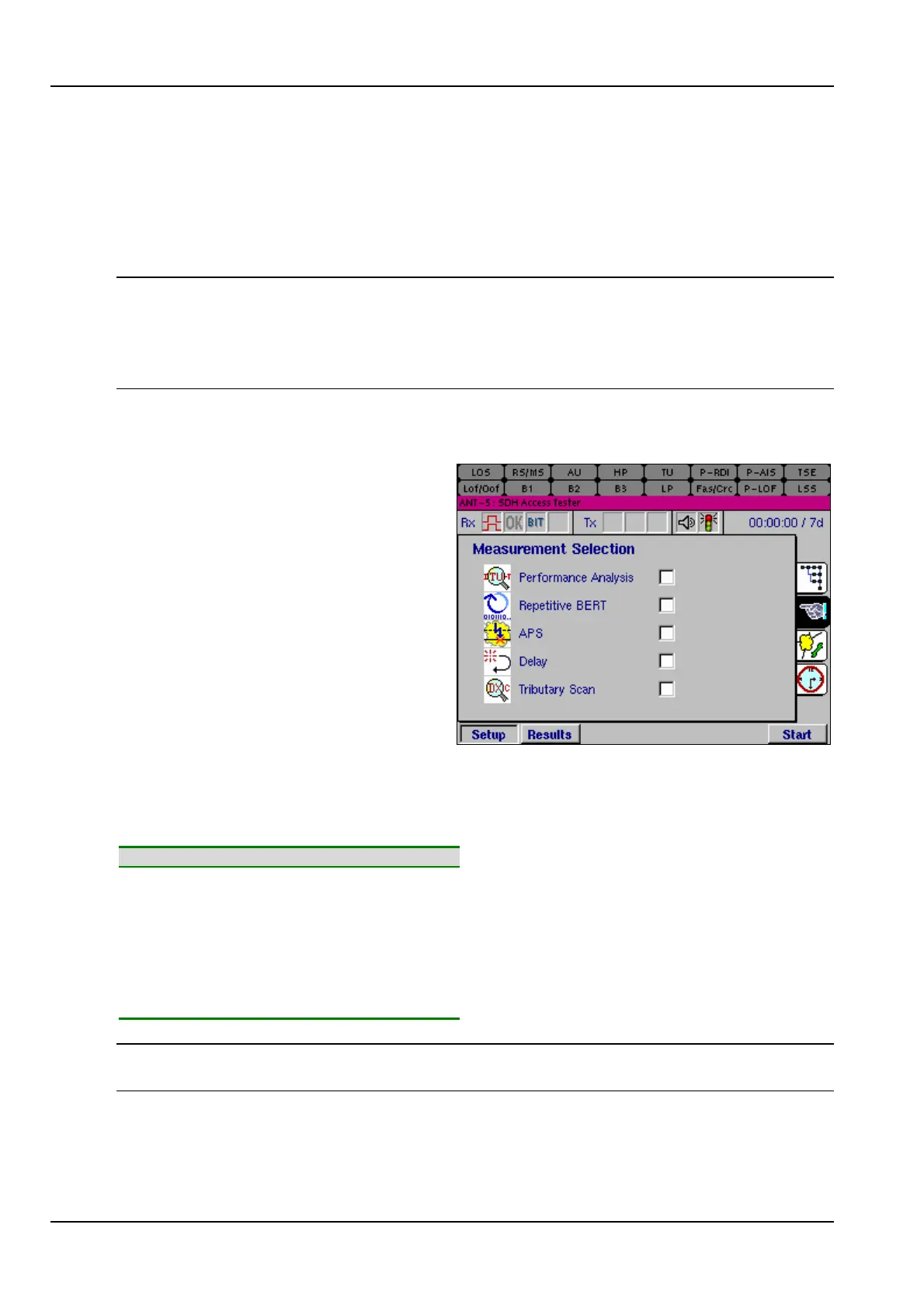
4.3 Measurement Selection
A Measurement Selection page has
been included to ease special test
mode selection, for example, a
tributary scan or a delay
measurement. Each measurement is
mutually exclusive.
When a special measurement mode
is selected, the corresponding results
page will be displayed by selecting
the Results tab. In some cases (for
example, performance analysis or
tributary scan) a corresponding Setup
page will also be available.
Alternatively if no setup is required, check the required measurement and press the
Start firm key to view the appropriate results page. Refer to the relevant sections (as
listed below) for a description of the test.
Feature Section
Performance Analysis Setup
4.7
Performance Analysis Results
4.12
Repetitive BERT
4.17
Automatic Protection Switching
4.18
Delay
4.20
VC12 Tributary Scanning Setup
4.8
VC12 Tributary Scanning Results
4.16
Note: To select Tributary Scan ensure VC12 is selected as the Virtual Container for
the Transmitter (Tx) and the Receiver (Rx). (See Section 4.4.3 and 4.4.9).



 To Next Page