Asynchronous Transfer Mode – ATM
Page 106 Acterna ANT-5
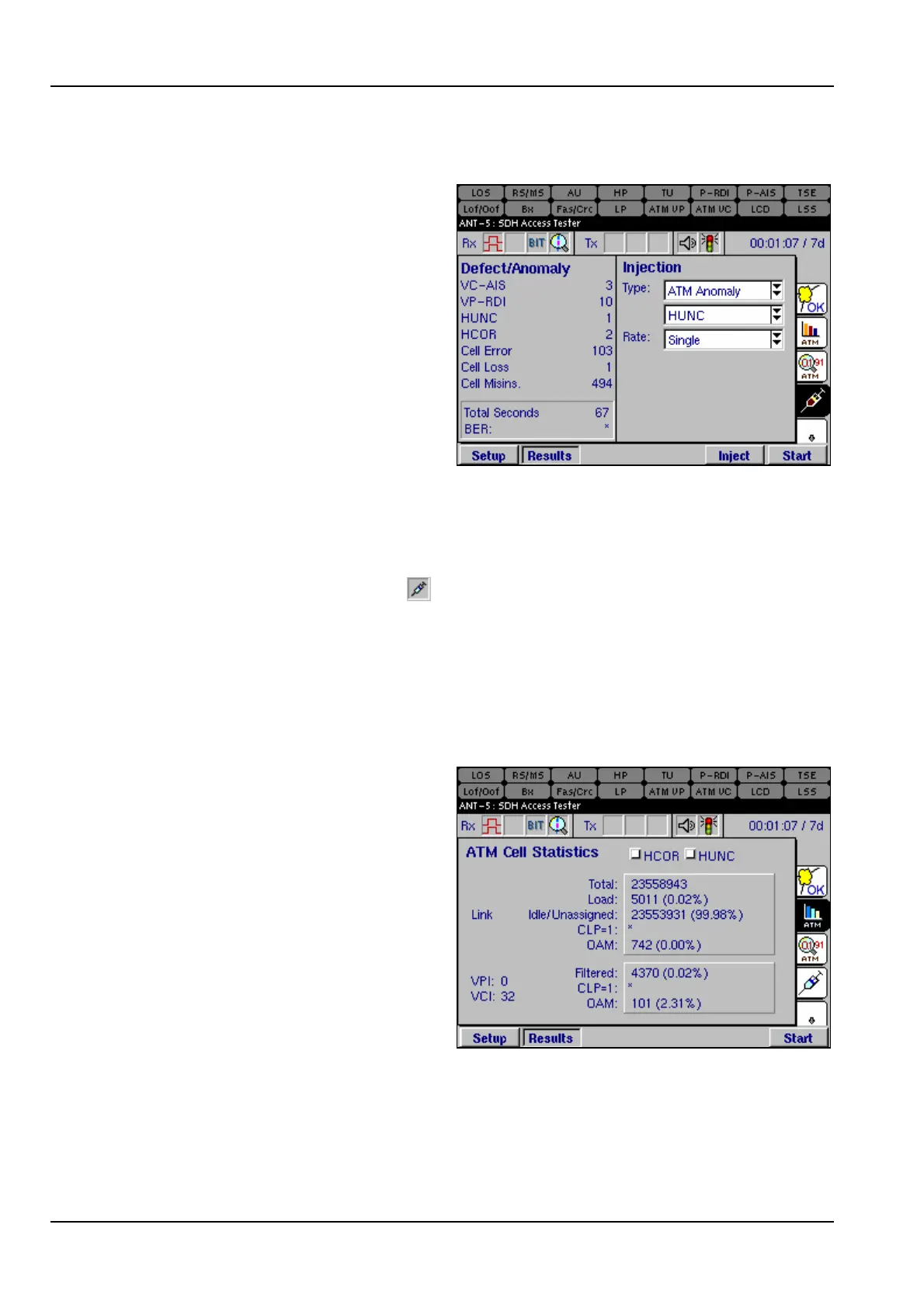
6.8.2 Injection of ATM Anomalies and Defects
Before anomalies or defects can be
injected, check that the following
parameters are set.
1. Ensure that Channel A is checked
and Traffic On has been selected.
See section 6.4
2. Ensure that the value of the PCR
is greater than zero. See section
6.4.3
To inject an anomaly or defect into the
Tx path, select either ATM Defect
allowing the injection of VC-AIS, VC-RDI, VP-AIS and VP-RDI defects. Alternatively,
select ATM Anomaly allowing the injection of HCOR, HUNC, Cell Error and Cell Loss
anomalies.
Once the parameters are set, press the Inject firm key. The Inject firm key will now be
depressed and the injection icon, , displays an animated syringe when defects or
anomalies are injected. To stop injecting, press the Inject firm key, the injection icon
now disappears.
The Inject firm key appears automatically in the Injection page. To allow injection
from any other page, users can view the Inject firm key by pressing the Alt button.
6.8.3 ATM Cell Statistics
The ATM Cell Statistics page
displays information relating to cells
received on the receiver Rx. Details of
the statistics are given below and
related to the associated graphic.
HCOR or HUNC shows if cells have
been received which contain
correctable or uncorrectable header
errors.
The Link
• Total is the number of cells
received
• Load is the number or percentage of cells that contains user information, including
OAM cells
• Idle/Unassigned is the number or percentage of cells received
• CLP =1 Count of cells where CLP=1. If congestion causes a problem, the network
will discard these cells first



 To Next Page